Organizations
An org is a tenant: its own Products, teams, AgentRoles, model provider key and Settings, in its own namespace ir-org-<org>. The setup wizard creates the first one, the platform org, which runs the management cluster. Platform admins create more.
Every org other than the platform org starts with no GitHub connection. Its org admins connect one themselves, with a GitHub App of the org's own on a GitHub organization of their choosing. A GitHub organization belongs to exactly one Infrared org: once an org has connected it, no other org can, and no org ever needs another org's connection.
Create an org
Platform admins open the org switcher at the top of the rail and choose New org:
- Name: a lowercase DNS label of at most 56 characters. It names the namespace (
ir-org-<name>) and can't be changed. Names Infrared or Kubernetes use, such asargocd,buildsor anything startingkube-orir-, are reserved. - Display name: what people call it.
- Org admins: GitHub logins. They become the org's team
adminswith roleorg-admin, so they can sign in with GitHub and set the org up.
Infrared switches to the new org. The operator creates its namespace and seeds the AgentRole and AgentWorkflow catalog, as for every org. Add more people under Settings → Teams (see Teams and access).
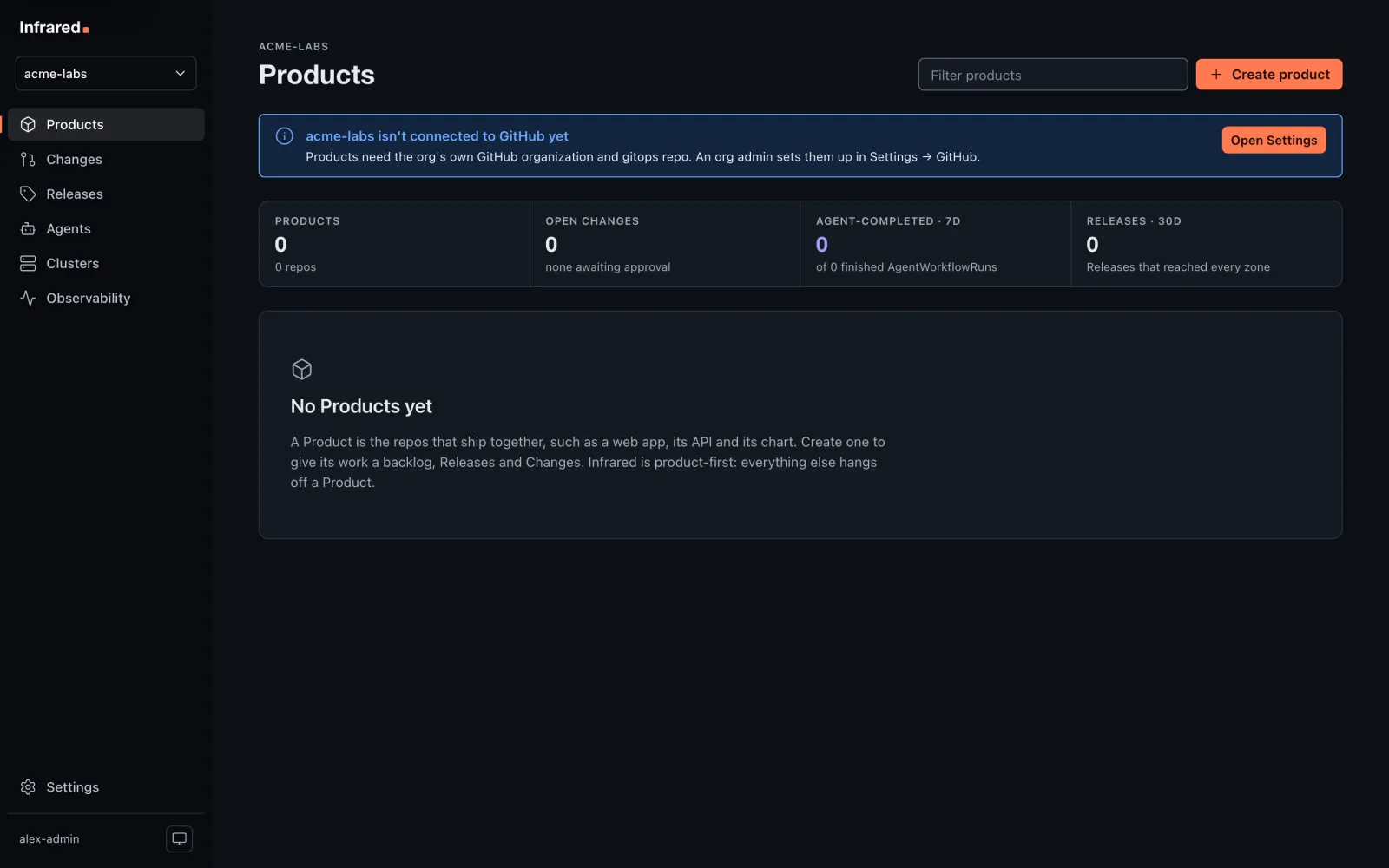
Until the org is connected, Products and Changes say so and point to Settings:
With the API:
curl -X POST https://<host>/api/v1/orgs -H "Authorization: Bearer $INFRARED_TOKEN" \
  -H 'Content-Type: application/json' \
  -d '{"name": "acme-labs", "displayName": "Acme Labs", "admins": ["octocat"]}'
Connect GitHub
An org admin opens Settings → GitHub, enters the login of a GitHub organization they own, and chooses Connect GitHub.
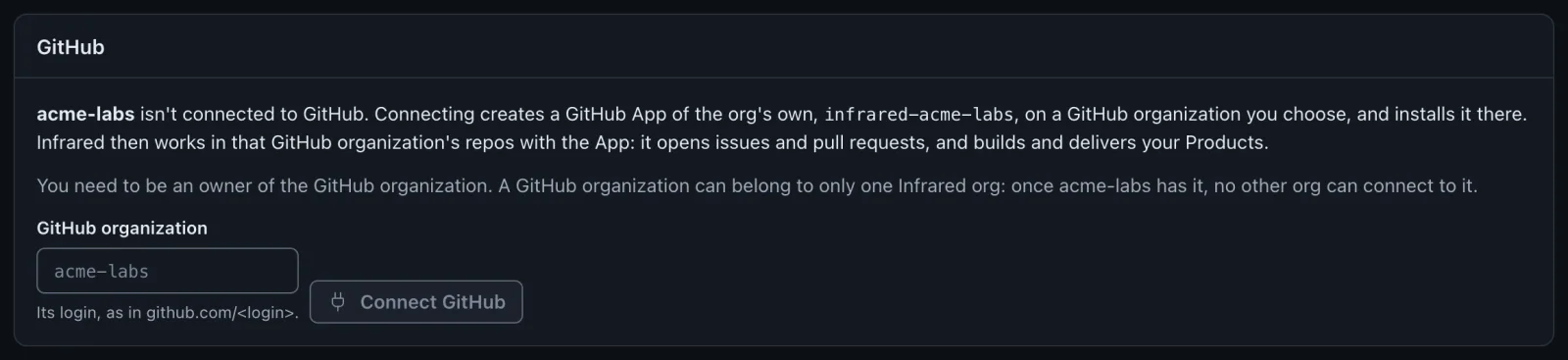
- GitHub opens with a new App,
infrared-<org>, ready to create on that GitHub organization, with the same permissions as the platform org's App. Create it. - GitHub then asks where to install it. Install it on the same GitHub organization, on all repositories or the ones the org's Products use.
- GitHub returns you to Settings. Installation reads Installed, verifying, then Installed and verified once the operator has minted a token with it.
The App's private key, webhook secret and OAuth client go into the Secret github-app in the org's namespace; the connection is the GitProvider github there.
If the GitHub organization is already connected to another Infrared org, Infrared refuses before anything is created on GitHub: "already connected to another Infrared org". Platform admins are also told which org has it. The same check runs when GitHub creates the App and when it is installed, and the operator keeps a GitHub organization (and an installation) with the org that connected it first: any later connection to it stays unverified.
The App's webhook is created inactive, as for the platform org. To have new issues and pull requests start Changes on their own, activate it on GitHub (see Triggers and scheduling). Deliveries are matched to the org by the App installation they come from.
Sign-in still goes through the platform org's App: people sign in with GitHub as usual, and see the orgs whose teams list them.
Create the gitops repo
Once the App is verified, Settings offers Create gitops repo: a repository (default gitops, private) on the org's GitHub organization. Infrared delivers the org's Products from it.
It differs from the platform org's gitops repo:
- It never changes Argo CD. Infrared applies the Argo CD Applications that Products write under
registry/clusters/<cluster>/componentsitself, and ignores anything else there. - Every one of those Applications is put in the Argo CD AppProject
org-<org>. That project's sources are only the org's own GitHub organization's repos, and its destinations only the org's zones and its builds namespace. The only cluster-scoped kind it allows is Namespace. - Argo CD reads the repos with the org's own App, through repository credentials named for the org.
- Products build with kpack in the namespace
builds-<org>, which clones with a read-only token of the org's own App. The platform org builds inbuilds.
Names across orgs
Orgs share the clusters, so a Product's name and its zones' names (which are namespaces and Argo CD Application names) must be unique across every org. Creating a Product or zone with a name another org uses is refused with a 409.
Delete an org
Platform admins can delete any org but the platform org, under Settings → Delete org, by typing the org's name. The org must have no Products: delete them first. Infrared removes the org's namespace (teams, AgentRoles, secrets, GitHub connection), its Argo CD AppProject, Applications and credentials, and its builds namespace.
What it doesn't remove: the org's repos on GitHub, and its GitHub App. Delete the App on GitHub; Settings links to it, and GET /v1/orgs/<org>/github returns its appURL.
API
| Call | Who | What |
|---|---|---|
POST /v1/orgs | platform admins | Create an org with its first org admins |
DELETE /v1/orgs/{org} | platform admins | Delete an org with no Products |
GET /v1/orgs/{org}/github | org members | The org's App, its installation and its gitops repo |
POST /v1/orgs/{org}/github/manifest | org admins | Start creating the org's App on owner |
POST /v1/orgs/{org}/gitops | org admins | Create the org's gitops repo |