Access groups and access
People sign in to Infrared with their Google Workspace account. What they can do in each org comes from the org's access groups: an access group maps to a Google Workspace group, and the Workspace group's people hold the access group's role. An access group grants a role and nothing else. Each person links the git accounts they work with, on GitHub, GitLab or Gitea, to their Infrared user, and Infrared keeps the GitHub team an access group maps to in step with its people's linked GitHub logins.
Two other ways in stay beside Google:
- Sign in with GitHub is for people with no Google user, such as another org's people. Their GitHub login on an access group gives them the access group's role. A GitHub login linked to a person who signs in with Google doesn't sign in on its own: it's for git.
- The root user, the install's first platform admin, signs in with its email and a password that lives only in your break-glass vault. It works when Google can't sign anyone in, and Infrared shows every use. See Break glass.
API tokens act with the roles of the person who minted them. See API tokens.
Roles
| Role | What it grants | Where it's valid |
|---|---|---|
platform-admin | Every action in every org, and the actions outside any org: registering and removing clusters, setting an org's cluster allowlist, generating a new webhook secret for an org's GitHub App, and who signs in and how, in Access and Settings → Sign-in. | Access groups of the platform org only. |
org-admin | Everything a member can do, plus how the org works: create, edit and delete Products, and suggest their logos; create repos and upload starters; edit, enable and reset AgentRoles and AgentWorkflows; edit the org's access groups; set the model provider key; add and remove domains; set up announcements (accounts and the Slack channel); turn scheduled runs on or off. | Any org. |
member | The work in the org: start AgentWorkflowRuns, approve and reject steps, start Releases and approve promotions, open and move issues, open and resolve incidents. | Any org. |
viewer | Reads everything in the org and changes nothing. | Any org. |
A person in several access groups gets the strongest role. A member of a platform-admin access group has that role in every org, not only the platform org.
The platform admins are:
- the root user;
- the people of a
platform-adminaccess group of the platform org, through its Workspace group or its GitHub logins; - API tokens with no owner, such as the chart's
mcp, and the root user's tokens; - everyone who signs in with Google from an allowed domain, until a
platform-adminaccess group's Workspace group resolves someone (What a Google session can do).
Platform admins see every org in the org list. Everyone else sees the orgs they have a role in.
Some actions need a session, never an API token, and never a session opened with GitHub:
| Action | Who |
|---|---|
| Mint an API token | The root user, or anyone signed in with Google. The token acts with its owner's roles. |
| Link and unlink your own git accounts | Anyone signed in with Google. |
| Install a license, change the allowed domains, and change what Access holds | A platform admin signed in with Google or as the root user. |
The setup wizard is for platform admins, never for a session opened with GitHub.
Access and Account
Access, in the rail just above Settings, is where platform admins see who signs in to the install and how. It has four tabs:
| Tab | What it shows |
|---|---|
| People | Everyone who signed in with Google, and everyone in a mapped Workspace group who hasn't yet: their status, roles and how each comes, linked accounts, last sign-in and API tokens. See People. |
| Access groups | Every org's access groups, the platform org first: each access group's role, its Workspace group with the group's people, its GitHub team with its last sync, and its GitHub logins. See Access groups. |
| Git connectors | The forges people link their git accounts on. See Git connectors. |
| Break glass | The root user: where its password lives, who should hold the vault, when the password was set, every use, and the root user's API tokens. See Break glass. |
Every platform admin reads Access, with a session or with an API token. Changing what it holds needs a session opened with Google or the root password; anyone else sees Read only. People and Access groups start with how Infrared reads Workspace groups, with Read now (Read Workspace groups).
Account is everyone's own page. It opens from your name at the foot of the rail, or from Your account in Settings → Account. It says how you signed in, lists your linked accounts with a Link button for each git connector you haven't linked yet, and lists your roles with how each comes, such as "member in acme, through Workspace group [email protected]".
Access groups
Every org lists its access groups. An access group has a name, a role and an optional description, and three ways to say who it holds:
- Workspace group: a Google Workspace group, by its address, such as
[email protected]. Its people hold the access group's role when they sign in with Google. - GitHub logins: people who sign in with GitHub hold the role by their login. On an access group with no Workspace group, so do people who sign in with Google and linked that login.
- GitHub team: the GitHub team, by its slug, in the org's GitHub organization that Infrared keeps in step with the access group's people. See GitHub teams.
Manage access groups
In the UI, open Settings. The Access groups panel lists the current org's access groups, each with its role, its Workspace group and how many people it holds, its GitHub team and when it was last synced, its GitHub logins and its description.
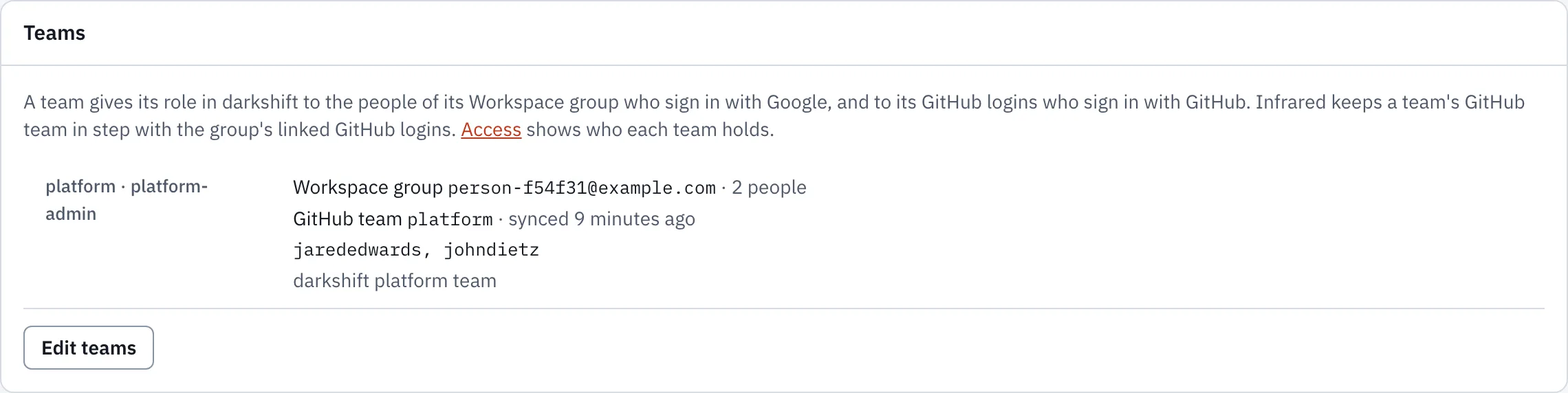
Choose Edit access groups. Each access group has an Access group name, a Role, a Workspace group, a GitHub team, GitHub logins and a Description. Choose Add access group for a new one (it starts as member) and Remove to drop one. Separate logins with commas or spaces; a leading @ is dropped, and so are duplicates. The platform-admin role is offered only on the platform org. Choose Save access groups, or Cancel to leave the list as it was. Saving replaces the org's whole list of access groups and needs org-admin; adding, removing or changing a platform-admin access group needs a platform admin.
With no access groups, the panel says "No access groups yet: only platform admins have a role in <org>."
A platform admin can also map one access group from Access → Access groups: Map opens the access group's Workspace group and GitHub team, and Save mapping changes only those two. The org's other access groups, and the access group's GitHub logins and description, stay as they are.
Before it saves, Infrared checks:
- a Workspace group's address is in a Google Workspace domain allowed to sign in (Allowed domains);
- once Infrared reads Workspace groups (Read Workspace groups), the group exists and Infrared may read it. A group that holds everyone in the domain is refused, and so is one whose groups nest more than 5 levels deep: map a group of named people;
- a GitHub team is a slug of lower-case letters, digits and single hyphens, its org has a GitHub App, and no other access group of the org names the same GitHub team;
- a person signed in with Google doesn't take platform admin from themselves. Saving the platform org's access groups answers 409, "That would take platform admin from you: you are not in
<group>.", when the change would leave them without it, by what Infrared last read. The root user is never cut off: the root password signs in whatever the access groups say.
The same list is spec.accessGroups on the Organization:
apiVersion: infrared.darkshift.io/v1alpha1
kind: Organization
metadata:
name: acme
spec:
displayName: Acme
accessGroups:
- name: platform
role: org-admin
githubTeam: platform
description: Owns the org's Products and AgentRoles
- name: checkout
role: member
githubTeam: checkout
- name: auditors
role: viewer
members: [octocat]
Through the API:
curl https://<host>/api/v1/orgs/<org>/access-groups -H "Authorization: Bearer $INFRARED_TOKEN"

curl -X PUT https://<host>/api/v1/orgs/<org>/access-groups \
  -H "Authorization: Bearer $INFRARED_TOKEN" -H 'Content-Type: application/json' \
  -d '{"accessGroups": [{"name": "checkout", "role": "member", "googleGroup": "[email protected]", "githubTeam": "checkout"}]}'
PUT replaces every access group of the org and needs org-admin. A platform-admin access group on any org other than the platform org is refused with 422. Access group names are lowercase DNS labels. GitHub logins and group addresses match without regard to case.
GET /v1/orgs/<org>/access-groups/status returns each access group with the people its Workspace group holds, as Infrared last read them, and its GitHub team's last sync; anyone with a role in the org may call it. GET /v1/access/access-groups returns every org's access groups the same way, for platform admins.
Access groups were called teams before. For one release, spec.teams on the Organization is still read while spec.accessGroups is empty (the two can't both be set, and saving through the API writes spec.accessGroups and clears spec.teams), and the /teams paths still answer, with a Deprecation header. Move to the new names: both go in the release after.
Who holds an access group's role
An access group's Workspace group gives its role to the group's people who sign in with Google:
- Infrared reads the group's members, and the members of the groups inside it, up to 5 levels deep. Members from outside your Google Workspace, service accounts and shared drives hold no role.
- It reads every mapped group every 2 minutes, and at once after an access group's mapping changes or someone chooses Read now. A person taken out of a group loses the access group's role within about 2 minutes.
- A person Google Workspace reports suspended holds nothing, in any access group.
- A group that hasn't been read for 10 minutes gives no role until it's read again: Infrared fails closed. The root user, the chart's tokens and GitHub logins on access groups without a Workspace group keep working.
Access → Access groups shows each group's people, each with their linked GitHub login or "not linked", the people Google Workspace reports suspended ("Suspended, holding nothing"), when the group was last read, and why a read failed. An access group with no Workspace group says "None: its GitHub logins hold the role".
GitHub teams
For an access group with a GitHub team, infrared-operator keeps that GitHub team in the org's GitHub organization in step:
- Who it wants. The linked GitHub logins of the Workspace group's people who aren't suspended, as Infrared read them in the last 10 minutes, and the access group's own GitHub logins that nobody has linked. An access group with no Workspace group wants its GitHub logins, less those of people Google Workspace reports suspended.
- It creates the GitHub team when it's missing: closed, so the organization's members see it, with notifications off, and described "Kept by Infrared: team
<access group>of org<org>." - It adds every login it wants that is a member of the GitHub organization. It never invites anyone to the organization: a login that isn't a member is skipped with "not a member of
<organization>: invite them on GitHub", or "invited to<organization>: waiting for them to accept". - It removes the members it doesn't want, from the GitHub teams it made. A GitHub team that was there before, without that description, is adopted: Infrared adds to it, never removes anyone, and lists the others as "kept: added on GitHub, not by Infrared".
- It never removes anyone from the GitHub organization.
- It runs within seconds of a change to the org's access groups or to a person's links or groups, and every 10 minutes.
A person Infrared hasn't read in the last 10 minutes is neither added nor removed. If their login is on the GitHub team already, it's listed as "kept: the Workspace directory has not been read for this person in the last 10 minutes".
Access → Access groups shows each GitHub team's members after its last sync, the logins it skipped and why, and the group's people who aren't in it because they have no linked GitHub login. No GitHub login, no git: those people hold the access group's role in Infrared but get nothing on GitHub, and their Account page says "Link your GitHub account to join <GitHub team> on GitHub".
The org's GitHub App needs the organization permission Members, read and write, to change GitHub teams. The setup wizard's App and each org's own App ask for it when Infrared makes them. For an App made before Infrared asked for it, an owner of the GitHub organization adds it: on GitHub, open the organization's Settings → Developer settings → GitHub Apps, choose the App, set Permissions & events → Organization permissions → Members to Read and write, and choose Save changes. GitHub then asks the organization to accept the new permission on the App's installation. Until someone accepts it, each of the org's GitHub teams says "The App <app> lacks Organization members (read and write): accept the new permission on the <organization> installation."
Sign in with Google
People of the Google Workspace domains a platform admin allows sign in with their Google account. Infrared runs Google's OpenID Connect authorization code flow itself, with PKCE, as a confidential client of a Google OAuth client the install provides. It accepts a sign-in only when Google's ID token is valid for that client, Google reports the email address verified, and both the token's hd claim (the Google Workspace domain the account belongs to) and the address's domain are allowed. A personal Google account has no hd claim, so it never signs in, even one registered with a work address.
At a person's first sign-in, Infrared makes their Infrared user, named after their Google account's stable ID (google-<subject>), and keeps their address and name up to date at each sign-in. The user holds the git accounts they link.
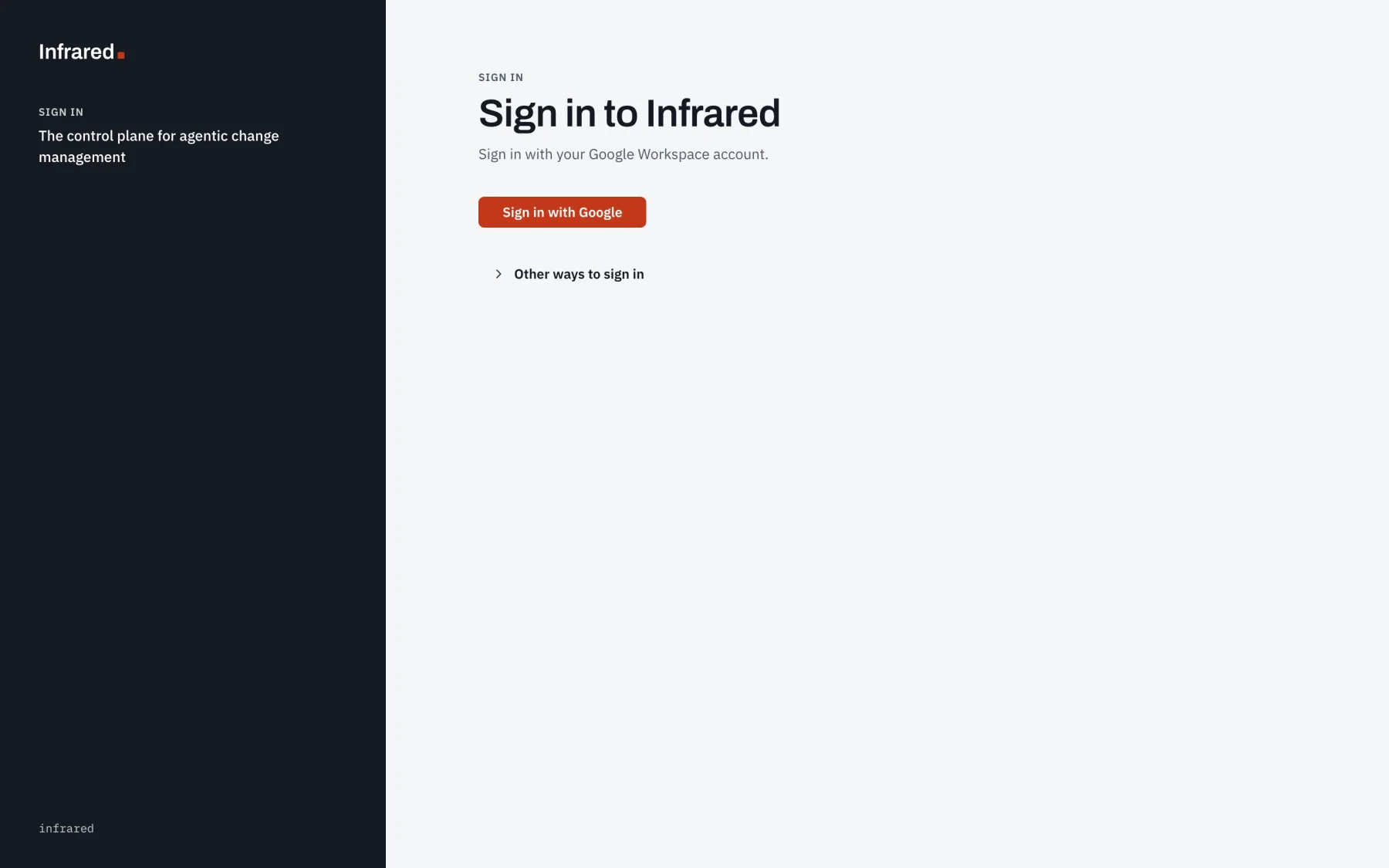
Once Sign in with Google is set up, the sign-in page leads with Sign in with Google. Other ways to sign in opens Sign in with GitHub and the root user's email and password.
Set up Sign in with Google
-
Give Infrared an HTTPS address. Google sends the browser back to Infrared, and Google accepts only
https://redirect URIs on a domain name, apart fromlocalhost. See Expose Infrared over HTTPS. -
Make an OAuth client. In the Google Cloud console, open Google Auth Platform in a project that belongs to your Google Workspace's organization.
-
On Audience, choose Internal as the user type. Google then offers the client only to your Workspace's own accounts and refuses any other with the error
org_internal, before Infrared checks the domain. -
On Branding, set the app name people see on Google's account chooser.
-
On Clients, choose Create client with the application type Web application. Leave Authorized JavaScript origins empty. Under Authorized redirect URIs, add one URI for each address people open Infrared at:
https://<host>/api/v1/auth/google/callbackInfrared gives Google the redirect URI of the address a sign-in starts at, so an install people open at
infrared.example.comand, over a private network, atinfrared.internal.example.comlists both URIs. Settings → Sign-in shows the exact URI for the address you opened it at, with a Copy button. -
Choose Create, then download the client's JSON. It holds the client ID and the client secret.
Infrared asks Google for
openid,emailandprofileonly. -
-
Hand the client to Infrared. The client is the install's configuration, not a setting in the UI: keys
google-client-idandgoogle-client-secretof the Secretinfrared-platform-tokensin Infrared's namespace (infraredby convention), both or neither. The API reads them at every sign-in, so setting or rotating them needs no restart. Never put the secret in the gitops repo.At install, add the two chart values to the
helm installin Install on GKE, the secret from a file so it stays out of your shell history:--set platformTokens.googleClientId=<client ID> \--set-file platformTokens.googleClientSecret=<file holding the client secret>On a running install, patch both keys into the Secret, straight from the downloaded JSON so the secret is never on a command line:
jq '{data: {"google-client-id": (.web.client_id | @base64), "google-client-secret": (.web.client_secret | @base64)}}' client_secret.json \| kubectl -n infrared patch secret infrared-platform-tokens --type merge --patch-file /dev/stdinIf the install has no Secret
infrared-platform-tokensyet, create it from the same file:jq '{apiVersion: "v1", kind: "Secret", metadata: {name: "infrared-platform-tokens"}, data: {"google-client-id": (.web.client_id | @base64), "google-client-secret": (.web.client_secret | @base64)}}' client_secret.json \| kubectl -n infrared create -f -Keep the secret where you keep your other credentials, then delete the download. Settings → Sign-in shows the Client ID, and Client secret says Set.
-
Allow your Google Workspace domains. Signed in as the root user, open Settings → Sign-in on the platform org. Under Allowed domains, enter each domain whose people may sign in, such as
example.com, and choose Save allowed domains. See Allowed domains for the rules. The sign-in page offers Sign in with Google once the client ID, its secret and at least one allowed domain are set;curl -s https://<host>/api/v1/auth/methodsthen says"google":{"enabled":true}. -
Sign in. In a private window, open Infrared, choose Sign in with Google and pick an account of an allowed domain. You land on Products. Settings → Account says "Signed in as
<address>with Google · platform admin", and Settings → Sign-in says Verified, with when and by whom. Sign in once at each address the client lists.
A refused sign-in goes back to the sign-in page, which shows the reason under Sign-in didn't work:
| What happened | The reason Infrared shows |
|---|---|
A personal Google account, with no hd claim | "Only Google Workspace accounts can sign in here: choose your work account." |
| An account of a domain that isn't allowed | "Google accounts of <domain> can't sign in to this install: a platform admin allows domains in Settings, Sign-in." |
| An address Google hasn't verified | "Your Google account's email address isn't verified: verify it with Google, then sign in again." |
| An account Google Workspace reports suspended, in a group Infrared reads | "Your Google account is suspended: ask a Google Workspace admin." |
| The sign-in finished in another browser, or more than 10 minutes after it started | "The sign-in link expired or was opened in another browser: start again." |
| The sign-in started at one address and came back to another | "The sign-in started at another address: start again from this page." |
Google refused the client: a wrong, deleted or rotated-away secret (invalid_client) | "Google refused this install's OAuth client: a platform admin checks keys google-client-id and google-client-secret of the Secret infrared-platform-tokens. Password sign-in works until a Google sign-in does." |
Some sign-ins Google stops itself: an account outside your Workspace on an Internal client (org_internal), a suspended account, and an address whose redirect URI the client doesn't list (redirect_uri_mismatch).
If you set the chart value externalURL, Infrared uses that address for every request: the client needs only its redirect URI, and people sign in with Google at that address.
Allowed domains
Platform admins choose which Google Workspace domains may sign in with Google, in Settings → Sign-in on the platform org, under Allowed domains: one domain per line, or separated by commas. Choose Save allowed domains. Platform admins signed in with GitHub see the list read-only.
- A sign-in needs both the ID token's
hdclaim and the domain of the account's email address on the list. - Up to 20 domains, each a lower-case name with at least one dot and no wildcard, such as
example.com. Infrared lower-cases what you enter and drops duplicates. gmail.comandgooglemail.comare refused: personal Google accounts carry nohdclaim and can never sign in.- Removing a domain signs its people out at their next request. Infrared checks a Google session's domain on every request, not only at sign-in.
- While signed in with Google, you can't remove the domain you signed in with (409, "That would sign you out"). Sign in another way to remove it.
- An empty list turns Sign in with Google off.
- A Workspace group an access group maps to, and the break-glass holders group, must be in an allowed domain too.
The same list is spec.signIn.google.allowedDomains on the Installation. The API reads it; the operator doesn't:
kubectl patch installation infrared --type merge \
  -p '{"spec":{"signIn":{"google":{"allowedDomains":["example.com"]}}}}'
The API rereads the Installation and the Secret infrared-platform-tokens at least every 15 seconds, so a change made with kubectl is in force within 15 seconds; one saved in Settings is in force at once.
Through the API, a platform admin reads them, with a token or a session:
curl https://<host>/api/v1/auth/settings -H "Authorization: Bearer $INFRARED_TOKEN"
Changing the list takes a platform admin's session opened with Google or the root password (PUT /v1/auth/settings/google with {"allowedDomains": ["example.com"]}); an API token and a person signed in with GitHub can read it but not change it.
GET /v1/auth/settings returns the client ID, whether its secret is set, the allowed domains, the redirect URI for the address you called, what Sign in with Google still needs, the first Google sign-in that worked with this client, and whether password sign-in is on and why. GET /v1/auth/methods is public and says only which ways to sign in the install offers:
{"password": {"enabled": true}, "google": {"enabled": true}, "github": {"enabled": true}}
Read Workspace groups
For an access group's Workspace group to give its role, Infrared reads the groups' members from Google Workspace's directory, as a Google service account it impersonates, with no key. Someone with admin rights in your Google Cloud organization, and a super admin of your Google Workspace, set it up once:
-
Make a service account. In a Google Cloud project of your organization, create a service account for Infrared, such as
infrared-directory@<project>.iam.gserviceaccount.com. Give it no role in the project, and no key. -
Let Infrared's API act as it. The API asks Google for the service account's tokens with credentials of its own: on GKE, the Workload Identity of its Kubernetes ServiceAccount,
infrared-apiin Infrared's namespace. Grant that principalroles/iam.workloadIdentityUseron the service account:gcloud iam service-accounts add-iam-policy-binding infrared-directory@<project>.iam.gserviceaccount.com \--role roles/iam.workloadIdentityUser \--member "principal://iam.googleapis.com/projects/<cluster project number>/locations/global/workloadIdentityPools/<cluster project>.svc.id.goog/subject/ns/infrared/sa/infrared-api"Don't annotate the Kubernetes ServiceAccount with the service account: the API impersonates it only to read groups, and keeps its own identity for everything else. Without Google credentials of its own, the API can't impersonate anyone, and Access says why.
-
Turn on the APIs in the service account's project, where they aren't on yet: the Admin SDK API (
admin.googleapis.com), which reads the groups, and the IAM Service Account Credentials API (iamcredentials.googleapis.com), which impersonation calls. Neither costs anything. -
Let it read groups. A super admin opens the Google Admin console, then Account → Admin roles → Groups Reader → Admins → Assign service accounts, and adds the service account's address. Groups Reader is enough; don't assign Groups Admin.
-
Tell Infrared. Set the chart value in your gitops repo's values file for Infrared,
registry/clusters/<cluster>/values/infrared.yaml, through a pull request:api:directory:serviceAccount: infrared-directory@<project>.iam.gserviceaccount.comArgo CD rolls the API with the new value. Without it, no Workspace group gives a role, and Access says "No Workspace directory is configured".
-
Check. Open Access → People. Its callouts say how often Infrared reads the groups and when it last did, and list each group it couldn't read with the reason, such as a missing Groups Reader role. Map an access group's Workspace group, then choose Read now.
| Chart value | Default | What it does |
|---|---|---|
api.directory.serviceAccount | empty | The service account the API impersonates. Empty: Infrared reads no group, and no group gives a role. |
api.directory.api | admin | admin, the Admin SDK Directory API, which reports suspended people; or cloud-identity, the Cloud Identity API (cloudidentity.googleapis.com), which can't, so take a suspended person out of every group yourself. |
api.directory.interval | 2m | How often the groups are read: a person taken out of a group loses its role within about this long. |
api.directory.maxAge | 10m | How long a group's last good read counts; older, the group gives no role. At least twice the interval. The GitHub team sync keeps its own 10 minutes. |
A group whose read fails keeps the people of its last good read until the max age, then gives no role. A new API pod reports ready once it has read the groups, or after 30 seconds, so it doesn't start serving with none read.
What a Google session can do
Until Workspace groups give roles, everyone who signs in with Google from an allowed domain is a platform admin: every action in every org, every org in the org list, and the actions GitHub sign-ins can't take. The allowed domains are then the list of platform admins, so allow only domains whose every account should administer Infrared. Access says so: "Every Google sign-in from an allowed domain is a platform admin".
Roles come from Workspace groups once a platform-admin access group of the platform org has a Workspace group that holds at least one active person of an allowed domain. Infrared then records the change, once, on the Installation, with when and the first such person (spec.signIn.google.groupRoles), and Access says "Roles come from Workspace groups". From then on, a person signed in with Google holds:
- the role of each access group whose Workspace group they're in, as Infrared last read it;
- on an access group with no Workspace group, its role when its GitHub logins include the GitHub login they linked;
- nothing at all while Google Workspace reports them suspended.
Someone in none of those access groups still signs in, sees no org, and reads on Account: "No role in any org yet: a platform admin adds you to an access group's Workspace group."
So map the platform org's platform-admin access group first, to a group you're in. Infrared refuses a mapping that would take platform admin from the person saving it, and the root password always signs in, so a wrong mapping never locks the install.
Infrared never undoes the change itself. To go back to every Google sign-in being a platform admin, sign in as the root user, take the Workspace group off every platform-admin access group of the platform org (Infrared refuses that change to a person signed in with Google, since it takes platform admin from them), then remove the record:
kubectl patch installation infrared --type json \
  -p '[{"op": "remove", "path": "/spec/signIn/google/groupRoles"}]'
Settings → Account says "Signed in as <address> with Google", then "· platform admin" or the role in each org, with Sign out. The session is the ir_session cookie and lasts 12 hours. During the sign-in, the short-lived __Host-ir_google cookie (10 minutes, sent only to this host over HTTPS) ties Google's answer to the browser that asked for it. Infrared records what the person does under their Google address, and records an API token they mint as theirs. A visitor sent to sign in from a signed-in-only address comes back to it after Sign in with Google.
When someone leaves
Suspend the person's account in Google Workspace. Google refuses its next sign-in, and once roles come from Workspace groups:
- within about 2 minutes they hold nothing, through any group. If a group Infrared reads lists them, their open sessions end at their next request, and their API tokens are refused: "the token's owner is suspended in Google Workspace";
- infrared-operator takes their linked GitHub login out of the GitHub teams it keeps.
Taking someone out of the groups ends the roles those groups give the same way, within about 2 minutes, without signing them out. Before Workspace groups give roles, every Google sign-in from an allowed domain is a platform admin, and a suspended person's open session lasts out its 12 hours unless a group Infrared reads lists them.
Then:
- Revoke their API tokens: in Access → People, choose Manage, then Revoke on each.
- If they could open the break-glass vault, take them out of it and out of the holders group, and rotate the root password.
- Remove them from your GitHub organization on GitHub, if they should go. Infrared never removes anyone from it.
Rotate the client's secret
In Google Auth Platform, open the client, add a new secret beside the current one and download it. Put it in key google-client-secret of infrared-platform-tokens as in step 3, sign in with Google in a private window, and only then disable and delete the old secret in Google. If you delete the old secret before Infrared has the new one, Google answers invalid_client and password sign-in comes back on until a Google sign-in works.
Linked accounts
A person who signs in with Google links the git accounts they work with to their Infrared user: one account on each git connector, on GitHub, GitLab or Gitea, at whatever addresses a platform admin adds (Git connectors). The root user and people signed in with GitHub link nothing: Account says "Linking is for people who sign in with Google".
Link an account
- Open Account and choose Link
<connector>, such as Link GitHub. - The forge asks you to sign in there, if you aren't, and to allow Infrared. For GitHub through the platform org's App, it asks you to authorize the App.
- You're back on Account, which says "Your GitHub account is linked" and names the login.
Infrared reads the account's numeric ID and login once, then drops the forge's token: it keeps no token. Linking is OAuth's authorization code flow with PKCE, tied to your browser by the __Host-ir_link cookie for 10 minutes. A link that comes back to Account with an error says why under Linking didn't work, such as "The link expired or was opened in another browser: start again."
An account links to one person on the install. Linking one that someone else has linked is refused: "That account is linked to another person here. They unlink it, or a platform admin does in Access, People." Linking again on the same connector replaces your account there. A person links at most 20 accounts.
Unlink removes one of yours. A platform admin unlinks anyone's in Access → People: Manage, then Unlink.
What a linked GitHub login does
A GitHub login counts when it's linked on a GitHub connector at the address of the platform org's GitHub App, such as https://github.com. Such a login:
- joins the GitHub teams Infrared keeps for the access groups whose Workspace groups hold you (GitHub teams);
- gives you the role of an access group with no Workspace group whose GitHub logins include it;
- is assigned the issue on GitHub when you move it to Doing through the API (
POST /v1/orgs/{org}/products/{product}/issues/{repo}/{number}/movewith{"column": "doing"}); - no longer signs in with GitHub on its own. Sign in with GitHub refuses it: "
<login>is linked to a person who signs in with Google here. Use Sign in with Google: a linked GitHub account is for git, not for signing in." An open GitHub session of that login ends at its next request. Unlinking lets the login sign in with GitHub again, if an access group lists it.
Linked GitLab and Gitea accounts record where each person works. Access groups don't use them yet.
People
Access → People lists everyone who has signed in with Google, and everyone in a mapped Workspace group who hasn't yet:
| Column | What it shows |
|---|---|
| Person | Their name and address. |
| Status | Active; Suspended, when Google Workspace reports it, and they hold nothing; or Has not signed in, for someone in a mapped group. |
| Roles | Their role in each org, with how it comes: a Workspace group, a GitHub login, or an allowed Google domain while every Google sign-in is a platform admin. |
| Linked accounts | Each as its forge and login, such as GitHub · octocat. |
| Last sign-in | Their last Sign in with Google. |
| API tokens | The tokens they minted. |
Manage opens one person: their address, status, Infrared user, the mapped groups they're in, last sign-in and roles; their linked accounts, each with Unlink; their API tokens, each with Revoke; and Remove. Remove deletes their Infrared user and linked accounts: their next Sign in with Google starts afresh, and a GitHub login they had linked can sign in with GitHub again if an access group lists it. It doesn't sign them out or revoke their tokens, because their roles come from their groups: take them out of the groups in Google Workspace to end their access.
Git connectors
A git connector is a forge people link their accounts on: GitHub, GitLab or Gitea, at any address. Platform admins add them in Access → Git connectors. Each shows its forge and address, how it links, the callback address to register on the forge, its last check, and how many people linked through it, with Check, Edit and Delete.
Choose Add a git connector, then:
- Forge: GitHub, GitLab or Gitea.
- How it links: through the platform org's GitHub App, through an OAuth application made on the forge for Infrared, or, for Gitea, through Infrared's own Gitea.
- Name: a DNS label of your choice, unique on the install, such as
gitlab-com. A connector keeps its name. - Display name: what people see on Account, as in Link GitHub.
- Address: the forge's https address in a browser, such as
https://github.com,https://gitlab.comorhttps://git.example.com. A forge under a path, such ashttps://example.com/gitlab, works too.
Add git connector saves the connector and checks it at once.
| Forge | First choice | Infrared asks the forge for |
|---|---|---|
| GitHub | The platform org's GitHub App: nothing to make on GitHub. | No scope: it reads only the account's own ID and login. |
| GitLab, at gitlab.com or your own | An OAuth application on GitLab. | read_user |
| Gitea | An OAuth application on that Gitea, or Infrared's own Gitea. | read:user |
GitHub through the platform org's App
Choose The platform org's GitHub App: nothing to make on GitHub, keep the address https://github.com (or your GitHub Enterprise Server's), and keep Org whose GitHub App links accounts on the platform org. The App's OAuth client links the accounts, and the App's own callback URL, https://<host>/api/v1/auth/github/callback, brings people back: the one Sign in with GitHub needs (Set it up). Another org's App works the same way.
An OAuth application on the forge
For GitLab, for a Gitea of your own, or for GitHub without the App, make an OAuth application on the forge for Infrared:
- In the forge's settings, add an OAuth application: GitLab's Applications, Gitea's Applications under OAuth2 applications, or GitHub's Developer settings → OAuth Apps. Name it
Infrared, and make it confidential where the forge asks. On GitLab, give it the scoperead_user. - Register the callback address the form shows,
https://<host>/api/v1/me/links/<name>/callback, for each address people open Infrared at. - In Infrared, paste the application's Client ID and Client secret, and choose Add git connector.
Infrared keeps the client secret in the Secret infrared-git-connectors in its namespace, key <name>.client-secret, and never shows it back. When you edit the connector later, leave Client secret empty to keep the stored one.
Infrared's own Gitea
An install that runs its own Gitea (the chart's gitea.enabled) can register the application itself. Set the chart value gitea.browserURL to the address browsers open that Gitea at, such as https://git.example.com; then choose Gitea and Infrared's own Gitea: Infrared registers the application. Infrared registers an OAuth application named Infrared on its Gitea as the site admin, with the callback for the address you saved it from. Saving it again from another address adds that address's callback, and Gitea gives the application a new secret. Without gitea.browserURL, Infrared refuses: a Gitea only the cluster reaches can't link anyone.
Check a connector
Check asks the forge's token endpoint to redeem a code it never issued. A forge that knows the client and its secret refuses only the code, and the connector is Ready, such as "GitHub accepts the client."; one that doesn't refuses the client, and the connector is Not ready, with what the forge said and "check the client ID and secret, and the callback address on <forge>". Gitea also checks the callback address. No person takes part, and nothing is linked.
Delete removes a connector and its stored secret. While anyone has an account linked through it, Infrared refuses: "<n> people have an account linked through <name>: they unlink it, or a platform admin does in Access, People, first".
Sign in with GitHub
People with no Google user, such as another org's people, sign in with GitHub. Sign-in uses the platform org's GitHub App, the one the setup wizard created, as an OAuth client. People choose Sign in with GitHub on the sign-in page (under Other ways to sign in once Sign in with Google is set up), GitHub asks them to authorize the App, and Infrared reads their GitHub login. Only logins on some access group get a session; everyone else goes back to the sign-in page with "<login> is not on any team: ask an org admin to add you". A login linked to a person who signs in with Google is refused too (What a linked GitHub login does).
The __Host-ir_github cookie ties GitHub's answer to the browser that started the sign-in, for 10 minutes.
Set it up
-
Give Infrared a public URL. See Expose Infrared over HTTPS. GitHub redirects the browser back to it.
-
Add the callback URL to the App. Settings → GitHub App in Infrared shows the exact Callback URL with a Copy button, and Edit on GitHub opens the App's settings. Or in GitHub, open the organization's Settings → Developer settings → GitHub Apps, choose the App (
infrared-<platform org>), choose Edit, and on the General tab under Identifying and authorizing users add the callback URL, then Save changes:https://<host>/api/v1/auth/github/callbackSince 0.1.0-alpha.30 the setup wizard puts this callback URL in the App manifest when you run it on a public URL. Run on a local or private address (a port-forward), the App gets none and you add it here. Linking GitHub accounts through the App comes back to the same URL.
-
Check the App's OAuth client. Settings → GitHub App shows Sign in with GitHub: OAuth client stored when it's there. The setup wizard stores the App's client ID and client secret in the Secret
github-app(keysclient-idandclient-secret) in the platform org's namespace,ir-org-<platform org>. If you generate a new client secret on GitHub, write it to that key. -
Add access groups. Only GitHub logins on an access group can sign in with GitHub, and a new install has no access groups. Sign in as the root user, or with Google once it's set up, open Settings → Access groups → Edit access groups, and put each person's login on an access group in the org they work in.
If Sign in with GitHub answers "the platform org's GitHub App has no OAuth client", the Secret is missing one of those two keys. If GitHub says the redirect URI isn't associated with the App, step 2 is missing or the host differs. If you land back on the sign-in page with "<login> is not on any team", step 4 is missing for that login.
Sign in with GitHub needs only the callback URL. The App's webhook is separate: it powers issue and pull request triggers (Connect the webhook).
What a GitHub session shows
Settings → Account shows "Signed in as <login> with GitHub" and the role in each org, with Sign out. Sessions last 12 hours, whichever way they were opened. A GitHub session never sees the API tokens panel, can't link accounts, reads Access without changing it when it's a platform admin's, and on Settings → License it sees the license but not the field to install one.
Break glass
The root user is the install's first platform admin, made by the setup wizard's admin step. It's a break-glass account, not a person: it signs in with its email and a password that lives only in your break-glass vault, such as a vault in your password manager, and it works when Google can't sign anyone in. Infrared keeps only a one-way bcrypt hash of the password, never the password itself, and records every use.
Day to day, people sign in with Google, and the root user's form waits under Other ways to sign in. Platform admins keep the root user ready in Access → Break glass: where the password lives, who should hold the vault, rotation, and every use.
The root user's record
The hash lives in the root user's record, the cluster-scoped BreakGlass named root, which only the API writes. No Secret holds the password or its hash. The record also holds the root user's address, the vault links and holders group, and the password's history and uses:
kubectl get breakglass root
shows the address, when the password was last set, and how many uses there have been. Only the API, the backup and restore Jobs and cluster admins read the record, and backups carry it, uses included.
Where the password lives
Where the password lives shows the vault links, the vault item, the root user's address, and whether password sign-in is on. Edit opens:
- Root user's address: the address the root user signs in with. Changing it signs every other root session out, and moves the root user's API tokens to it.
- Vault links: up to 5 vaults, each a Vault name as people know it and a Link that opens it, such as your password manager's link to the vault. Links only, never a secret.
- Vault item: the item's name in the vault.
- Holders group: the Workspace group of the people who should be able to open the vault, in an allowed Google domain.
Choose Save where the password lives. Who should hold the vault then lists the group's people as Infrared last read them, each with their linked GitHub login, and anyone Google Workspace reports suspended, with "Take them out of the vault". The group is a record: the vault decides who opens it, so keep the vault's people to match the group.
Rotate the root password
Rotate it when someone who could open the vault leaves, after a use nobody expected, and after you break glass:
- In your break-glass vault, generate a new password of 32 characters or more, and save it there first.
- In Access → Break glass, under Rotate, paste it into New root password and Paste it again, then choose Rotate root password.
Infrared takes 20 to 72 characters (bcrypt reads no more than 72 bytes), keeps only the new hash and never shows the password back: both fields empty as soon as you send it. It refuses the password it already has: "That is the password Infrared already has: generate a new one in your vault." Every root session signed in before the rotation is signed out; if you rotate as the root user, you stay signed in. Password then shows when it was set and by whom, and lists its last 20 changes.
Rotating needs a platform admin's session opened with Google or the root password: never an API token, never a session opened with GitHub. It works while password sign-in is off, so break glass can be ready before anyone needs it. Through the API, it's PUT /v1/access/break-glass/password, from such a session.
Every use
Every use lists, newest first, each time the root user was used:
| How | What it was |
|---|---|
| Signed in with the password | A sign-in with the root password, on the sign-in page or with ir login --email. |
| Opened a sign-in link | A browser signed in as the root user through a sign-in link made with one of its API tokens (Open Infrared from ir). |
| Minted an API token | An API token minted from a root session, such as the one ir setup run saves. |
Each use shows when, the caller's address (From), the address Infrared was opened at, the browser, and a detail such as the token's name. The panel keeps the last 100 uses and counts them all ("<n> uses in all"). It also counts refused password sign-ins, with the time of the last one. The API logs each use as break glass used. A use nobody expected means someone else has the password: rotate it.
The root user's API tokens lists the root user's tokens, each with Revoke. Each acts as the root user, a platform admin; ir keeps one to open sign-in links with ir open.
Sign in when Google can't
- Take the password from your break-glass vault.
- On the sign-in page, choose Other ways to sign in, then sign in under Root user with its email and the password. From a terminal, put the password in a file only you can read and run
ir login --server https://<host>/api --email <root user's address> --password-file <file>:irsigns in once, mints an API token for that machine, and Infrared records the use. Delete the file afterwards. - Once Google works again, rotate the password if more people saw it than should have.
If ir already holds one of the root user's API tokens, ir open signs a browser in as the root user with no password at all (Open Infrared from ir).
The root user's API tokens and the chart's never depend on Google, and neither does Sign in with GitHub for people on access groups. A Google user's token loses the roles its owner's groups give once Infrared hasn't read the groups for 10 minutes.
When the install turns password sign-in off (Turn password sign-in off) and Sign in with Google breaks after it had worked, anyone with access to the management cluster turns the password back on by deleting the record of the Google sign-in:
kubectl -n infrared delete configmap infrared-sign-in
Within 15 seconds the sign-in page shows the root user's form again, and the password works until the next Google sign-in, which records it again and turns password sign-in off again. When Google refuses the client at a sign-in (invalid_client, for a deleted or rotated-away secret), Infrared deletes the ConfigMap itself. The lasting way back is signIn.password.enabled: true in the values file.
Turn password sign-in off
The root user's email and password can be switched off for the whole install, so that people sign in only with Google, or with GitHub if they're on an access group. The switch is the chart value signIn.password.enabled: the install's configuration, not a setting in the UI, so nobody it shuts out can turn it back on from Infrared.
After Argo CD has adopted Infrared, set it in your gitops repo's values file for Infrared, registry/clusters/<cluster>/values/infrared.yaml, through a pull request:
signIn:
  password:
    enabled: false
The infrared Application reads that file, and Infrared never writes it (Values the adopted Application carries). Argo CD rolls the API with the new value. A value passed to helm install isn't carried when Argo CD adopts Infrared, so set it in the file.
The value never locks everyone out: false takes effect only once a Google sign-in has worked on the install with the configured client. Infrared records the first one that works in the ConfigMap infrared-sign-in in its namespace. Until then the password keeps working, whatever the value says, and Settings → Sign-in says why under Password, for example "Sign in with Google hasn't worked on this install yet: sign in with Google once, then password sign-in turns off." A new client, with another client ID, turns password sign-in back on until someone signs in with Google through it, and so does switching Sign in with Google off: no allowed domain, or no client.
Once password sign-in is off:
GET /v1/auth/methodssays"password":{"enabled":false}, and the sign-in page has no root user form.POST /v1/auth/loginanswers 403 and says to sign in with Google.- An open root session is signed out at its next request, and a sign-in link made with one of the root user's tokens lands on the sign-in page: "The root user can't sign in on this install: password sign-in is off."
ir login --emailstops working. Use an API token.- The root user's API tokens keep working. Revoke them in Access → Break glass if you want none.
- Rotating the root password and editing where it lives still work, so break glass stays ready. Access → Break glass says "Password sign-in is off on this install".
Backups leave the ConfigMap out, so an install restored from a backup has password sign-in on until a Google sign-in works there. To turn password sign-in back on for good, set signIn.password.enabled: true in the values file, or remove the lines.
An install set up before the record
Installs set up before the root user had a record kept the root password's hash in the Secret infrared-admin. At its first start on a release with the record, the API copies the hash and the address into BreakGlass/root, and Password says it was set by "the move from the old Secret". Nobody signs in again, and the password stays the same. If the old Secret also held a generated password in plain text, the API removes it at once, and Access → Break glass says Rotate the root password: paste a new one from your vault.
The API never deletes the old Secret. While it exists, Access → Break glass says "The old Secret infrared/infrared-admin still exists", with the command that deletes it. Once you've signed in with the root password and rotated it from your vault, delete the Secret:
kubectl -n infrared delete secret infrared-admin
The API's next start then clears the Installation's spec.admin.passwordSecretRef.
API tokens
ir, CI and MCP clients call the API with an API token. Mint one in Settings → API tokens, signed in with Google or as the root user: choose its Kind, enter a Token name (lowercase letters, numbers and hyphens) and choose Create API token. An api token, the usual kind, acts with your roles. A telemetry token writes metrics for one Platform and nothing else: another install or stack sends its metrics to this install's POST /v1/telemetry/write with it, and every series it writes is labelled with that platform. Name the platform <your GitHub login>-<something>: only a platform admin names another. ir local up makes its stack's telemetry token by itself. Infrared shows the token once ("Copy the <name> token now") and keeps only its SHA-256 hash in the Secret infrared-api-tokens, with who minted it and when. The panel lists your tokens, each with Revoke.
A token acts with its owner's roles, as they are when it's used, and what it does is recorded as theirs:
| Token | Acts as |
|---|---|
| Minted by a person signed in with Google | That person, with the roles their Workspace groups and linked GitHub login give them now. While Google Workspace reports them suspended, every call is refused. |
| Minted by the root user | The root user: a platform admin. |
The chart's, such as mcp | A platform admin. They have no owner. |
| Minted before Infrared kept a user for its owner, who hasn't signed in with Google since | A platform admin while every Google sign-in from an allowed domain is one, and nothing once Workspace groups give roles. |
A token can't mint another token, and can't do what needs a session: install a license, change the allowed domains, or change what Access holds. People signed in with GitHub can't mint tokens.
Revoke your own tokens in Settings → API tokens; a platform admin revokes anyone's in Access → People or Access → Break glass. A revoked token stops working at once, and so do the sign-in links made with it. Removing a person in Access leaves their tokens, so revoke those too. Through the API, GET /v1/auth/tokens lists names, owners and when each was minted, never a token: platform admins see every token, everyone else their own. DELETE /v1/auth/tokens/<name> revokes one.
Use ir with an API token
ir doesn't sign in through a browser, and never takes a token or a password as an argument. Give it a token from a file only you can read:
ir login --server https://infrared.example.com/api --token-stdin < ~/infrared-token
ir login --context <context> points ir at an install through its Kubernetes context: it reads the install's address from the Installation, checks the API token ir saved against it, and saves the address. It reads no password, and Infrared keeps none in the cluster. With no saved token that works there, it exits 2 and names the ways in: sign in with Google and mint a token, or break glass with ir login --email.
ir setup run, which scripts the setup wizard, needs no password either: see Setup wizard.
Open Infrared from ir
ir open [<path>] signs a browser in with the token ir saved, so no password is typed or kept on the workstation. It asks the API for a sign-in link (POST /v1/auth/sign-in-links) and opens it; the link works once, within 60 seconds, while the token exists. The browser lands on <path>, such as /access, signed in as the token's owner:
- With one of the root user's tokens, the browser gets a root session, which Infrared records as a use of the root user. While password sign-in is off, the link lands on the sign-in page instead.
- With a token of a person who signs in with Google, the browser gets that person's session, while their domain is allowed and Google Workspace doesn't report them suspended.
- A token with no owner, such as the chart's
mcp, makes no link.
ir open              # Infrared, signed in
ir open /access      # Access, to set the real root password from your vault
ir open --print      # print the link instead of opening it
Whoever opens a printed link within 60 seconds is signed in, so keep it out of logs and chats. ir open --context <context> first does what ir login --context does.
Password sign-in limits
The root user's email and password sign-in (POST /v1/auth/login) is rate limited per client:
| Limit | What happens |
|---|---|
| 5 failed attempts in a minute from one client | Further attempts from that client get HTTP 429 until the minute passes. |
| 10 failed attempts from one client within 15 minutes | That client is locked out for 15 minutes. |
There's no limit across clients, so a stranger can't lock the root user out. So that a flood of guesses can't tie up the API, at most 4 password checks run at once: a request that has waited 5 seconds for one gets HTTP 429, "Infrared is busy checking other passwords: try again in a few seconds", with Retry-After: 5. That answer is never a lockout.
A successful sign-in clears the client's failures. The 429 response says how long to wait. Each API pod counts in its own memory, so restarting the API clears the counters; refused sign-ins also count on the root user's record, in Access → Break glass.
A client is the address in the header the chart value api.clientAddressHeader names, such as CF-Connecting-IP where every request comes through Cloudflare. Without one, it's the first X-Forwarded-For address, or the connection's address when there's none. A caller can send any header, so name one only when the proxy in front sets it on every request, and make sure the ingress in front of Infrared sets X-Forwarded-For itself rather than passing on what a client sends.
Failed Google sign-ins (a refused account, address, domain or token) count the same way, in counters of their own. Past a limit, the browser goes back to the sign-in page with how long to wait.
Access through the API
"A platform admin's session" is one opened with Google or the root password.
| Method and path | What it does | Who |
|---|---|---|
GET /v1/access/people | Everyone, with the Workspace directory's state | Platform admins |
DELETE /v1/access/people/<user> | Remove a person | A platform admin's session |
DELETE /v1/access/people/<user>/links/<connector> | Unlink a person's account | A platform admin's session |
GET /v1/access/access-groups | Every org's access groups, with who holds each. GET /v1/access/teams is its deprecated alias for one release. | Platform admins |
GET /v1/access/directory | How Infrared reads Workspace groups, and what it last read | Platform admins |
POST /v1/access/directory/refresh | Read every mapped group now | Platform admins |
GET /v1/access/connectors | The git connectors, never a secret | Platform admins |
PUT /v1/access/connectors/<name> | Add or change a git connector, then check it | A platform admin's session |
DELETE /v1/access/connectors/<name> | Delete a git connector nobody has linked through | A platform admin's session |
POST /v1/access/connectors/<name>/check | Check a git connector | Platform admins |
GET /v1/access/break-glass | The root user's record, never the password or its hash | Platform admins |
PUT /v1/access/break-glass | The root user's address, vault links, item and holders group | A platform admin's session |
PUT /v1/access/break-glass/password | Rotate the root password | A platform admin's session |
GET /v1/me/links | Your linked accounts, and the connectors you can link on | You, signed in with Google, or your token |
DELETE /v1/me/links/<connector> | Unlink one of your accounts | You, signed in with Google |
GET /v1/auth/tokens, DELETE /v1/auth/tokens/<name> | List and revoke API tokens | Platform admins: every token; anyone else: their own |
POST /v1/auth/sign-in-links | A sign-in link, for one use within 60 seconds | An API token with an owner |
The API serves its full description at /api/docs on the install.
More orgs
A platform admin creates more orgs with their first org admins, and those admins connect the org's own GitHub organization with an App of its own. See Organizations.
Not yet
- GitLab and Gitea teams kept in step, as GitHub teams are. Linked GitLab and Gitea accounts are recorded and grant nothing yet.
- SSO through other OpenID Connect identity providers (Dex).
- Mapping Slack users to Infrared users.
- Mapping access groups to Kubernetes RBAC on workload clusters.
See the roadmap.