Workforce
Workforce in the rail is where you see who does the work in your org: the people, the AgentRoles that work beside them, and how they are organized into Teams. It has four views, each a tab under the page's title with its count:
| View | Address | What it shows |
|---|---|---|
| Teams | /workforce | Every Team with its people, its AgentRoles and what they did this week, and whoever is on no Team yet |
| People | /workforce/people | Everyone in the org, with their Teams and accounts |
| Agents | /workforce/agents | The org's AgentRoles grouped by Team, its AgentWorkflows, and what agents cost. See AgentRoles, AgentWorkflows and AgentWorkflowRuns |
| Access groups | /workforce/access-groups | The org's access groups, each with its role and who holds it |
A Team and a person grant nothing. What someone may do in Infrared comes from their access group alone, so you can organize Teams however your org works without changing anyone's access. See Access.
Teams
A Team is where people and AgentRoles work under one discipline, such as engineering, SRE or quality. It has a manager, a charter, a colour its AgentRoles wear, and the Products it owns or contributes to.
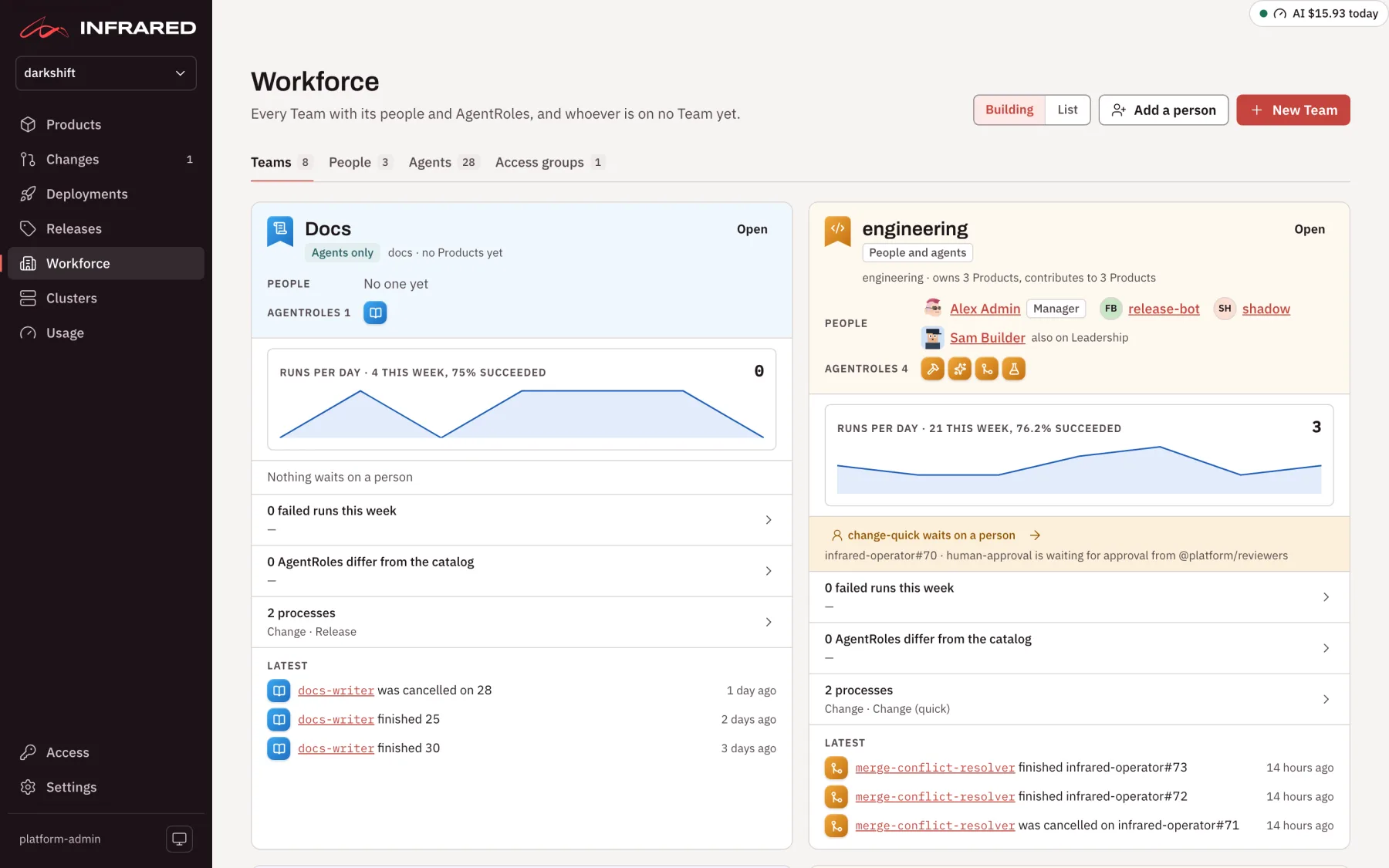
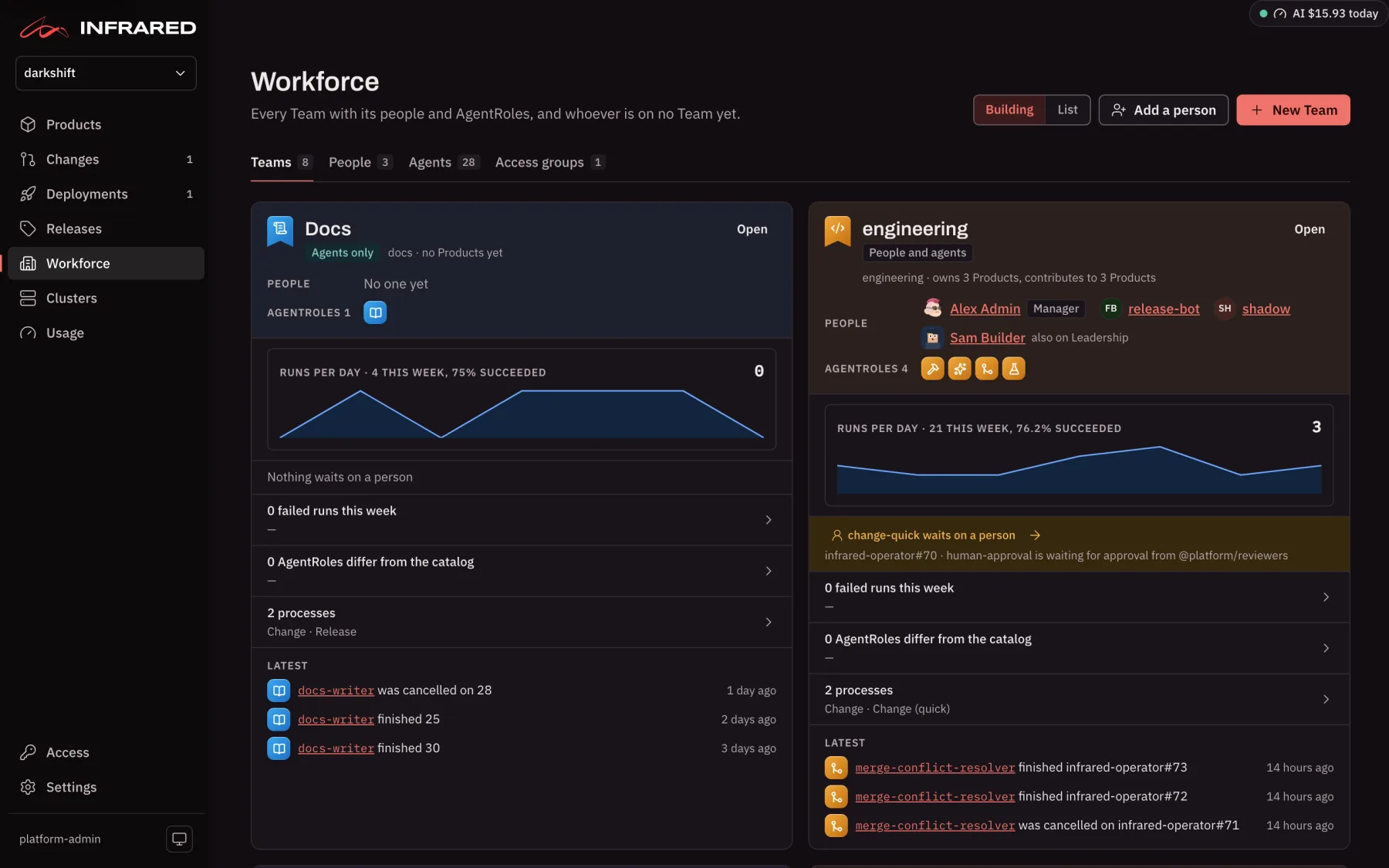
Every new org starts with eight Teams, each holding the catalog AgentRoles that work for it: Engineering, Platform, SRE, Security, Quality, Marketing, Leadership and Docs. If someone removes one, or people are left on no Team, org admins see Add the default Teams (or Move them to Engineering) at the top of the page, which puts things back in one step.
The page shows Teams as Building (a panel per Team) or as a List (a table). Each Team's panel tells you at a glance:
- its discipline and the Products it owns or contributes to
- its people and its AgentRoles
- runs per day over the last week, and how many succeeded
- what waits on a person: each of its runs that is awaiting approval or stopped to ask, with a link to the Change
- how many of its AgentRoles differ from the catalog
- its latest runs
A Team is in one of three states:
| State | Means |
|---|---|
| People and agents | People are on the Team, with the AgentRoles that work for it. |
| Agents only | No person is on the Team; its AgentRoles work for it on their own, under the person they answer to. |
| Lights out | No person is on the Team and every one of its AgentRoles is switched off. Turn on switches them all back on. |
Not on a Team, at the bottom, holds new sign-ins and AgentRoles that no Team has taken in yet.
Make a Team
Org admins choose New Team. A guided flow walks you through six steps, and keeps your draft if you refresh the page:
- What it is: the name and discipline, and the Team's character: a colour, a glyph and a voice.
- Responsibility: for each Product, whether the Team Owns it, Contributes to it, or neither. A Product has one owning Team.
- People: the manager and the members. Infrared suggests the people who worked on the Products you chose.
- Agents: the AgentRoles that work for the Team, suggested from the ones that ran on its Products.
- Context: the Team's first charter, values and opinions.
- Review: everything at once, then Create Team.
Org admins can edit any Team, and a Team's manager can edit their own: Edit Team and Add a member are on the Team's page. Removing a Team keeps its people, its AgentRoles, its Products and its context.
A Team's page
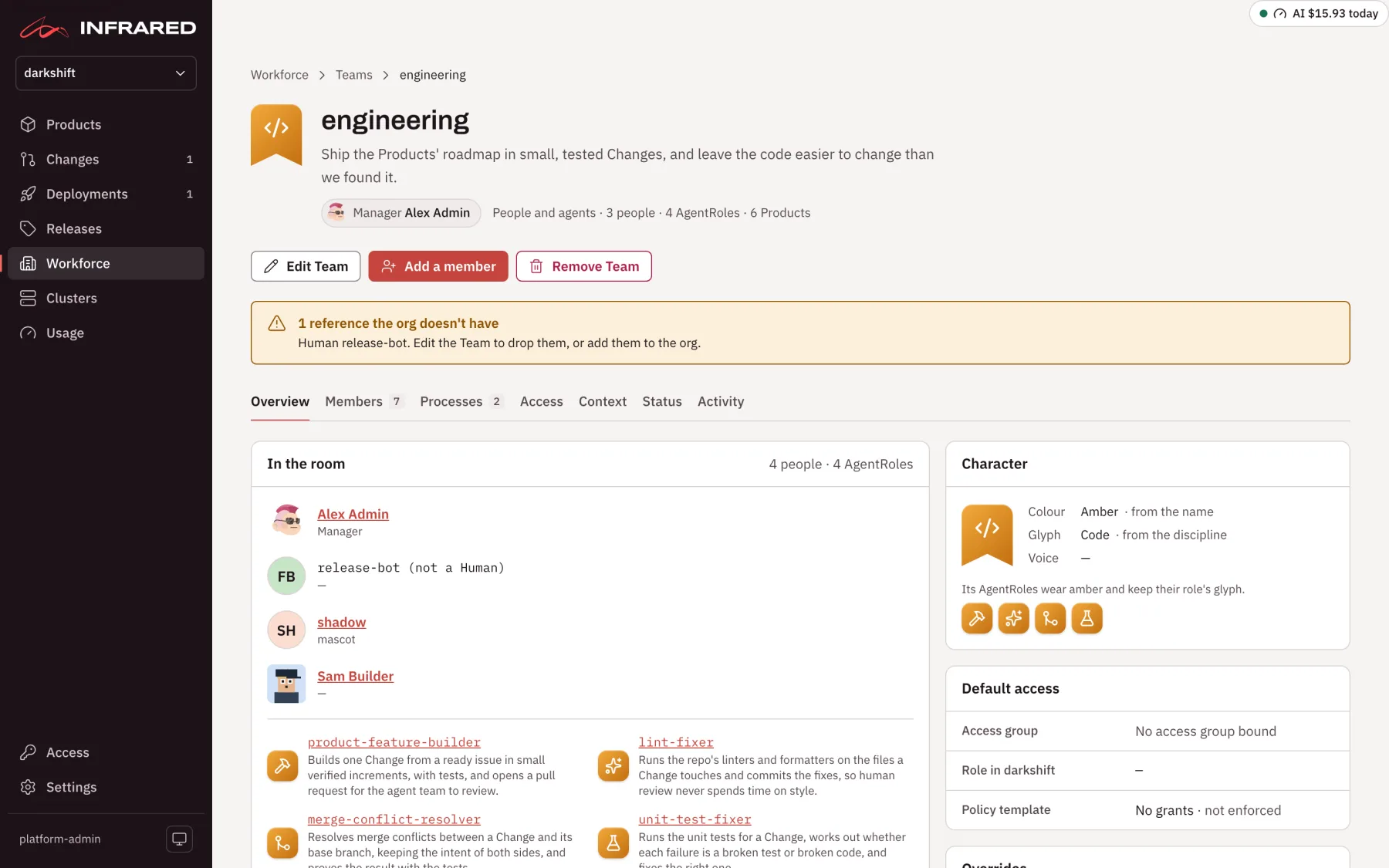
Open a Team to see its room. The tabs are:
| Tab | What it shows |
|---|---|
| Overview | Who is in the room, its processes, its Products and its character. |
| Members | Its people and its AgentRoles. Switch an AgentRole on or off here. |
| Processes | Each AgentWorkflow its AgentRoles take part in: when it starts, its steps, and this week's runs. |
| Access | The access group bound to the Team and a default policy template. The template is a record of the access members should have; it grants nothing. |
| Context | The Team's charter, values and opinions, and its history of decisions and milestones, kept in the org's gitops repo. Changes to the charter, values and opinions go through a pull request. |
| Status | The Team's daily status: a short record for each member and a rollup for the Team, written by the team manager AgentRole from the last day's runs, approvals and deployments. It is off until an org admin turns it on, because each run spends model tokens, and it runs only while the org's scheduled runs are on. |
| Activity | What the Team did over the last 7, 30 or 90 days. |
People
People lists everyone in the org as a card: their name, job role, Teams, accounts and how they sign in. Search by name, job role or handle, or filter by Team, job role or a missing account.
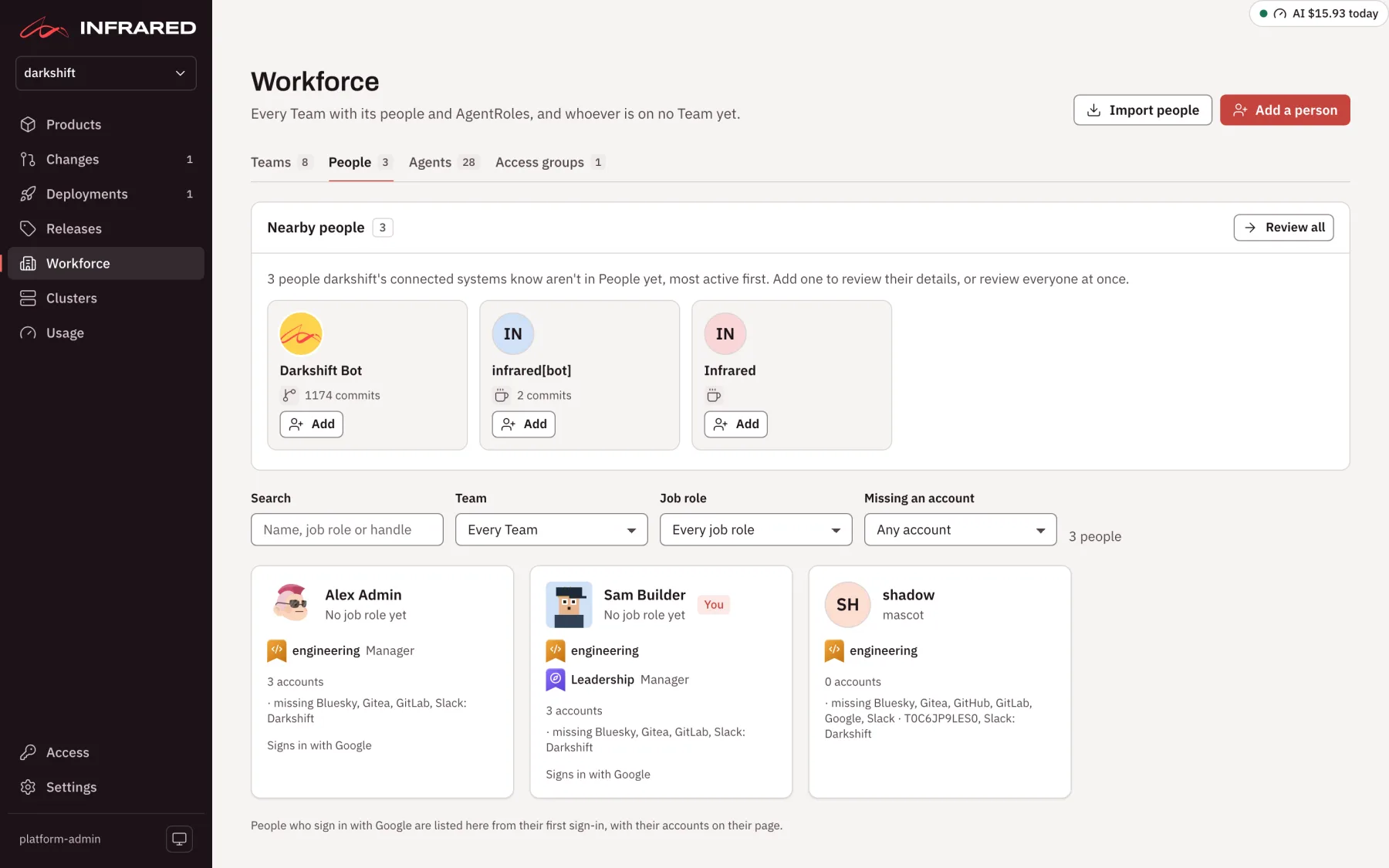
Org admins have two ways to add people:
- Import people reads every system the org has connected (Infrared's own sign-ins, Google Workspace, Slack, GitHub and Infrared's Gitea) and matches what they know into one list of new people. Review each person's name and details, choose which source's value to keep, merge two entries that are the same person, then import the ones you chose. Nothing is written until you choose Import.
- Add a person opens a short form: their name (which can't change later), profile, manager and handles. Above the list, org admins also see the people the connected systems know who aren't in People yet, each with its own Add.
Anyone can make or update their own profile on You, the page behind your name at the foot of the rail.
A person's page shows their profile (skills, manager, reports, time zone and working hours), every account they hold and the ones they lack, their Teams, access groups and roles, and their credit: what they did, counted by kind and listed by Product. Credit describes; it never ranks people.
An org on a plan with limits can name a set number of people and make a set number of Teams beyond the defaults. Past a limit, its org admins still see Add a person, Import people and New Team, marked as part of a paid plan. Platform admins aren't held to the limits.
Agents
Agents groups the org's AgentRoles by the Team they work for, each in its Team's colour. At the top, Infrared counts the AgentRoles your org has edited away from the catalog. Switch to AgentWorkflows to see the order agents work in, or to Models and costs to choose models and see spend.
- AgentRoles, AgentWorkflows and AgentWorkflowRuns: what agents do, and how to make them your own.
- Models and costs: which model each AgentRole runs, and what that costs.
- Triggers and scheduling: what starts a run on its own.
- The QA engineer: how agents handle failing CI.
Access groups
Access groups lists the org's access groups: each one's role, its Workspace group and GitHub team, and who holds it. Everyone in the org can read it. Platform admins change access groups on the Access page. See Access.
With the API
| Operation | What it does |
|---|---|
GET /v1/orgs/{org}/teams | The org's Teams |
GET /v1/orgs/{org}/teams/{name} | One Team, with its people, AgentRoles and Products |
GET /v1/orgs/{org}/teams/suggestions | The people and AgentRoles suggested for a Team's Products |
GET /v1/orgs/{org}/humans | The org's people |
GET /v1/orgs/{org}/humans/candidates | The people the connected systems know, matched for import |
POST /v1/orgs/{org}/humans/import | Import the people you reviewed |
GET /v1/orgs/{org}/access-groups | The org's access groups |