Deliver a single app
This guide delivers one app (one repo, one image) through two environments: pre-production (<app>-rc) and production (<app>-prod). Every step is a pull request to the gitops repo, so the repo is always the record of what runs where.
You set the app up once (steps 1 to 4). After that, Infrared deploys and promotes it for you (steps 5 and 6): it tags the version, opens the pull request for each environment, merges it, waits for Argo CD to run the new image Healthy, and watches it before moving on. What waits for you is the decision to let a version into production, with the evidence beside it.
If you'd rather not write any of this yourself, Start from a zip or Set up delivery on an existing repo, and Infrared writes the build, chart and environment files for you.
What you need
- Infrared installed with
builds.registryset, for example123456789012.dkr.ecr.us-east-1.amazonaws.com/<org>. The gitops template then adds thebuildscomponent: a kpack ClusterBuilderinfrared-builderon Paketo buildpacks, the service accountbuilds/builder, and jobs that keep the registry and forge credentials fresh. - Registry repositories for the builder and the app:
<registry>/kpack-builderand<registry>/<app>. ECR doesn't create repositories on push. - Push rights to
<registry>/*for the management cluster's nodes (on AWS, through the node's IAM role). - Infrared's GitHub App installed on the app's repo (or the repo in the install's Gitea), so kpack can clone it and Argo CD can read its chart.
1. Make the app deliverable
An app that follows these practices is safe to build once and promote unchanged.
| Practice | Why | How |
|---|---|---|
| One image, every environment | The image that passed pre-production is the image that runs in production | Read configuration from environment variables; never bake an environment into the image |
| Structured logs | Logs you can filter, count and correlate | One JSON line per request with a request ID, route, status and duration, plus version and zone on every line |
| Metrics | Request rate, errors and latency per environment | Serve Prometheus metrics on /metrics, including a build info gauge with version and zone |
| Separate liveness and readiness | Restarts only when stuck; traffic only when ready | /healthz for liveness, /readyz for readiness |
| Graceful shutdown | No dropped requests during rollouts | On SIGTERM, fail readiness, wait a few seconds for endpoints to drain, then finish in-flight requests |
| Buildpacks, not a Dockerfile | Reproducible, minimal, non-root images that can be rebased | A project.toml for the Paketo buildpacks (for Go, BP_GO_TARGETS) |
2. Give it a chart
Keep the chart in the app's repo, at charts/<app>, so the app and its chart are versioned together.
- Pin by digest. Render the image as
repository:tag@sha256:..., and refuse to render without one. - Run with least privilege. Non-root, a read-only root filesystem, all capabilities dropped, no service account token,
seccompProfile: RuntimeDefault. Zone namespaces enforce Pod Securityrestricted. - Roll out safely.
maxUnavailable: 0, a PodDisruptionBudget when there's more than one replica, topology spread across nodes, and aterminationGracePeriodSecondslonger than the drain. - Probe and limit. Startup, liveness and readiness probes; CPU and memory requests; a memory limit.
- Observe. A
VMServiceScrapefor/metrics, which the gitops catalog's VictoriaMetrics picks up. - Contain. A NetworkPolicy that admits traffic to the app port only.
- Validate. A
values.schema.json, so a bad value fails the sync instead of the rollout.
3. Lay it out in the gitops repo
products/<app>/
  README.md
  build/image.yaml              # the kpack Image
  zones/<app>-rc/values.yaml    # pre-production's values, including the pin
  zones/<app>-prod/values.yaml  # production's values, including the pin
registry/clusters/<cluster>/components/
  products-project.yaml         # AppProject products
  product-<app>-build.yaml      # Application for products/<app>/build
  product-<app>-rc.yaml         # Application for pre-production
  product-<app>-prod.yaml       # Application for production
Name your files product-<app>-*.yaml. Hydration from the gitops template never deletes files and never touches files it doesn't render, so your product files survive template upgrades.
The products AppProject limits what product Applications can do: sources only from your org's repos (https://github.com/<org>/*), and destinations only builds and the Product's zone namespaces.
4. Build
The kpack Image builds the app's main branch with the builder service account and pushes to <registry>/<app>:main:
apiVersion: kpack.io/v1alpha2
kind: Image
metadata:
  name: <app>
  namespace: builds
spec:
  tag: <registry>/<app>:main
  serviceAccountName: builder
  builder:
    kind: ClusterBuilder
    name: infrared-builder
  source:
    git:
      url: https://github.com/<org>/<app>
      revision: main
Merge the pull request that adds it. Every push to main now builds, and kpack rebuilds when the builder's buildpacks or stack change. To watch a build:
kubectl -n builds get builds.kpack.io -l image.kpack.io/image=<app>
5. Tell Infrared where deployments go
List the zones on the Product, in promotion order. A zone in the pre-release environment is promoted as soon as the zones before it run the new version Healthy. A zone in the release environment waits for someone to approve. Set approval: auto or approval: human on a zone to change that. The app shows a pre-release zone as Pre-production and a release zone as Production.
apiVersion: infrared.darkshift.io/v1alpha1
kind: Product
metadata:
  name: <app>
spec:
  repos:
    - name: <app>
  delivery:
    repo: <app>          # the repo whose commits are deployed (default: the first repo)
    buildImage: <app>    # the kpack Image in namespace builds (default: the Product's name)
    zones:
      - name: <app>-rc
        environment: pre-release     # approval: auto by default
        verify:                      # optional smoke check before the next zone
          url: http://<app>.<app>-rc.svc/healthz
          soak: 2m                   # stay Healthy this long first (default 2m)
          # expectStatus: 200        # default 200
          # contains: ok             # text the response must contain
        guard:                       # optional: the release guard's settings
          hold: 5m                   # stay Synced and Healthy this long (default 5m; 0s deploys Fast, with no hold)
          checks:                    # more checks after verify, each like verify
            - url: http://<app>.<app>-rc.svc/ready
          rollback: rollback         # put back what the zone ran before; notify keeps the new version
          # sloBurn:                 # the error budget check, on with no setup
          #   threshold: "14.4"      # the burn rate that fails the zone; "0" turns it off
          #   slos: [edge-errors]    # which SLOs it reads (default: all of the zone's)
      - name: <app>-prod
        environment: release         # approval: human by default
Other zone fields: cluster runs the zone on a workload cluster the org may use (empty means the management cluster); preview and public give the zone an address (see Domains and addresses); and replicas, resources, storage and addresses are what each environment's Settings edits (see Environments).
A zone isn't done when Argo CD reports it Healthy. Its release guard watches it first, so a bad version is caught before it moves on, without anyone having to stand over it:
- Checks. With
verifyorguard.checks, the deployment waits each check's soak, then the operator gets each URL from inside the management cluster. A check that fails is tried again 30 seconds later, three times in all. The deployment's page shows the zone as Smoke check meanwhile. - The hold. The zone must then stay Synced and Healthy on the new version for its hold, 5 minutes unless
guard.holdsays otherwise. A pod that restarts is fine; a minute off Healthy fails the guard. The deployment's page shows Holding, and how long the hold has left. - The error budget. During the hold, the guard reads each of the zone's SLOs over the hold so far, every 30 seconds once a minute has passed. It fails the zone when one burns its error budget 14.4 times faster than the objective allows (the fast burn that would spend 2% of a month's budget in an hour), and more than twice as badly as in the hour before the deployment, so an SLO the zone always misses doesn't fail every deployment. Every zone has SLOs without setup: uptime always, and the edge's errors and latency where the install's edge is the Gateway. Fewer than 20 requests over the hold are not judged, and a reading that can't be made passes.
guard.sloBurn.thresholdchanges the burn rate ("0"turns the check off), andguard.sloBurn.slosnames the SLOs it reads. In the app, both are under Promotion in the environment's settings (SLOs the guard reads), and the smoke check and guard checks under Checks. The deployment's page lists each SLO's reading under the zone's guard. - The checks once more at the end of the hold. Then the zone is Healthy and the next zone starts.
Guarded or Fast
Each environment deploys Guarded or Fast, chosen in its settings under Promotion (How production deploys, or pre-production). Only org admins change it.
- Guarded, the default, holds each deployment in the zone while the release guard watches its checks and error budgets, as above. Hold for sets the hold in whole minutes; empty holds for 5.
- Fast has no hold (
guard.hold: 0s). The zone's smoke check and guard checks still run, and a check that fails still fails the guard. Once they pass, the zone is Healthy and the deployment moves on: nothing reads the error budgets, and nothing rolls the zone back on its own after that. Choose it where waiting buys you nothing, and roll back by hand if you have to.
A Fast zone's guard says No hold: <zone> is set to deploy fast. The deployments list tags a deployment No hold when none of its zones holds, and the Product's Versions view says Passed, no hold. Infrared's own control plane environment has no choice: its upgrade guard holds for two minutes.
Go now
While the release guard holds a zone, the deployment's page says so, with the time left, and offers Go now. Go now ends the hold early: the guard reads the error budgets and runs the checks once more, then moves on to the next zone. It skips no check, so a burning error budget or a failing check still fails the zone, which then rolls back or reports as the zone is set to.
Infrared records who pressed it. The page says <who> pressed Go now at <time>, <how long> into <zone>'s <hold> hold. with Went ahead, and the zone's guard keeps who and when in wentAheadBy and wentAheadAt, naming the person by their forge login or their name in Infrared, never by an email address. Anyone who may approve a promotion may press it: a member of the org or above, and a platform admin on a deployment that upgrades Infrared itself. It works only while the zone is Holding with time left, and Synced and Healthy; otherwise Go now didn't go through says why. A zone that runs again after a retry holds again.
With ir, ir deployment go <deployment> --zone <zone>; with the API, POST /v1/orgs/{org}/releases/{name}/zones/{zone}/go.
When a zone fails its guard
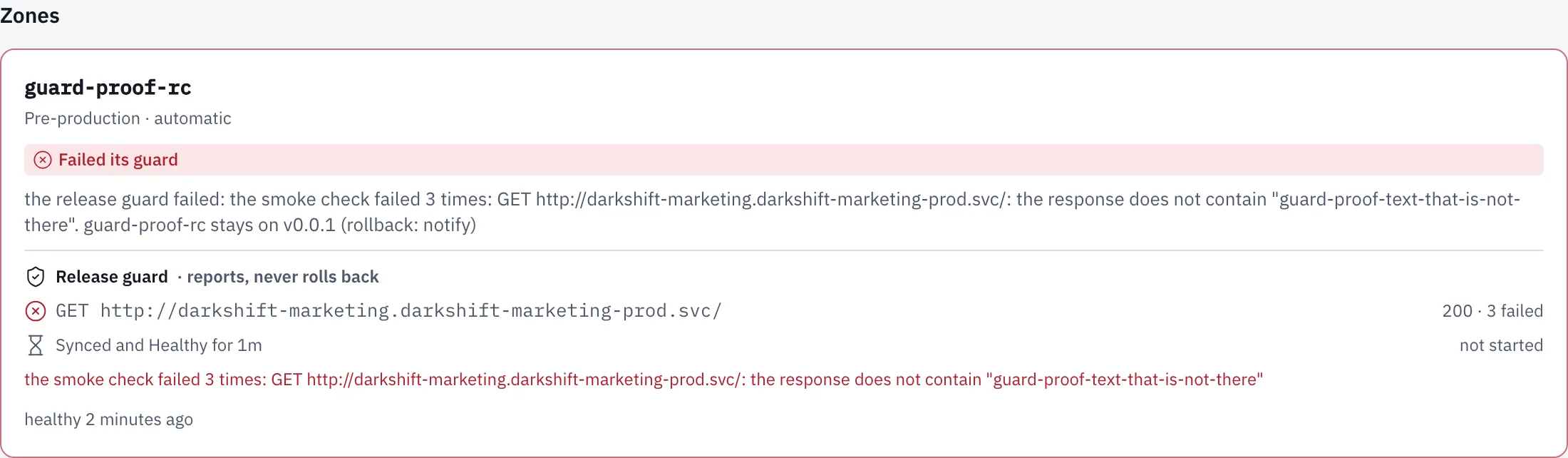
When a zone fails its guard, guard.rollback decides what happens. Either way, the deployment stops there, and its page says why, check by check and SLO by SLO.
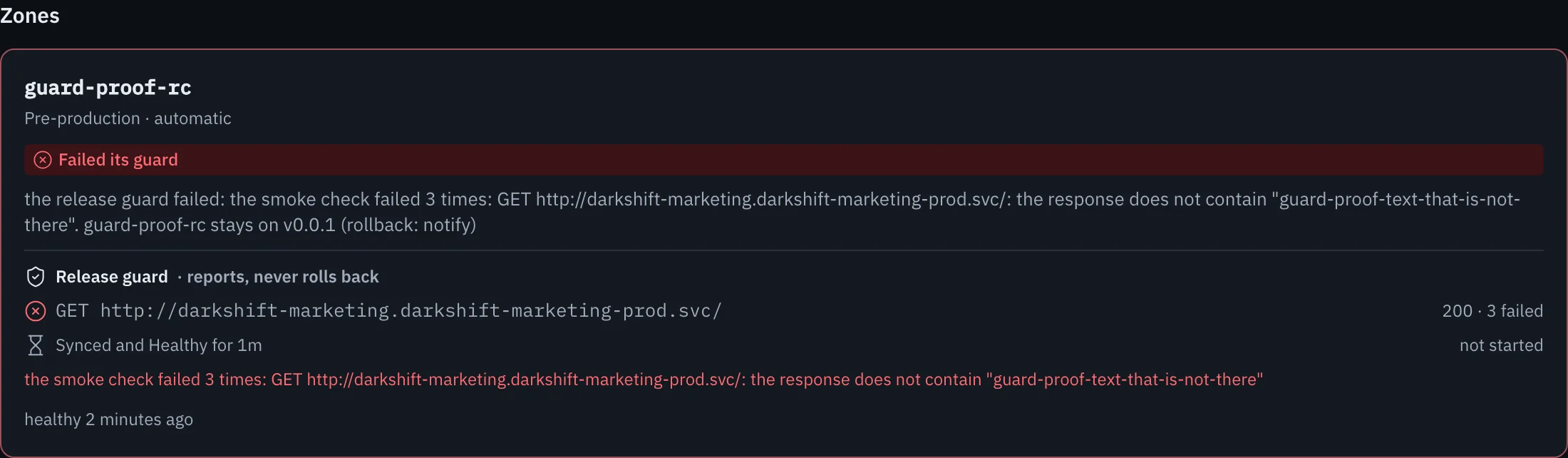
rollbackputs back what the zone ran before this deployment. Infrared opens a pull request to the gitops repo that writes the previous version and image digest into the zone's files, merges it, and waits for Argo CD to run that image Synced and Healthy. The zone reads Rolling back to and then Rolled back to that version, with a link to the rollback's pull request. A zone that ran nothing before has nothing to roll back to, and keeps the new version.notifyleaves the new version running and reads Failed its guard. Choose it for a Product whose deployments run database migrations: a rollback puts back images, never data, so volumes, databases and buckets keep what the failed version wrote.
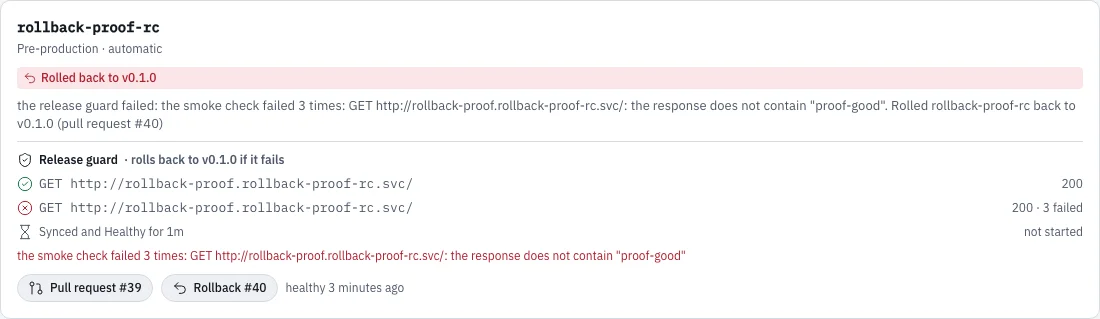
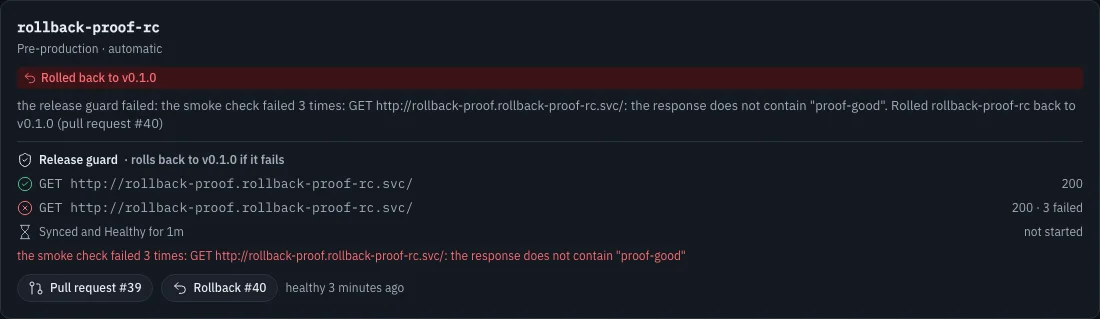
A zone Infrared adds (with a new Product, with Add an environment, or with ir) rolls back by default. A zone that existed before rollback did keeps notify until you change it under Promotion in its settings: If a deployment fails its guard. Fix the app or the check, then Retry the deployment, which promotes the zone again, or start a new one. Each zone's guard also shows in the Product's Versions view.
Each zone expects two files in the gitops repo: its values at products/<app>/zones/<zone>/values.yaml and its Application at registry/clusters/<cluster>/components/product-<zone>.yaml. Set valuesPath and applicationPath on a zone to use others.
6. Deploy and promote
A deployment ships one commit; the API calls it a Release. One starts in three ways.
-
From a Change. When a Change merges, its last steps deploy it:
promote-pre-releasedeploys the merge commit to the first pre-production zone, andpromote-releasewaits for your approval to promote the same version to production. Both are skipped for a Product without environments. The Change's Where this change is strip ends in a card for its deployment, with each environment's state and a screenshot. See Run a Change.
-
On a push. Every push a person makes to the default branch of a Product's repo starts a deployment of that commit. It waits two minutes before it starts, and pushes in that time join it, so a push and the fix that follows it ship as one. It starts after any deployment of the Product already under way. Its Asked for by names who pushed ("pushed to
<repo>", or "3 pushes to<repo>, by alex and sam"), and the Changes page shows each push as that person's entry. Pushes by a bot (such as Infrared's own merges and version commits), a push that merges a pull request a Change is working on (the Change deploys it), pushes to other branches, and tags start nothing. Infrared itself is never deployed by a push. -
By hand. Start a deployment, on the Product's Deployments tab or the Deployments page, opens a form: pick the Product, optionally type a Version (empty means the next patch), and choose Start deployment. It deploys the head of the default branch. With
ir,ir deployment new --product <app>; with the API,POST /v1/orgs/{org}/releaseswith{"product": "<app>"}, plus"version"to choose one.
Deployments, on the rail, lists every deployment, newest first: On their way first, then Earlier, 20 at a time. Each row has the Product and version (with No hold when none of its zones holds), Asked for by, each environment with its state, when it Started and how long it Took. An environment waiting for you shows Approve <zone>, which opens the deployment's page. The rail counts the deployments on their way, so you can see from anywhere when something is moving.
What a deployment does, in order:
- Waits for the build. It finds the kpack Build whose source is the commit and waits for it to succeed. Its page shows kpack's steps as they run: prepare, analyze, detect, restore, build, export and completion (for a rebase, rebase and completion).
- Picks the version. Unless you set one, it's the next patch after the newest
vX.Y.Ztag (a release'svX.Y.0counts), whatever its commits say. A version on a pre-release track, such as0.1.0-rc.4, moves along its track. Only a release takes the next minor or major. - Tags. It tags the build's digest
vX.Y.Zin the registry and the commitvX.Y.Zon the forge, records the commits it ships since the previous version, and makes a release on the forge with those commits by kind. That release is not marked latest until the deployment runs Healthy in every zone, so a repo's latest release is what production runs. A deployment starts norelease.cutAgentWorkflowRun; cutting a release does. - Promotes each zone. It opens a pull request that sets
image.repository,image.tagandimage.digestin the zone's values and the charttargetRevisionin its Application, merges it, and waits until Argo CD reports the Application Synced and Healthy on the new digest. Then it runs the zone's smoke check if it has one, and the release guard watches the zone. A zone that needs approval waits for you: approve it with Promote to<zone>on the deployment's page, or follow the Approve<zone>badge on Deployments. Withir,ir deployment promote <deployment> --zone <zone> --wait; with the API,POST /v1/orgs/{org}/releases/{name}/zones/{zone}/promote. The same call sends the Product's newest deployed version to a zone added after its deployment finished, without rebuilding anything.
If a deployment fails, Retry on its page starts it again from where it failed, keeping what it already did. While no zone runs a failed deployment Healthy, Dismiss removes it from the list; nothing it did on the forge is undone.
Production runs the digest pre-production ran, so what you checked there is exactly what ships. To check it yourself before you approve:
kubectl -n <app>-rc logs -l app.kubernetes.io/name=<app> --tail=20      # JSON request logs
kubectl -n <app>-rc port-forward svc/<app> 8081:80                      # then curl the app
In VictoriaMetrics, up{namespace="<app>-rc"} should be 1, and your request metrics should appear.
The environment tiles at the top of the Product's page show what each zone runs, which deployment put it there and who approved it (see Environments).
A deployment's page
A deployment's page opens with the Product and version, its state, the version it follows, the Change it ships and how long it took. On the right, Asked for by names who asked for it, and how:
- the person whose approval merged its Change: "approved pull request #22 at 10:19, which started it";
- else the person who started the Change, when its merge was approved automatically: "asked for it in zippy#21";
- else whoever started the deployment by hand: "started it by hand";
- Infrared started it, when Infrared started the Change on its own, on a schedule or for a failed CI run.
People are named by their forge login or their name in Infrared, never by an email address. Below the header:
- A callout for whatever is under way or waits for you: an approval; a failure, with Retry, and Dismiss while no zone runs it; while kpack builds, kpack is building
<version>, the step it is on, the time so far and how long the Product's builds usually take; and while the release guard holds a zone, how long it holds for, with Go now. - Environments: each zone in promotion order, Pre-production or Production, automatic or after approval, with its state, its pull request, and its release guard (each check, each SLO's error budget reading, and the hold). A zone where someone pressed Go now says who and when.
- What shipped: a screenshot of each environment, taken from inside the cluster once its smoke check passes (in a Guarded environment, during the hold), captioned with its environment, version and time. Until then: Appears when
<zone>'s smoke check passes. - Build: kpack's steps, each with when it started and how long it took, and why a step failed. Show build log opens the build's log, the last lines of each step under its name, read again every few seconds while it builds. kpack keeps the pods of its newest builds only, so an older build's log is gone, and the page says so. With
ir,ir deployment build-log <deployment>; with the API,GET /v1/orgs/{org}/releases/{name}/build/logs. - What ships: the Change with its pull request, and who asked for it when that is someone else; the commit, the image digest and the kpack build. Registries: the registry the image went to, and who can pull it.
- The Change it carries: its journey, from the issue to this deployment.
- Timings: where the lead time went, a lane per stage (build, tag, then each zone's deploy, smoke check, release guard and rollback) and a table of each stage's time. See Deployment timings.
The zone files
Each zone's Application takes the chart from the app's repo at the version's tag, and the zone's values from the gitops repo. Create both files once per zone, and Infrared keeps the pins current:
spec:
  project: products
  sources:
    - repoURL: https://github.com/<org>/<app>
      targetRevision: v0.1.0
      path: charts/<app>
      helm:
        releaseName: <app>
        valueFiles:
          - $values/products/<app>/zones/<app>-rc/values.yaml
    - repoURL: https://github.com/<org>/gitops
      targetRevision: main
      ref: values
  destination:
    server: https://kubernetes.default.svc
    namespace: <app>-rc
  syncPolicy:
    automated: {prune: true, selfHeal: true}
    managedNamespaceMetadata:
      labels:
        pod-security.kubernetes.io/enforce: restricted
    syncOptions: [CreateNamespace=true]
The zone's values.yaml holds the pin:
zone: <app>-rc
image:
  repository: <registry>/<app>
  tag: v0.1.0
  digest: sha256:<digest>
replicas: 1
Infrared edits only the repository, tag and digest lines and the one targetRevision, so your comments and other values stay as they are.
Roll back
The release guard rolls a zone back for you when a deployment fails it (When a zone fails its guard). To roll back by hand, revert the pull request for the zone. Argo CD goes back to the previous digest, which is still in the registry: Infrared's registry lifecycle keeps every image with a version tag.