Products
A Product is the unit Infrared builds, deploys and manages change for. It owns one or more repos in your org: a single app has one, and an app with separate services, a chart and docs has several. Agents work on a Product's repos, Infrared deploys what they merge, and you see the result in one place.
Products is the first item on the rail, and the page Infrared opens on. At the top is the week across every Product. Below it is a card per Product, and under the cards are any incidents still open. You can read where things stand, and what needs you, without opening anything.
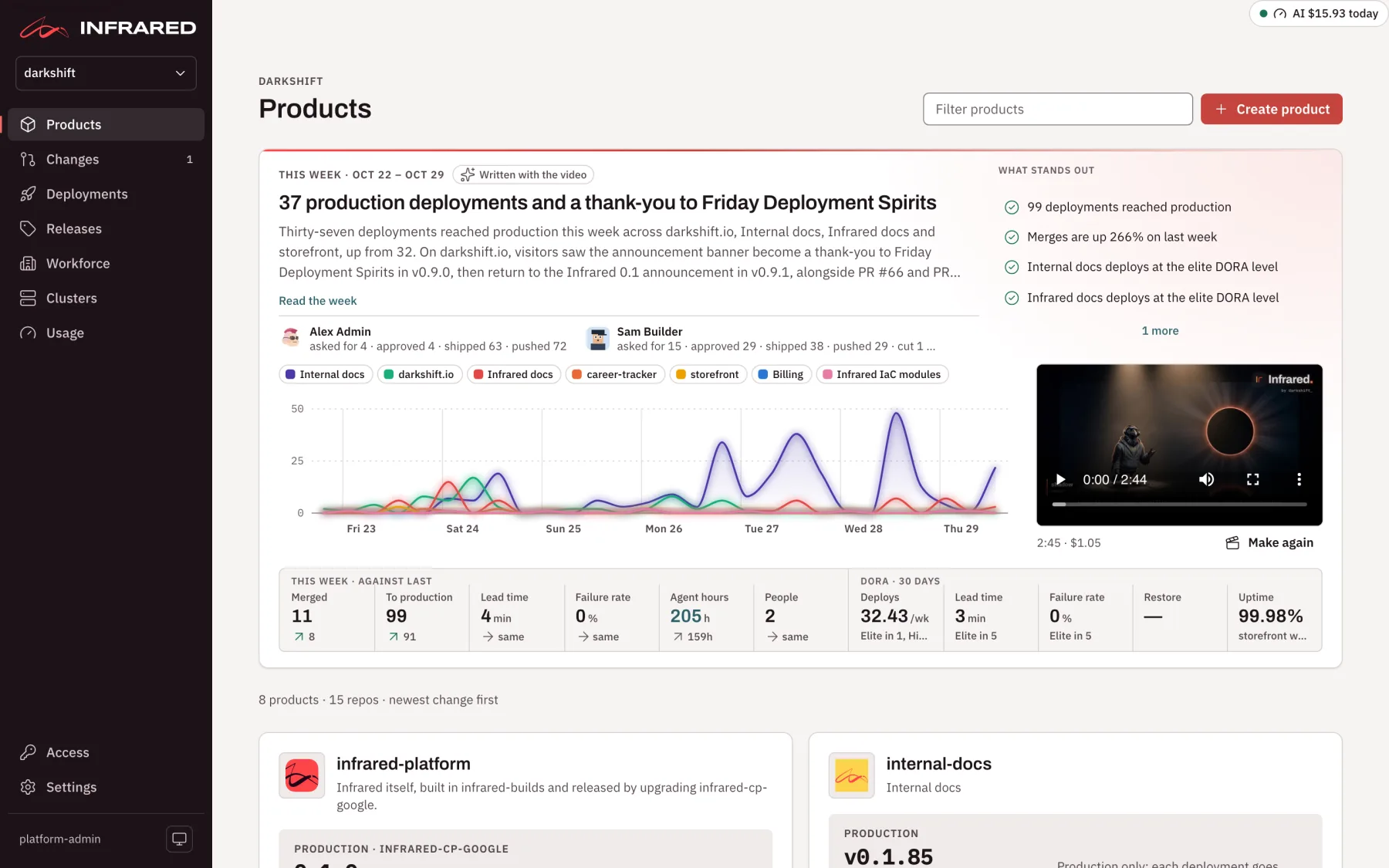
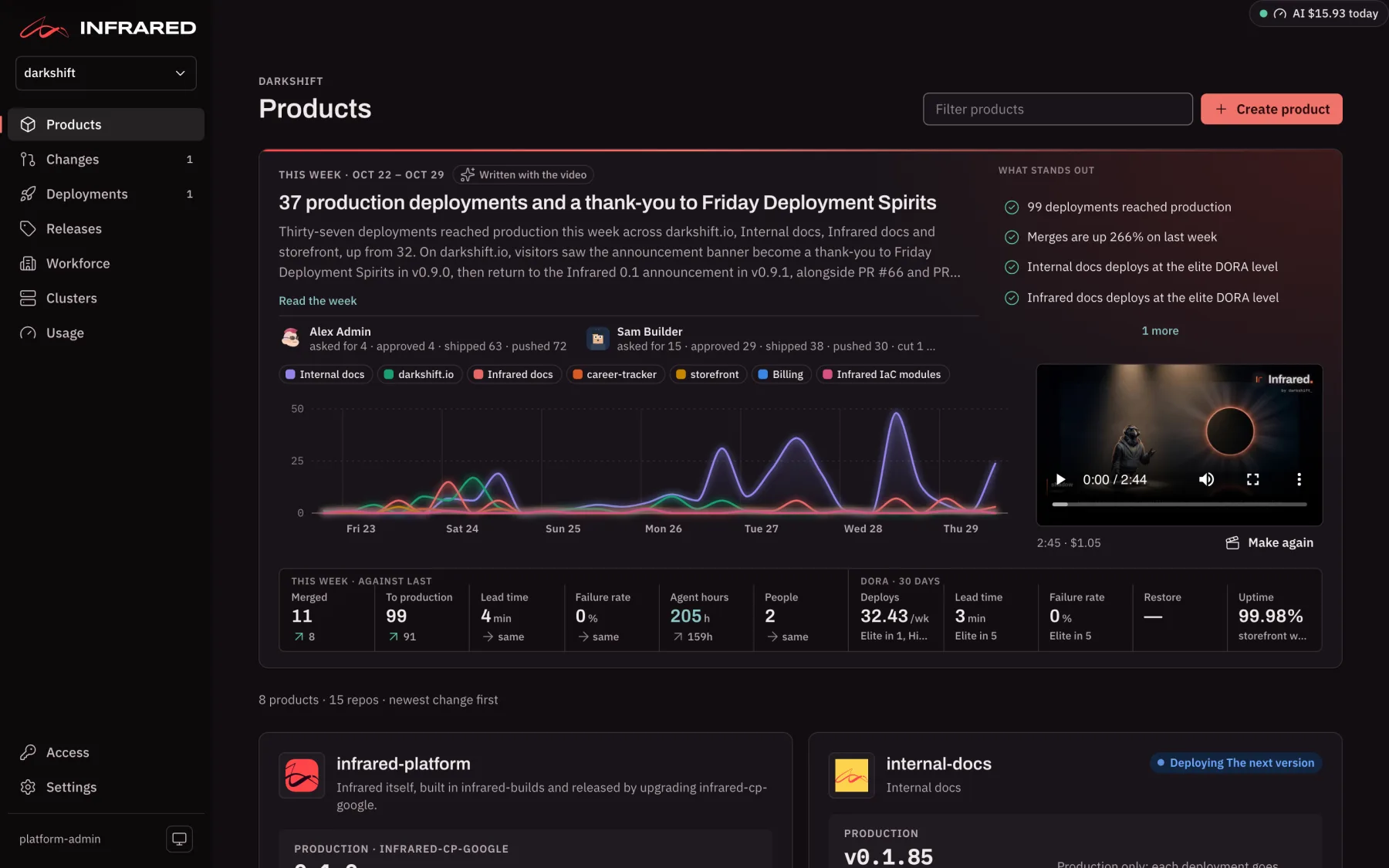
This week
The band at the top of Products is the org's week in review: the last seven days across every Product, set against the seven before. It is kept short so the Product cards show without scrolling. Every figure comes from what Infrared recorded (agent runs, merges, approvals, deployments, SLOs and incidents), so nothing is estimated. A figure Infrared has no record of shows "—".
Part of a real weekly video from darkshift's own org, with sound: the opening, the week at a glance, the busiest day and how delivery flowed. The scenes for each Product and the people who did the work are left out here.
- The story. The week's headline and its first paragraph. Once the weekly video is made, the story is written with it, and the band says Written with the video; until then it is put together from the records (From the records). Read the week opens the rest. At its foot are the people behind the week, each with what they did: asked for, approved, shipped, pushed, and releases cut.
- What stands out. Beside the story, the week's findings, most serious first, four at a time: open incidents, an SLO spending its error budget, rollbacks and failed deployments, approvals that have waited more than a day, Changes that stopped to ask a person, lead time doubling, agent cost rising sharply, and the good news too (deployments that reached production, incidents resolved, merges up). Each is marked Needs someone, Worth a look, Went well or Worth knowing, and links to where to look. Hover one for the figures behind it.
- The chart. A line per Product over the week, in six-hour steps, counting its requests, merges, decisions and deployments. Hover for each Product's count, or pick a Product in the legend to bring its line forward.
- The weekly video. Beside the chart, a short video of a presenter telling the week. It is made each Monday morning while summary videos are on, and shows its length and what it cost. Make it, or Make again, makes this week's now; each one costs about a dollar and counts toward the summary videos' monthly cap. An info mark says why a video opened on a title card in place of the presenter, or why the last try failed.
- The strip. Under the chart, this week against last: Merged (pull requests merged), To production (deployments that reached production), Lead time (median from merge to Healthy in production), Failure rate (the share of finished deployments that failed or were rolled back), Agent hours and People. Then DORA · 30 days across every Product (deploys, lead time, failure rate and time to restore, each with how many Products sit at each rating) and production Uptime. Hover a figure for what it measures.
People are named as Infrared's records name them, never by an email address. The band reads GET /v1/orgs/{org}/week-in-review.
Product cards
Each Product has a card, the Product with the newest change first. Filter products narrows them by name, description or repo.
A card tells you, at a glance:
- What is moving now, top right: Deploying
<version>while a deployment is on its way, or how many Changes are running. Click it to follow along. - Where it runs. Production first, with the version it runs, how long it has run it and its health, then each other environment with its version. A version still rolling out says so, and a pre-production version newer than production reads ahead of production.
- What needs you. Open incidents, a deployment that waits for your approval or failed, Changes that wait for your approval, and a Change that stopped and needs you. Each one links straight to where you act. A Product with no change for a week or more says Quiet and for how long.
- Latest. What shipped lately, one row per deployment (titled by the Change it shipped, or else its newest commit) or per merged Change not deployed yet, with where it reached. Other Changes a deployment carried are listed under its row. The newest summary video sits beside the list, so you can watch what changed in a couple of minutes.
- SLOs. Production's objectives, the worst first, each with its state. See SLOs, incidents and DORA.
- The foot. The product owner, the repos, and when it was last deployed.
Under the cards, Open incidents lists every incident not yet resolved, across all Products. Resolved ones are on each Product's page.
An org may have a limit on how many Products it holds. When it does, the page shows how many of the limit it uses, and Create product is off once the org reaches it.
Create a Product
Choose Create product on Products and fill in:
- Name: a lowercase DNS label, unique within the org.
- Display name: defaults to the name.
- Description: what the Product is and who it is for.
- Logo (optional): Suggest ten logos designs ten from the name and description, and Upload image takes your own file. The one you pick is committed to the repo once the Product exists. See The product logo.
- Repos on: only shown in an org with repos on both Gitea and GitHub. Pick the forge the Product's repos live on; it can't change later.
- Repos: for each repo, pick an Existing repo or make a New repo. Add repo adds another. Repos another Product uses, and the org's gitops repo, are listed but can't be picked. A new repo takes an organization, a name and Private, and can start from a template (Start from), from a zip of files (up to 25 MB), or both.
When the first repo starts from a template or a zip, Build it and open a preview has Infrared set up the build and a pre-production environment at a private address, then deploy it. See Start from a zip. A Product made from existing repos starts with no environments: add them later in its settings (Set up delivery).
The Product page
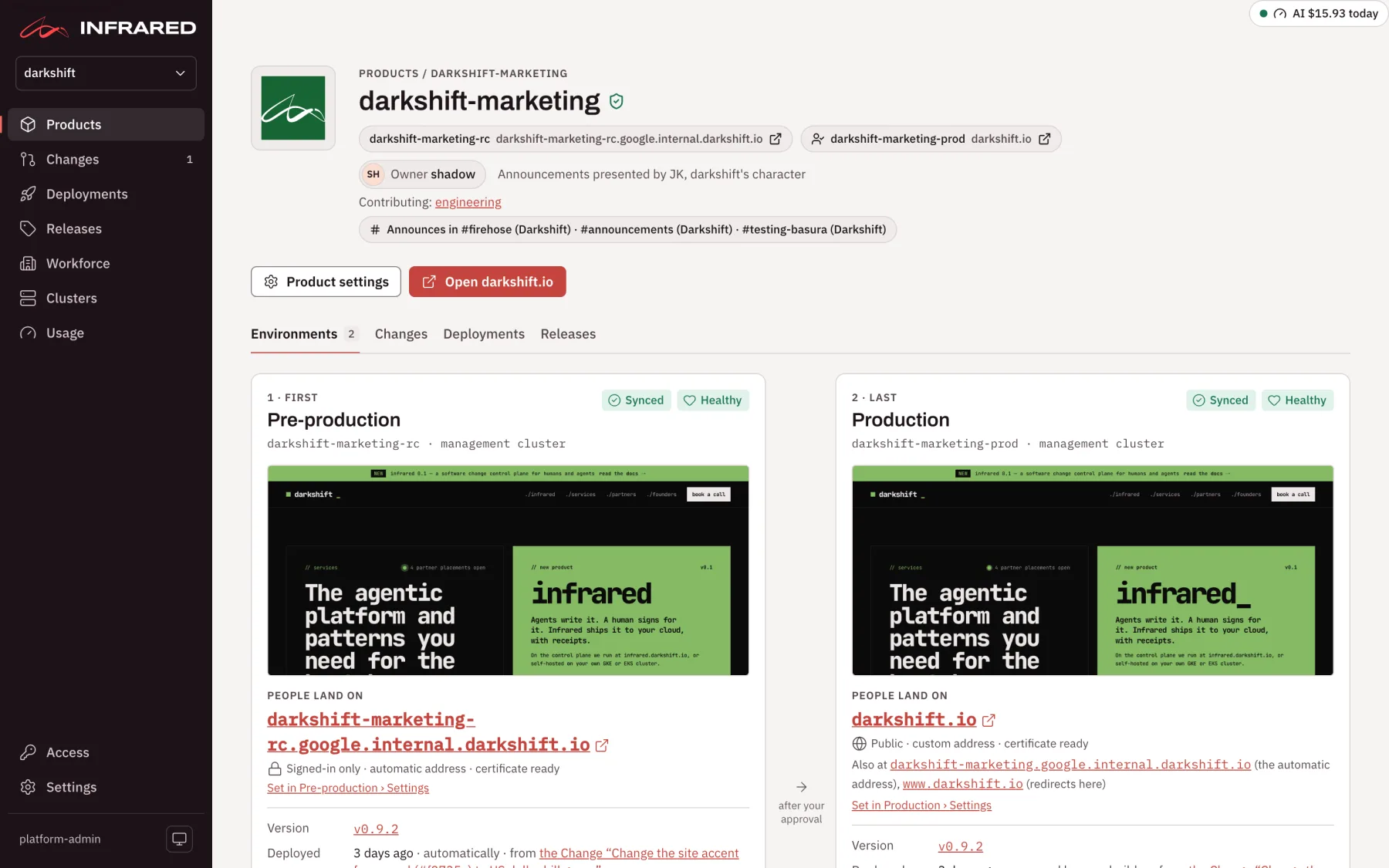
A Product's page opens with its logo, name and description. Beside the name, a shield tells you whether people approve its Changes and deployments; hover it to see where a person decides. Under the description are:
- a link to each environment people can open, with its address;
- the product owner, and who presents the Product's announcements;
- the Teams that own it or contribute to it;
- the Slack channels it posts to;
- a warning when human approvals are off for the Product.
On the right, Product settings opens its settings, and Open <address> opens the production site.
The page has four tabs: Environments (where it opens), Changes, Deployments and Releases.
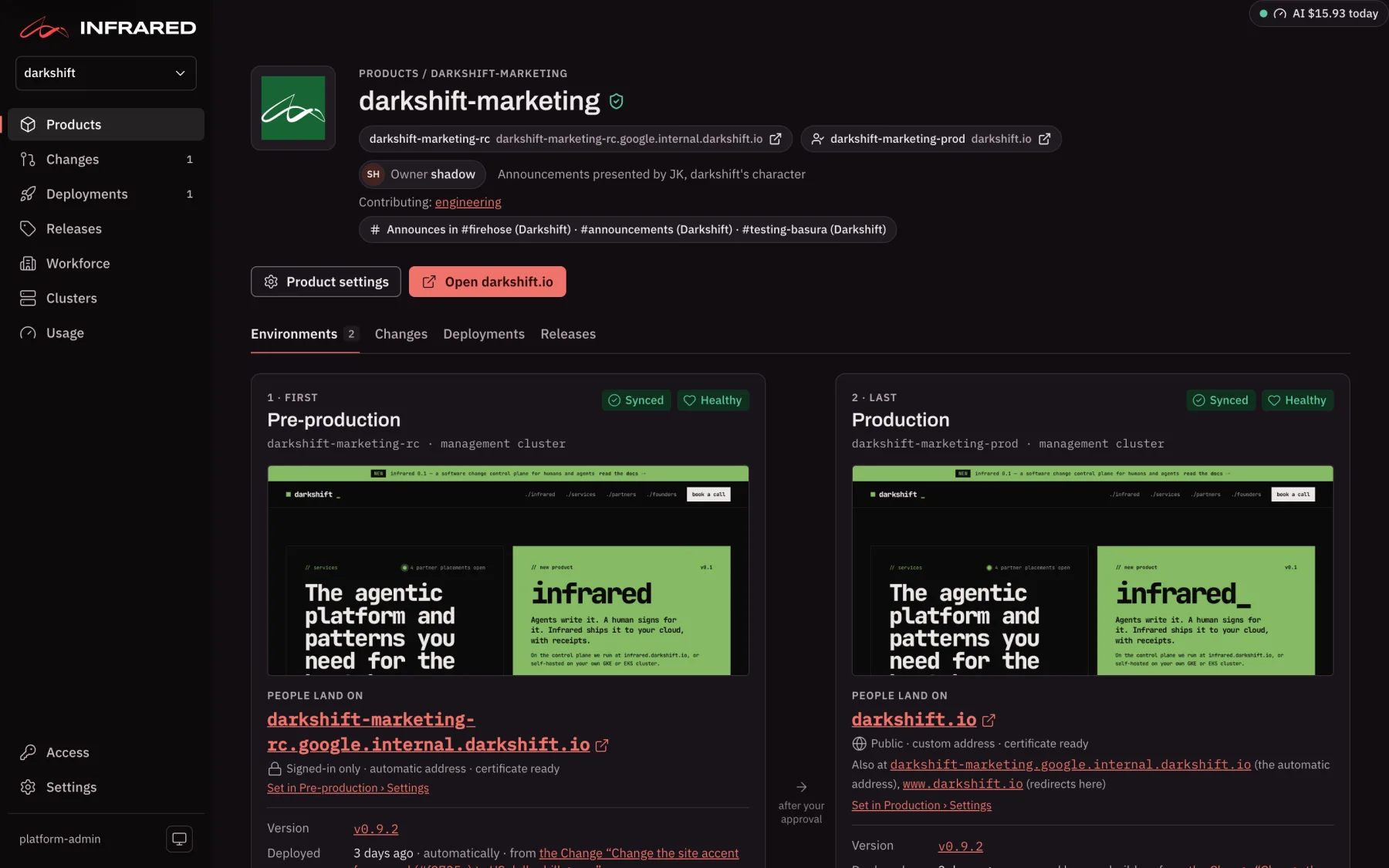
Environments
A tile for each environment, in promotion order, with its address, a screenshot of the last deployment, the version it runs and how it is doing. Between two tiles, the page says how a deployment crosses: automatically, or after your approval. Click an environment's title to open its own page with Overview, Live, History and Settings. See Environments.
Under the tiles is how the Product is doing over time: its DORA metrics for the last 30 days, its SLOs with their error budgets, and its Incidents, where Open an incident records something no alert caught. See SLOs, incidents and DORA.
Changes
Every agent run, merge, approval, build, deployment and rollback of this Product, newest first, with every filter of the org's Changes page except the Product. The tab's count is how many of its Changes are in progress. Open these entries in the org's log opens the same entries on the org's page.
Ask for a change opens a short form above the list: say What should change, add Details if you have them, and choose Start the change. Infrared opens an issue on the Product's first repo, starts a Change on it, and takes you to the Change's page to follow it. Cancel closes the form. See Run a Change.
Deployments
Start a deployment ships the head of the default branch by hand. The tab has two views.
Versions starts with what each environment runs now: the version, how long ago it arrived, and Argo CD's health. Below is one row per deployment, newest first, with a column per environment:
- Image or Components: what the deployment ships, each with its commit and the first twelve characters of its image digest. With isolated delivery, a deployment ships one repo's image. With umbrella delivery, it ships one chart version that pins every repo: the repos with a new build come first, with how many commits each gained, and the ones carried from the previous deployment fold under carried. A repo whose build the deployment still waits for reads building. See Deliver several repos as one chart.
- One column per environment, in promotion order: Running (it runs this deployment now), Ran (it did, and a later deployment replaced it), Rolled back, Failed, Waiting for approval, Promoting, Pending, or — when the deployment never reached it. A deployment recorded from a tag made by hand shows — labelled Not recorded, since where it ran is unknown.
- Guard: what the release guard found once the deployment reached its environments. Held means every check passed and the environments stayed healthy for their whole hold, or until someone pressed Go now. Passed, no hold means every check passed in environments that deploy Fast. Rolled back to a version, Rolling back, Failed in an environment (one set to keep the new version and report), or Watching an environment, each with the reason.
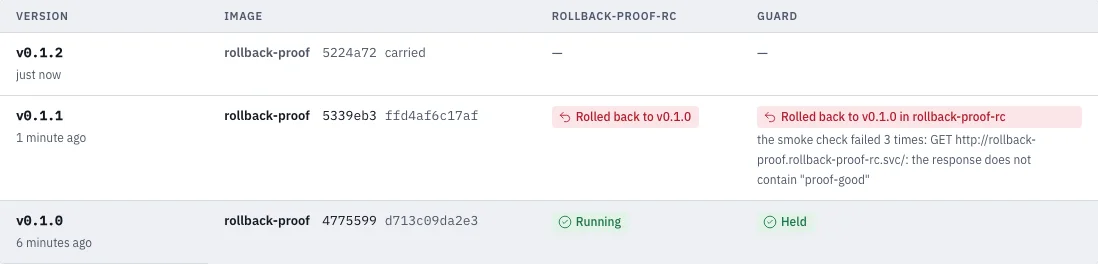
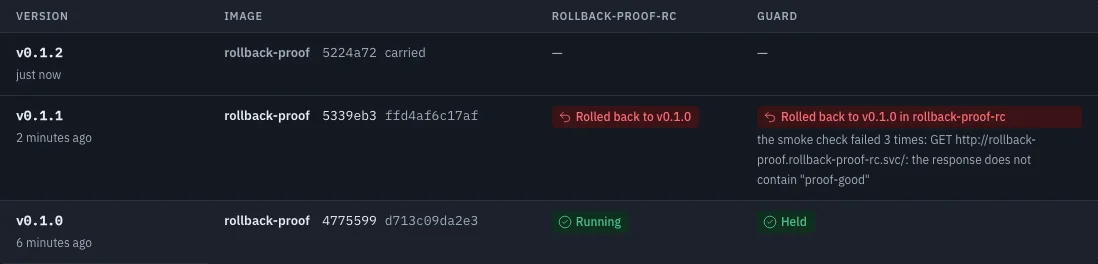
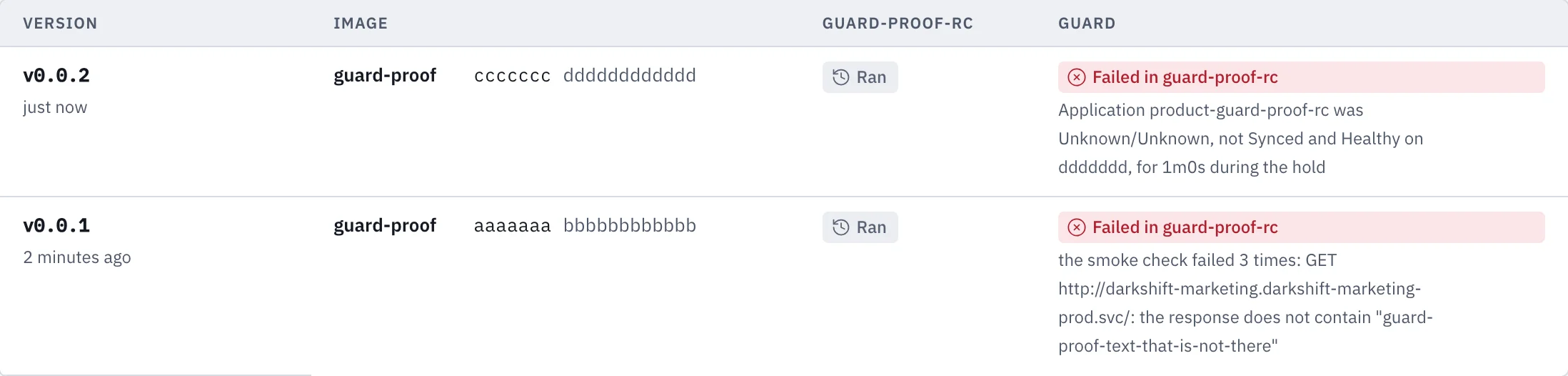
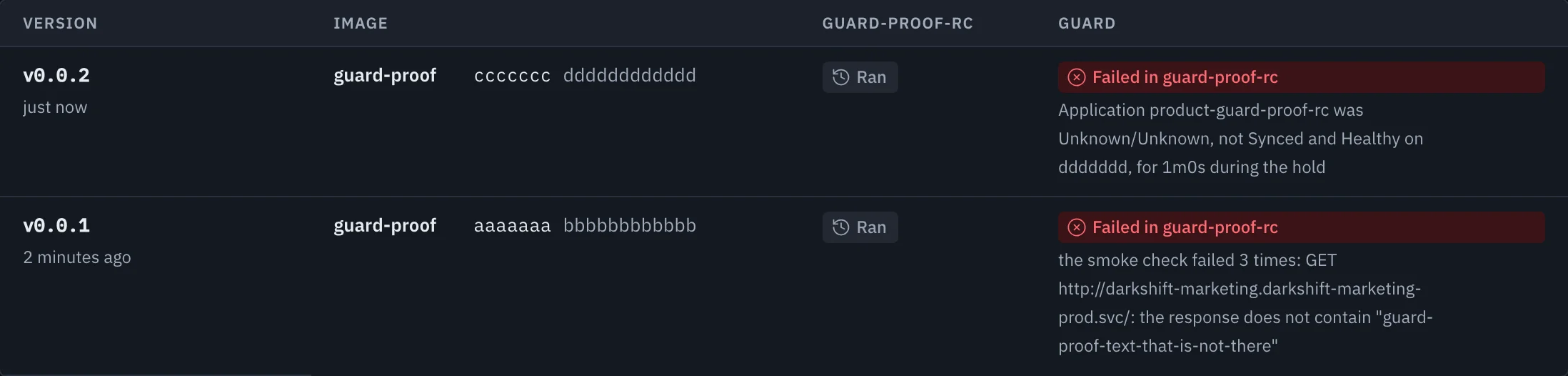
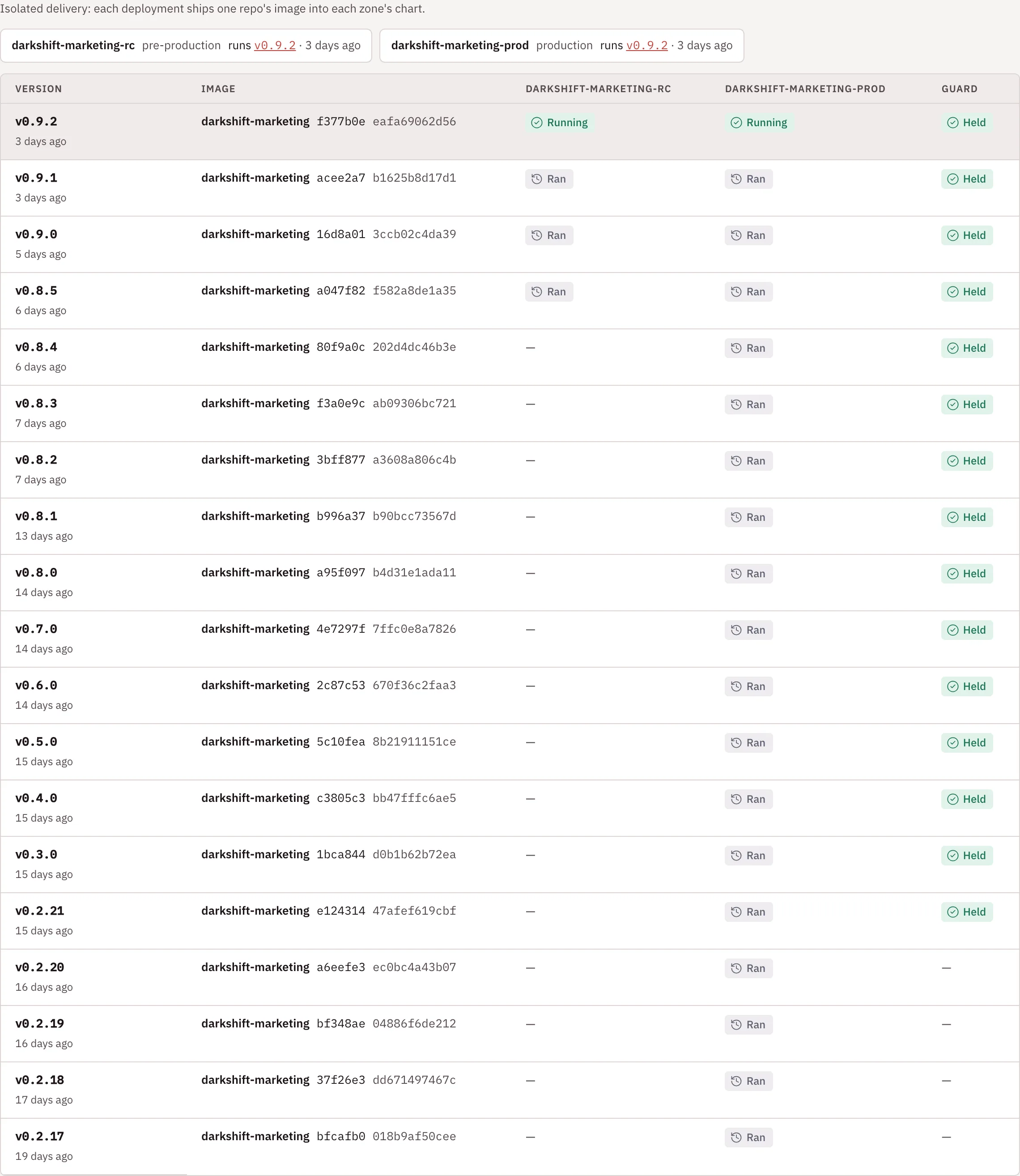
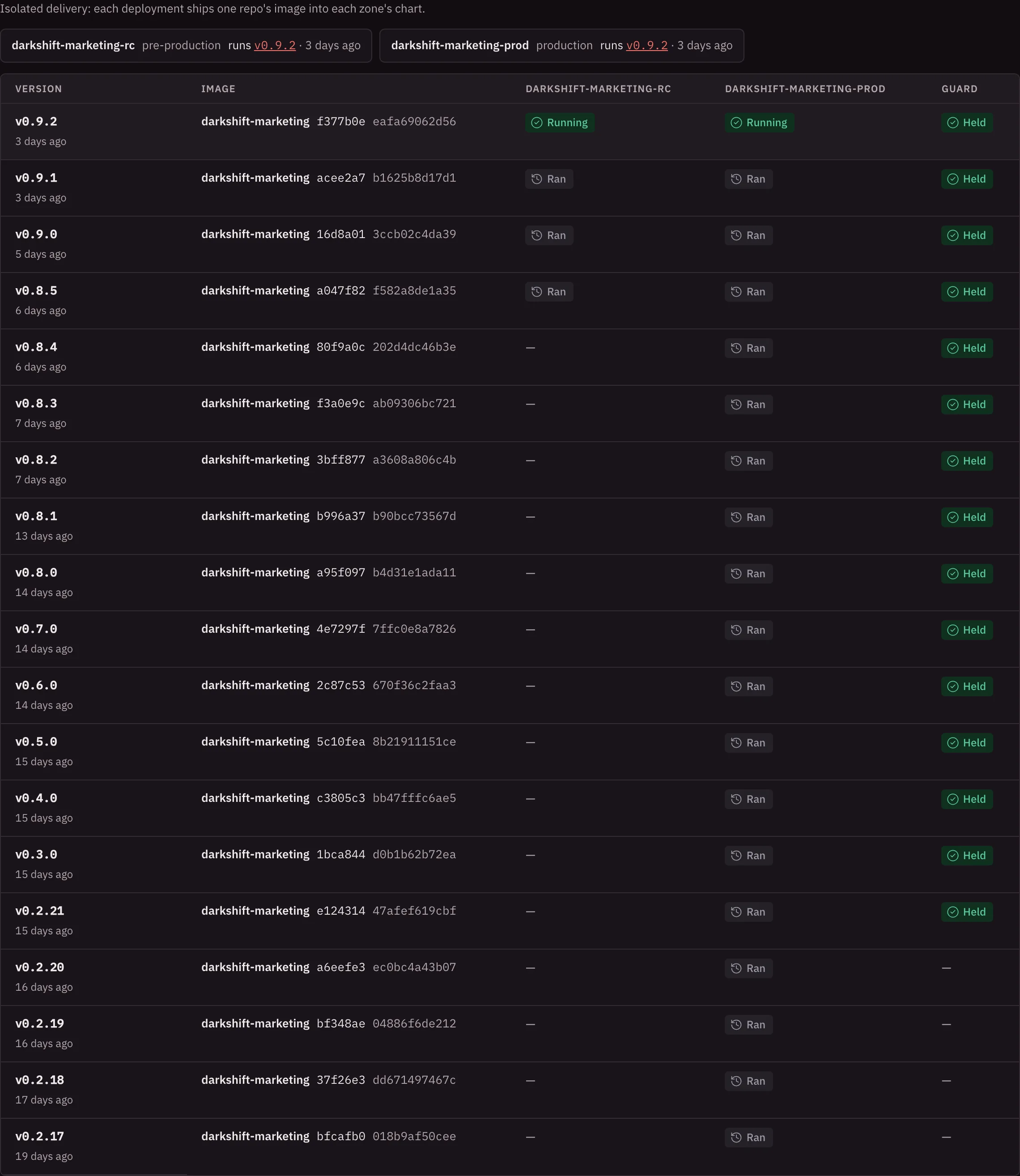
History lists every deployment with its state, each environment's state, how long it took, the issues and Changes it shipped and their model cost. You can dismiss a failed deployment that reached no environment; nothing it did on the forge is undone.
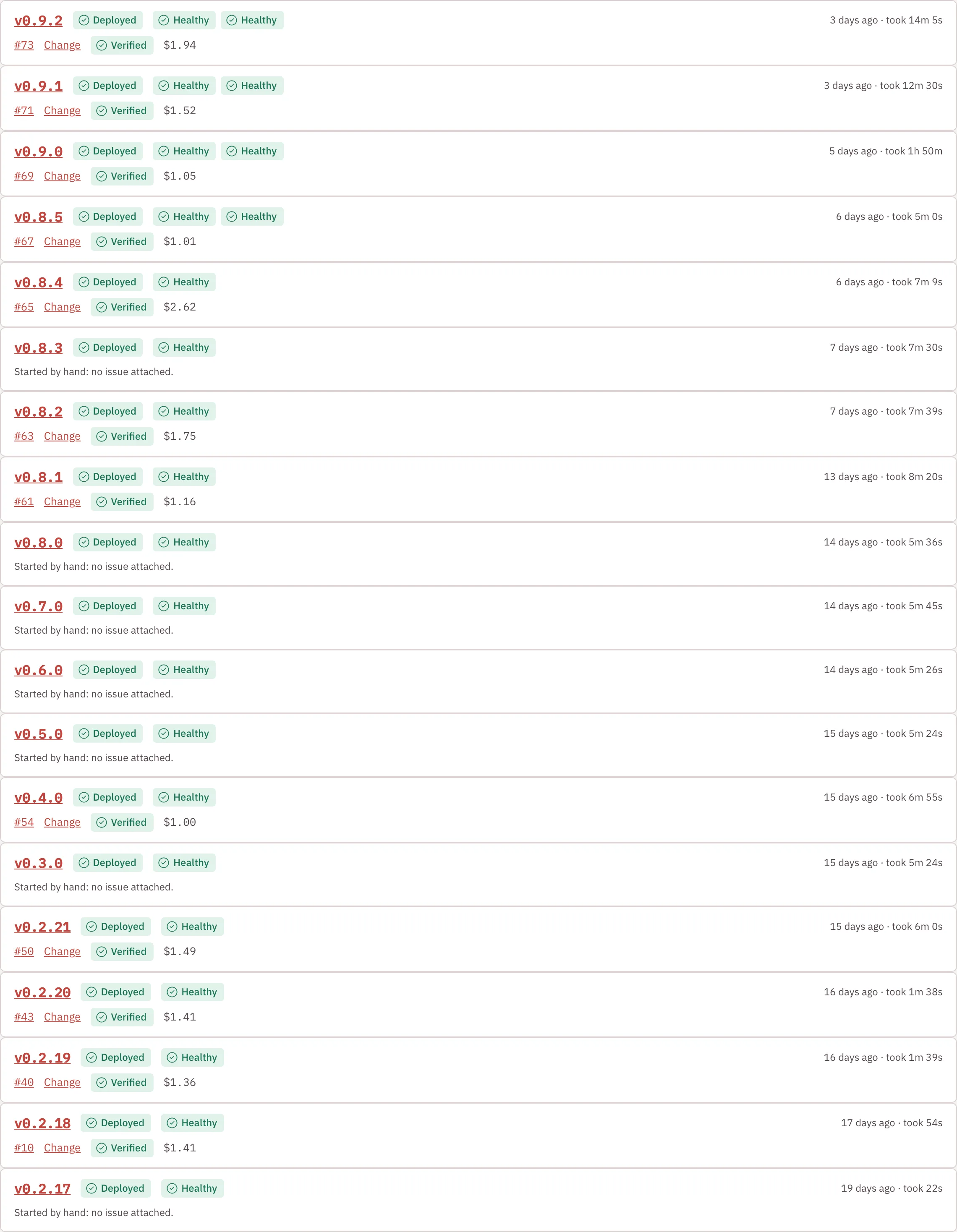
Infrared's own platform Product has no Start a deployment here: it is released by upgrading the control plane (The control plane as an environment).
Releases
The Product's release tracks, newest first, each with every version that reached production and its changes by kind. When enough has shipped to production since the last release, Infrared nudges you to cut the next one, with the notes already drafted for you to read. See Releases.
Settings
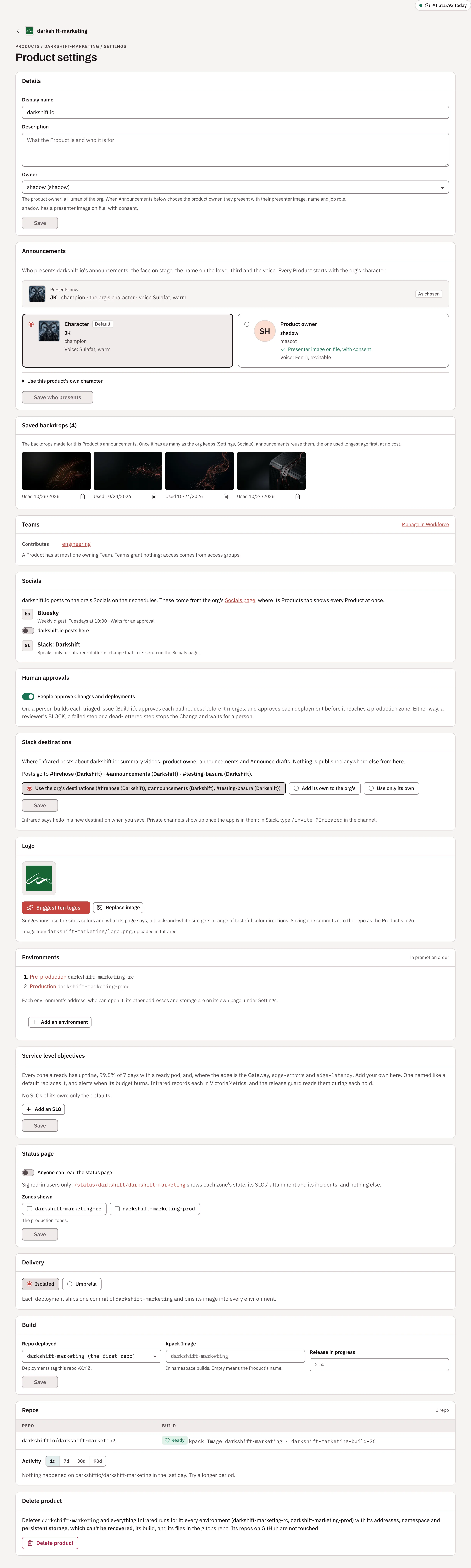
Product settings opens the Product's settings on a page of their own; the Product's name at the top takes you back. Everyone in the org can read them; only org admins can change them. In order:
| Panel | What it holds |
|---|---|
| Details | Display name, Description and Owner, the product owner, picked from the org's people. |
| Announcements | Who presents the Product's announcement videos: the org's character, the product owner, or the Product's own character. |
| Teams | The Teams that own the Product or contribute to it. Manage in Workforce opens Workforce, where Teams are kept. |
| Human approvals | Whether people approve the Product's Changes and its deployments to production. See Turn human approvals off. |
| Slack destinations | Where Infrared posts about the Product: the org's destinations, or channels of its own. See Slack. |
| Logo | The logo and where it comes from. See The product logo. |
| Environments | Each environment in promotion order, linked to its settings, and Add an environment (or Set up delivery for a Product that has none yet). See Environments. |
| Service level objectives | The Product's own SLOs, beside the defaults every Product gets. See SLOs. |
| Status page | Whether anyone can read the status page, and which environments it shows. |
| Delivery | Isolated or Umbrella. See Deliver several repos as one chart. |
| Build | Repo deployed (the repo deployments tag), its kpack Image, and the Release in progress. For a Product with several repos, Keep an umbrella chart with its Charts repo and Chart. |
| Repos | Each repo, with the build of the delivery repo, and the repos' activity. |
| Delete product | Deletes the Product and everything Infrared runs for it. |
Deleting a Product removes every environment with its addresses, namespace and persistent storage, which can't be recovered, along with its build and its files in the gitops repo. Its repos are not touched. Choose Delete product, then Delete <product> permanently; Keep product backs out.
Infrared's own platform Product shows Control plane in place of Environments, with what the upgrade guard checks and how long it waits before it rolls an upgrade back, and Control plane release for how its releases are built. See The control plane as an environment.
A Product kept in a gitops repo. When an Argo CD Application with self-heal syncs the Product resource itself, as an install may do for its own Infrared, Argo CD puts back any change to that file within minutes, so an edit made in Settings is reverted. Change the Product in the gitops repo instead.
The product logo
Every Product has a logo, shown on its card and at the top of its page. The logo lives in the Product's repo, so the same image shows up on the forge, in your docs and in Infrared.
Found in the repo. Infrared looks in the Product's first repo (or the repo named in spec.logo.repo) and uses the first of these it finds:
logo.svg,logo.png,logo.jpg,logo.jpeg,logo.webpin the repo root.github/logo.svg,.github/logo.pngdocs/logo.svg,docs/logo.pngassets/logo.svg,assets/logo.pngstatic/img/logo.svg,static/img/logo.pngpublic/logo.svg,public/logo.pngicon.svg,icon.png
To use another file, set spec.logo.path on the Product. Infrared checks the repo again every 30 minutes, so a new logo committed there shows up on its own.
Set in Infrared. Open Product settings → Logo, or click the logo at the top of the Product's page. Suggest ten logos has Claude design ten SVG logos from the colors and words of the Product's running site, each in its own direction (a symbol, a monogram, a wordmark, a badge and so on). It uses the org's model provider key and can take a few minutes; without a key, Infrared offers built-in designs. Choose Use this under the one you like, or Suggest ten more. Replace image (Upload image when there is none) takes your own file.
Either way, Infrared commits the image to the repo as its bot: it replaces the logo it found when the file type matches, or adds logo.<ext> to the repo root. The panel shows Syncing image to <repo>/<path> until the commit lands, usually within seconds, and then where the image comes from.
| Rule | Why |
|---|---|
| SVG, PNG, JPEG or WebP | Formats every browser shows |
| At most 512 KiB | Logos are small, and big files slow every page that lists Products |
| No scripts in SVG | An SVG with <script>, javascript: URLs, event handlers or <foreignObject> is refused. Infrared also serves logos with a Content-Security-Policy that blocks scripts, and shows them only as images. |
A Product without a logo shows its initials.
With the API, POST /v1/orgs/{org}/products/{name}/logo/suggestions suggests logos (org admins), and PUT /v1/orgs/{org}/products/{name}/logo uploads one: the raw image as the body, with its Content-Type.
Repo activity
The Activity chart under Repos in the Product's settings shows what people did on a repo over the last day (the default), 7, 30 or 90 days. Pick the repo when the Product has several. Each kind of work has its own lane: Commits on the default branch, Pull requests opened, Reviews (reviews and review comments), Comments, Merged, and Issues and closes (issues opened and closed, pull requests closed without merging, and reopens). Each event is a point with the avatar of whoever did it, Infrared's agents included. Hover a point for what happened and when, or click it to open it on the forge. Below the chart is everyone who worked in the period, with their count and bots marked bot; click a person to pick out their work.
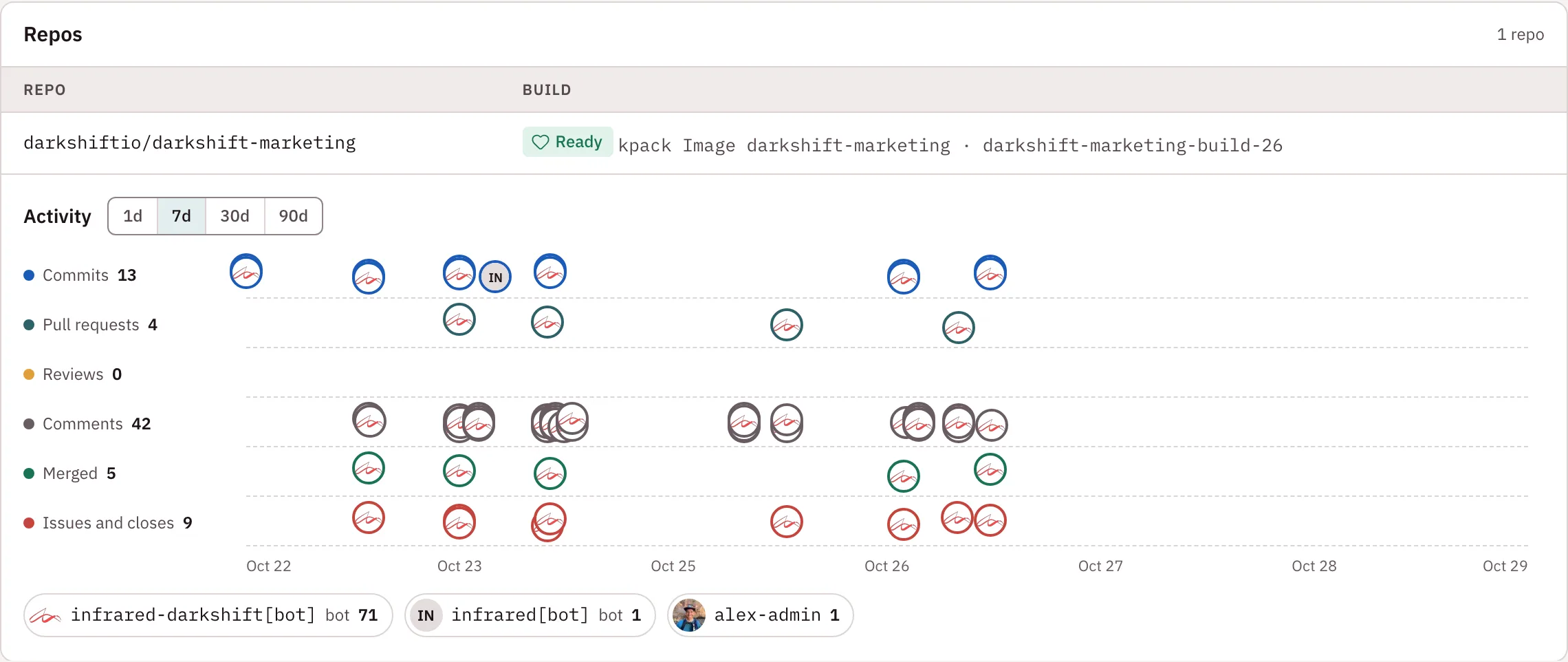
Infrared reads this from the forge and keeps it for a minute. On a busy repo over a long period, the forge's listings may be cut short; the chart says so, and a shorter period shows everything. With the API: GET /v1/orgs/{org}/products/{name}/repos/{repo}/activity?hours=24 (24, 168, 720 or 2160).