Changes
Agents do the building, reviewing and verifying in Infrared. Your part is to decide, and Changes in the navigation (at /changelog) is where you do it. It shows every request your org made, where each one stands, and what is waiting for you. Open any Change and you get the whole story in one place, from the issue to production: what each agent did, the verdict it reached in plain words, the evidence behind it, and the button for the decision that is yours. You don't need to open GitHub, Argo CD or a log to know where something is.
A Change is one unit of work on its way to production: an issue and the pull request that implements it. To start one, see Ask for a change.
What waits for you
The number beside Changes in the navigation counts what waits for you across the org:
- a Change waiting for triage or for your approval;
- a Change whose agent stopped to ask you something;
- a deployment waiting for your approval before it enters an environment.
Nothing else adds to it, so when the count is gone, nobody is waiting on you. On the page, a line above the list says how many things wait and what they are. Show only these narrows the page to them, and Show everything brings the rest back.
You don't have to keep the page open to stay current. A Change waiting for approval escalates to the dead-letter reviewer after 72 hours without an answer. If your org makes summary videos and has connected Slack, each Change's video is posted there when the Change finishes or stops to ask for a person.
What was asked for
Changes opens on Requests: one row for each thing someone asked for, in the words they used (the issue's title), and where it stands now. A Product's own requests are on the Changes tab of its page.
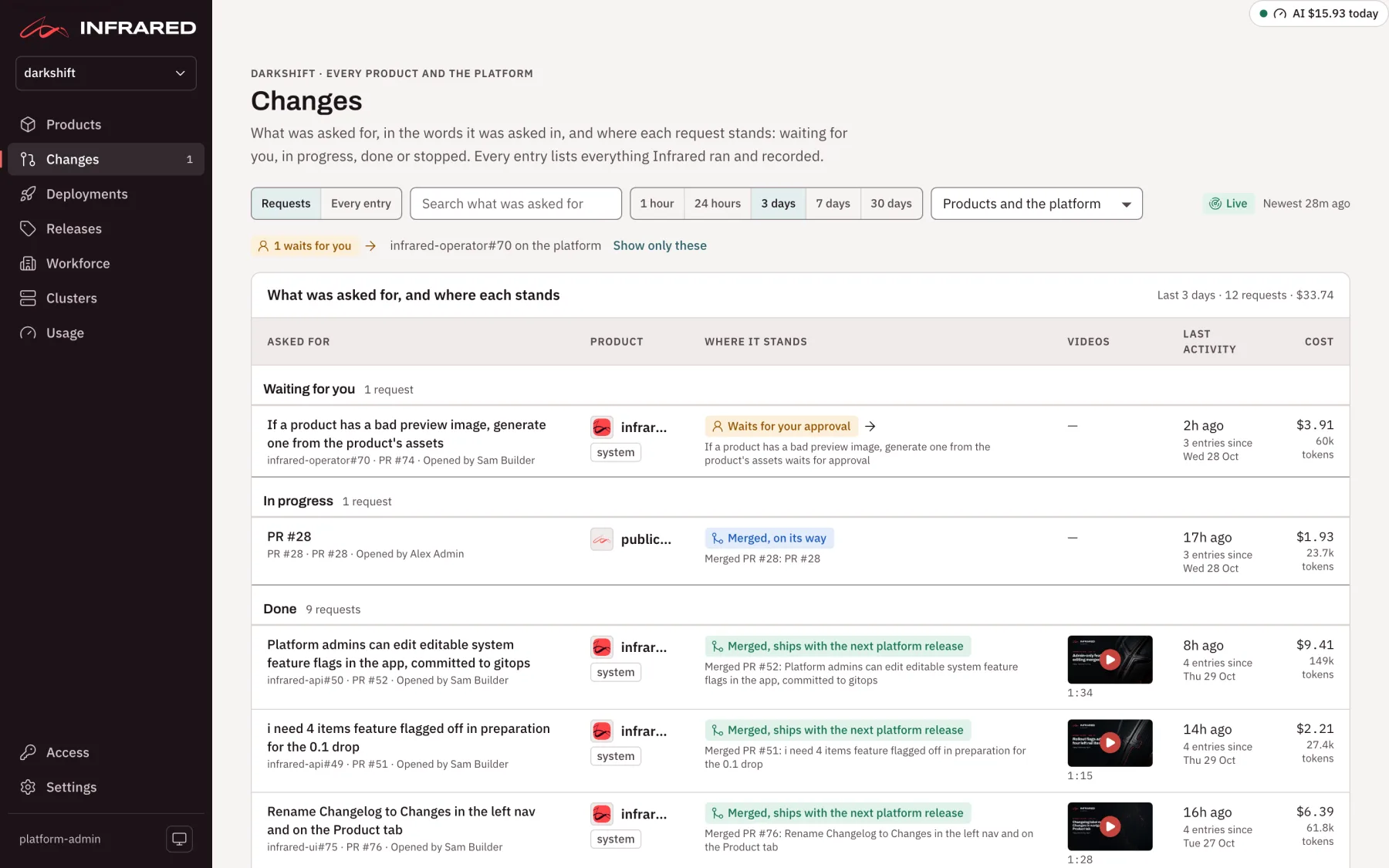
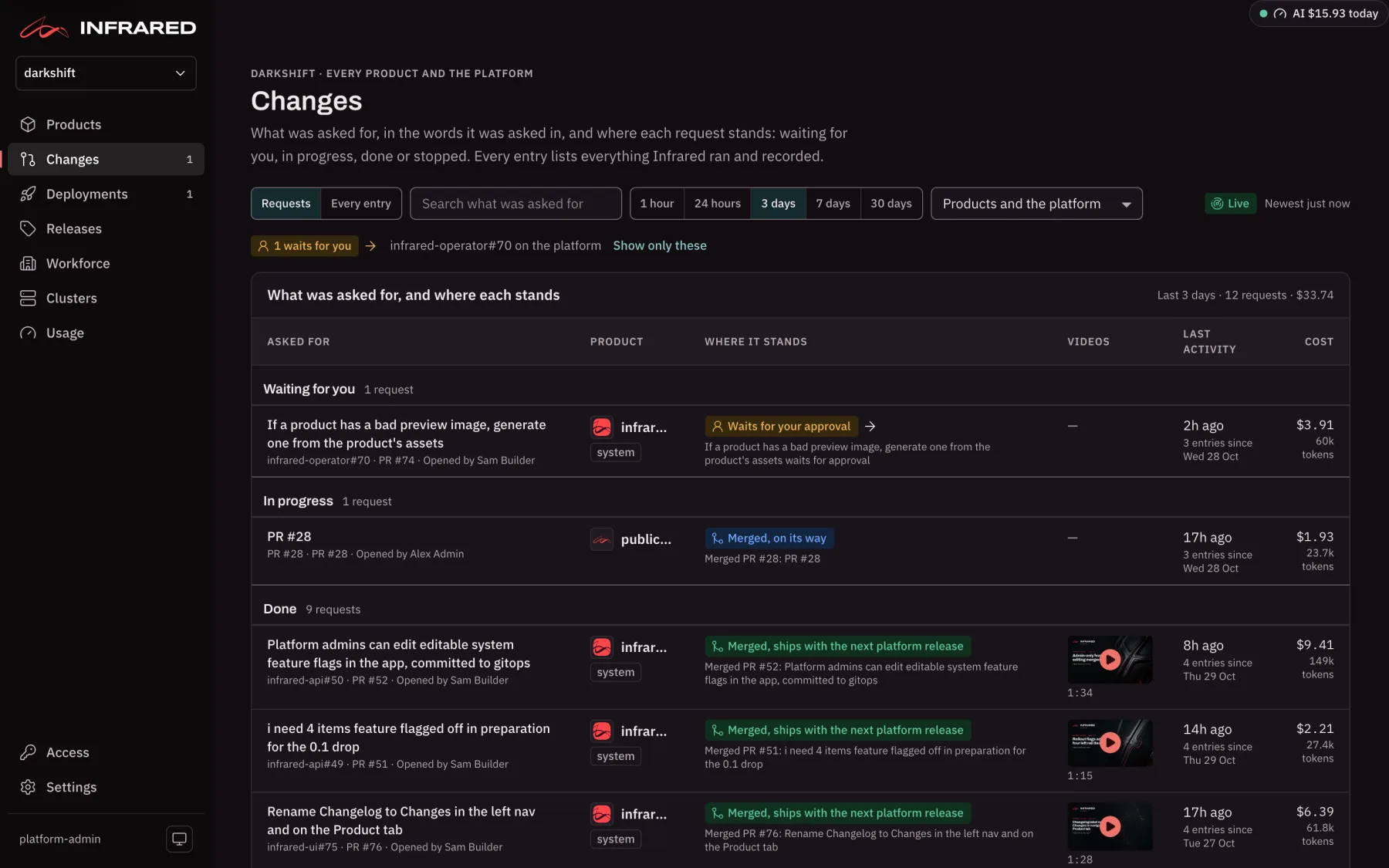
The rows come in four groups, in the order you would want to read them:
| Group | What is in it |
|---|---|
| Waiting for you | A Change that waits for triage or your approval, an agent that needs your guidance, or a deployment that waits for approval to an environment. The badge on the row (for example Waits for triage or Needs your guidance) opens the place where you act. |
| In progress | Agents at work, a merged pull request on its way, a build, or a deployment that hasn't reached the last environment yet. |
| Done | Live in the Product's last environment, covered by a release, or, for a change to Infrared itself, merged and waiting for the next platform release. |
| Stopped | Rejected, handed to a person, failed, cancelled, rolled back, or a build or deployment that failed. |
Each row shows:
- Asked for: the request's title, its issue, its pull request and who asked;
- Product (on the org's page only);
- Where it stands: a few words, with the entry that says so underneath;
- Videos: the Change's summary video and its announcement, when it has them. Each poster opens the video on the Change's page; one still being made shows a muted tile;
- Last activity: how long ago, and how many entries the request has gathered since when;
- Cost: what its agent runs cost.
Choose a row to open the request's newest Change. A request gathers everything that answered it: each run on its issue, the decisions on them and the merge, then what the merge led to: its build, each deployment, any rollback, and the release that covered it. A build that ships two merges belongs to both requests.
Search finds a request by its words, its issue (zippy#12) or its pull request (PR #41). The time range and the Product filter work as they do in the log below. At the foot, the page counts what the window holds that nobody asked for (scheduled runs, syncs, settings changes), and See every entry opens the full log.
Everything at once
Every entry, beside Requests, lists everything Infrared ran and recorded in the org, newest first: agent runs, merges, approvals, settings changes, builds, syncs, deployments, rollbacks and releases, from every Product and from the platform (changes to Infrared itself). Pull requests and pushes made outside Infrared aren't listed, and the line under the page's title says so.
Filters
Across the top:
- Search: titles, pull requests and runs.
- Time range: 1 hour, 24 hours, 3 days (the default), 7 days or 30 days.
- Product: Products and the platform, The platform: system changes, Products only, or one Product.
- Who: Anyone, People, AgentRoles, kpack and Argo CD, Infrared, or one person.
Every filter is kept in the page's address, so a link you share opens the same view, and Back undoes your last choice.
The histogram
Entries per hour, by kind draws each entry as a block in its column, stacked by kind. A column covers 5 minutes over 1 hour, an hour over 24 hours or 3 days, 2 hours over 7 days, and 12 hours over 30 days. The legend names each kind with its color and count; choose a kind to hide it from the histogram and the log, and choose it again to bring it back.
- Hover over a column to light up its rows in the log.
- Hover over a row to ring its block and mark its moment.
- Click a column, or drag across several, to narrow the log to that span. Live turns to Paused, and the caption totals the span's entries and their cost. Back to live or Clear the span returns to the whole window.
While the log is Live, new entries arrive by themselves. If you have scrolled down to read, they wait above the log until you choose Back to the top.
The log
The log groups its rows by day, each day with its count and cost. By request groups them by the request each one answered instead, with the request's title, issue, pull request, count, cost and where it stands; anything no request asked for comes last, under From no request. Either way, hovering over a row lights up every row of the same request.
Each row has:
- its time and kind;
- who made it: a person, an AgentRole (with how many more ran), kpack or Argo CD, or Infrared;
- what happened and why, such as the issue a run works on or who approved a deployment;
- its Product, marked system for the platform's;
- its result, and how long it took or has taken so far;
- its cost and tokens. Merges, approvals, deployments and rollbacks cost nothing themselves, and a build shows — because Infrared doesn't record what a build costs.
A run that waits for you shows Approve, and one that stopped to ask shows Needs you. The log shows the newest 100 rows, Show more adds 100 at a time, and Load the 7 days before reaches further back.
When one AgentWorkflow runs again and again for the same event, such as CI triage answering one failing commit, its runs fold into a single entry, for example CI triage ran 197 times. The entry says why they ran, over what span, how many ended each way and what they cost together. The histogram counts it once, and a day's totals still add up. A run that waits for a person always keeps its own row.
Opening an entry
Choose a row, or press Enter on it, to open the entry's own page:
- an agent run, a merge or a step's approval opens its Change's page;
- a build, a deployment, a rollback or an environment's approval opens the deployment's page;
- a release opens the release's page;
- a sync opens its cluster's page, or the Product's environment;
- a settings change opens the Product's settings.
A folded entry opens its newest run.
A Change's page
A Change's page answers three questions at a glance: where is it, what did each agent conclude, and is anything waiting for me.
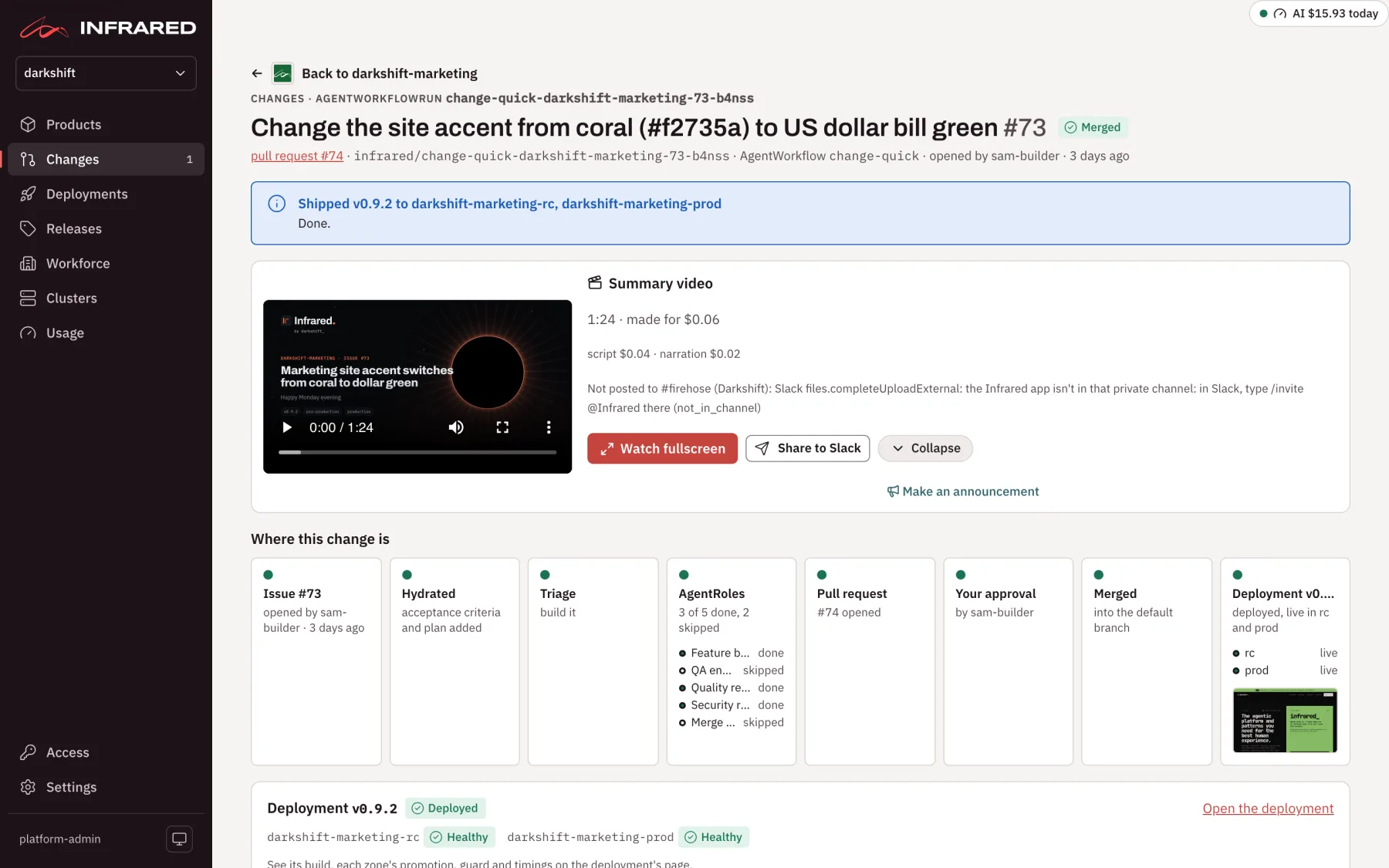
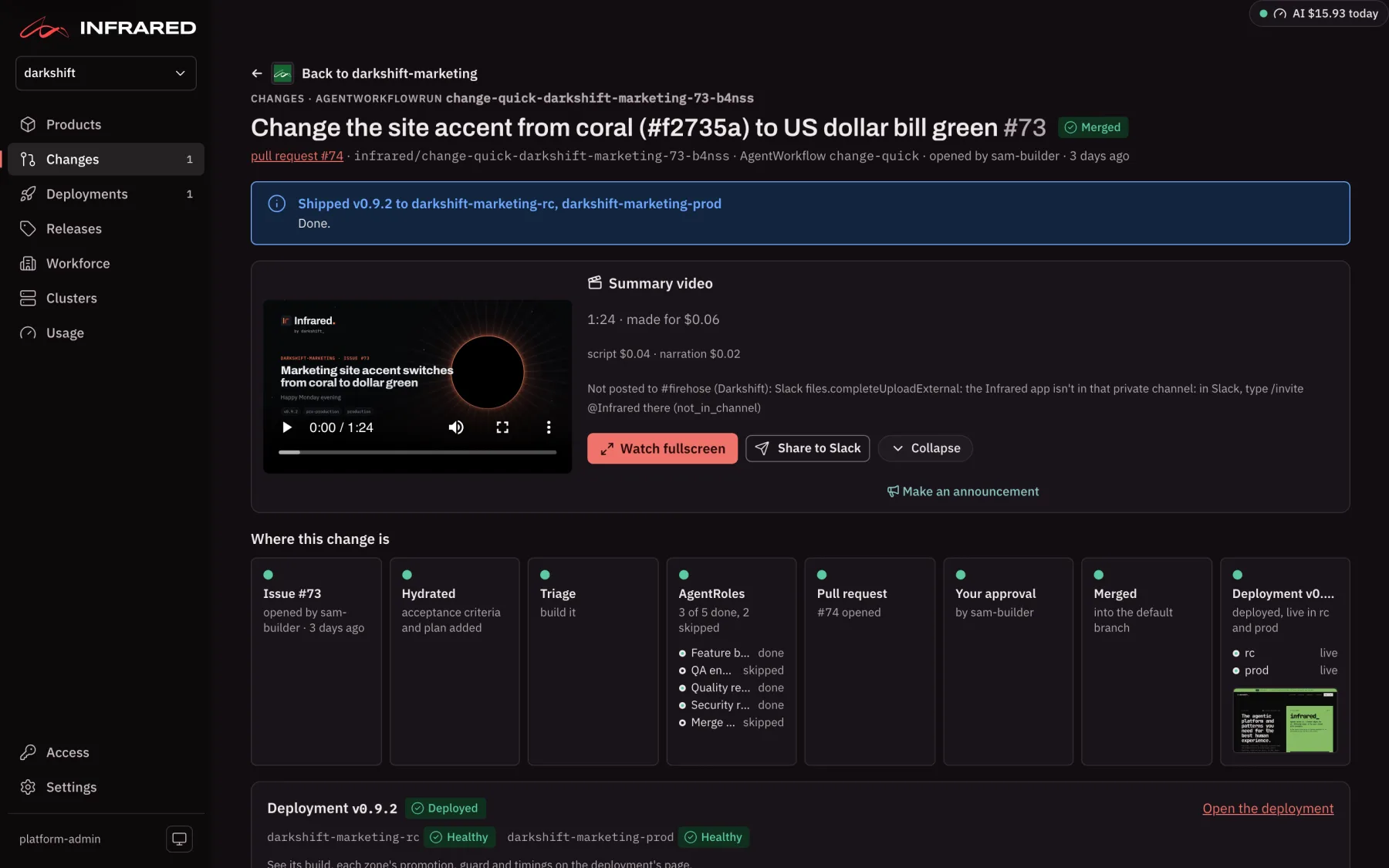
The header names the issue, its state, the pull request, the branch, the AgentWorkflow, and who or what started it and when. Back to <product> returns to the Product's Changes tab. Under the header, a banner says what needs you or how the Change ended: for example Shipped v0.4.2 to zippy-rc, zippy-prod, that it is waiting for your approval to promote to production, or that it finished with no change because the builder found nothing to change. When the Change has a summary video, it plays at the top of the page.
Where this change is
Where this change is tells the Change's story as one strip of stages, left to right:
| Stage | What it tells you |
|---|---|
| Issue (or Pull request) | What asked for the Change, who or what started it, and when |
| Hydrated | Whether the architect added acceptance criteria and a plan |
| Triage | Whether someone chose to build the issue or hand it to a person. A Change handed to a person ends here |
| AgentRoles | How many agent steps are done and how many are working, with a line per AgentRole |
| Pull request | The pull request the builder opened |
| Your approval | waiting for you while it waits; afterwards, who approved |
| Merged | Once the pull request is squash-merged into the default branch |
| Deployment vX.Y.Z | The deployment that ships the merge: its status in words (such as deployed, live in rc and prod), a line per environment (live, live, checked, deploying, waiting for you, next or failed) and a screenshot of the newest environment it reached |
Green is done, blue is working (its dot pulses), amber waits on a person, red failed, and grey hasn't started. An amber stage is a link straight to the decision it waits for.

Below the strip, the Change's deployment has a panel of its own: its version, its state, each environment's state and Open the deployment. It stays there after the Change finishes.
Figures and timeline
The figures sum up the run: AgentRoles, Tokens, Cost (with agent turns), Agent time and Success criteria (how many of the steps' criteria were met). Agent time counts only the time agents worked, never the time the Change waited for people.
Timeline draws one row per step that has started, so you can see which agents ran, how long each took, and how long the Change waited for people. Each bar is labelled with the step's verdict; hover over it, or read it with a screen reader, for its duration, verdict, tokens and cost. A running step's bar is striped and grows, and Elapsed counts its seconds. The deployment follows on its own row: build, tag, then each environment.

Steps and their verdicts
Steps has one record per step of the AgentWorkflow, in order. Each record is a verdict card: who ran the step, its verdict in sentence case (Verified, Changed, Merge with follow-ups, Block), a line of detail, the model, tokens, cost and time, and the buttons for what you can do (Build it, Approve, Reject, Retry). Green verdicts passed, amber ones are worth a look, and red ones stopped something. A step a person decided shows that person's name and picture.
Open a record to read:
- what the step concluded, in the agent's own words (Show the full summary for a long one);
- what it recorded: state, verdict, model and tier, attempts, when it started and how long it took, tokens in, out and from the cache, agent turns and cost;
- its links (commits, the pull request, review comments) and its evidence;
- its success criteria, each marked met or not;
- for an agent step, its log.
The records follow the run for you. A step opens when it starts, its log live and following the newest line, and closes when it finishes, so the open record is always the one at work. A step that waits for you or stops opens and stays open. One you open or close yourself stays that way until its state changes. A link to #verdict-<step> opens that step.
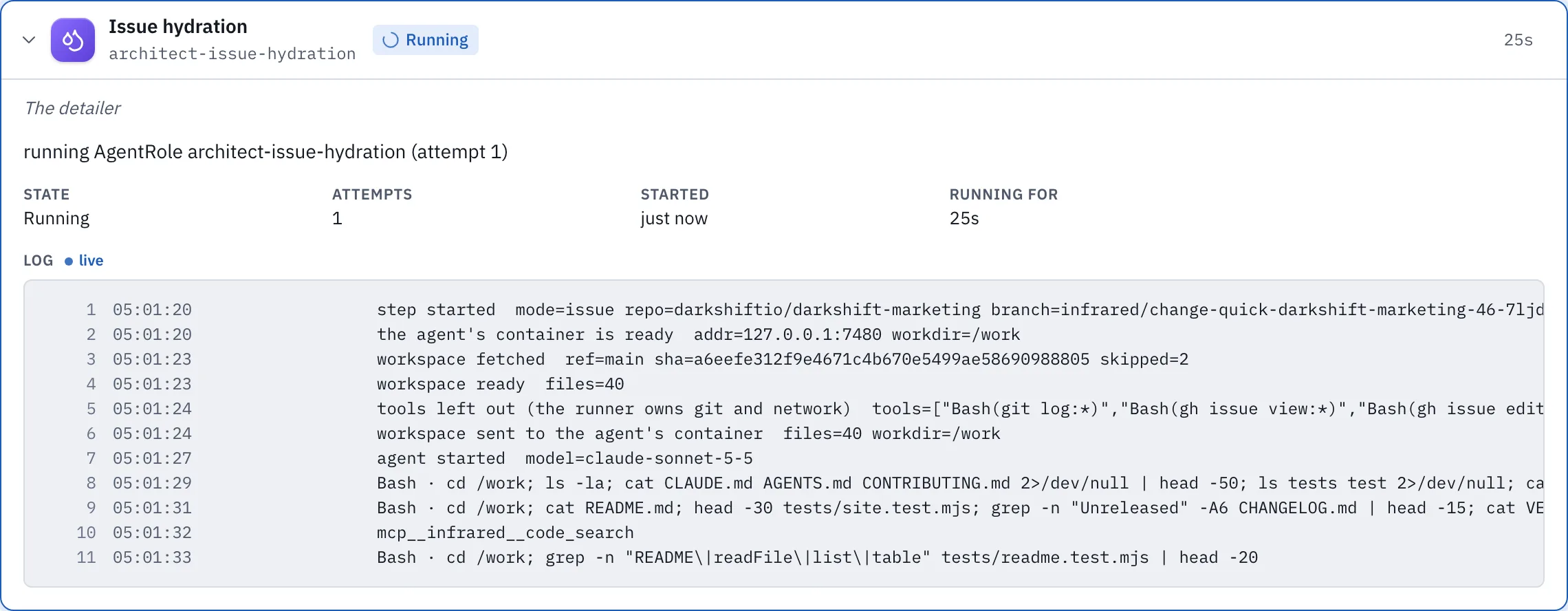
When a reviewer or the QA engineer sends work back to the builder, the Change says so above the steps (The QA engineer sent this Change back to the builder once), and each step that ran again keeps its Earlier rounds.
Evidence
A step's evidence is what lets you decide without redoing the work. Each record holds what its step produced:
- links: commits, the pull request, review comments;
- success criteria, met or not;
- test output the agent saved, shown as text;
- screenshots and video, from an e2e verifier for example, shown inline;
- anything else, offered as a download.
Agents leave files in .infrared/artifacts/ in their checkout, and the runner never commits that folder. Infrared keeps up to 12 files per step, 700 KB per file and 3 MB per step, and deletes them with the run. To have a custom AgentRole leave evidence, say so in its responsibilities:
spec:
  responsibilities:
    - Run the e2e suite and save the report to .infrared/artifacts/e2e-report.txt and a screenshot of each failing page to .infrared/artifacts/.
When a Change waits for you
A Change stops for a person at a few moments, and each one is easy to spot: the stage is amber, the banner says what it needs, and the step's record is open with its buttons.
Triage
After the architect hydrates the issue, the Change waits for you to decide whether agents should build it. Read the acceptance criteria and plan on the issue, then choose on the Triage step:
- Build it: the issue moves to Todo: agent and the builder starts.
- Hand to a person: Infrared asks you to confirm, moves the issue to Todo: human, and ends the Change. No agent builds it.

Approval
Before anything merges, a person approves it. When the Change reaches Human approval, the banner asks you to read each agent's verdict and evidence and the diff on the pull request, then approve or reject.
- Approve records who approved, and Infrared squash-merges the pull request within seconds.
- Reject asks you to confirm, fails the run, and leaves the pull request open for you to close.
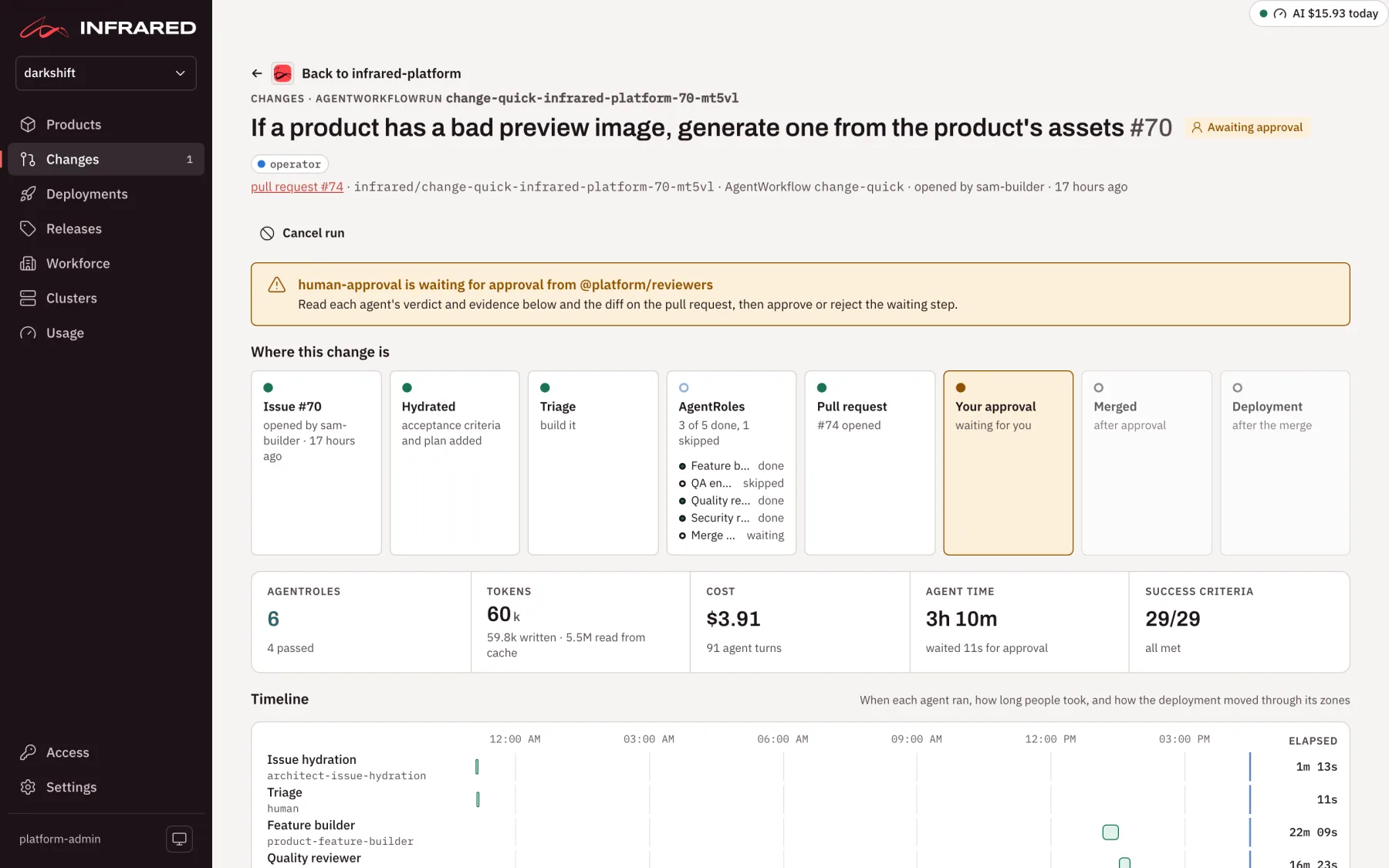
After the merge, the Change follows its deployment. The production environment waits for your approval on the deployment's page, and the Change's last step finishes when production runs the new version Healthy.
A Product can let Changes and deployments go ahead without these approvals: see Turn human approvals off.
When an agent stops and asks
An agent that can't go on without a decision doesn't guess. It stops, asks up to five questions, and proposes an answer to each from what it found. The Change's page shows them in a panel, <AgentRole> needs your input, with the suggested answers filled in.
- Accept, edit or clear each answer. Suggested: … use it puts back a suggestion you changed.
- Add anything else under Anything else: decisions, constraints, where to look, what done means.
- Choose Retry with this guidance.
The step and every step after it run again, and the agent reads your answers, under your name, as decisions. Your guidance stays on the run, so later attempts see it too, and Guidance given before lists what was said. When the cause is something to fix rather than decide (a missing key, an expired credential), fix it and choose Retry without guidance. Cancel run ends the Change instead.
When one of Infrared's own steps stops
Some steps are Infrared's rather than an agent's: the merge and the promotions. When one of them stops, the page shows Stopped at <step> with what happened and what the Change has already done. For example, the Change may be merged and running in pre-production; nothing is broken, it just went no further. There is nothing to answer, so the panel offers what fits:
- Open
<product>'s environments or Open the deployment, to see and fix the cause; - Retry, once the cause is fixed;
- Stop here, to leave the Change where it is.
A failed or stopped step anywhere in the run shows Retry in its record. The messages you are most likely to see have their causes and fixes listed.
Cancel a Change
Cancel run, at the top of an unfinished Change, stops it: a running step is stopped, and the run and its unfinished steps end Cancelled. Infrared asks for an optional reason. Nothing the Change already did on GitHub is undone, so close its pull request yourself if you don't want it. Closing the Change's issue, or closing its pull request without merging, cancels it too. With ir, ir run cancel <run> --reason "<why>".
What shipped
Once an environment passes its smoke check, Infrared opens the environment's site in a headless browser from inside the cluster and keeps a 1280×800 screenshot, so you see what people see without signing in to a preview. The screenshots appear under What shipped at the foot of the Change's page, on its deployment card in the journey strip, and on the deployment's page.
Deployment timings
A Change's lead time doesn't end at the merge. Its deployment's page breaks the rest into stages (the build, the tag, then each environment's deploy, smoke check, release guard and any rollback) on a timeline and in a table. See Timings.
API
| Call | Returns |
|---|---|
GET /v1/orgs/{org}/changelog | Everything that changed in the org, newest first, as the log shows it. waiting=true lists only what waits on a person |
GET /v1/orgs/{org}/agentworkflowruns/{name} | One Change's run, with each step's phase, verdict, usage and evidence |
GET /v1/orgs/{org}/agentworkflowruns/{name}/artifacts | The run's evidence files and its deployments' screenshots |
GET /v1/orgs/{org}/agentworkflowruns/{name}/steps/{step}/logs | The last lines of an agent step's log, one JSON object per line, kept for a day after the step finishes |
POST /v1/orgs/{org}/agentworkflowruns/{name}/steps/{step}/{action} | approve or reject a step that waits for a person; retry a stopped step, with {"guidance": "..."} to answer its questions |
POST /v1/orgs/{org}/agentworkflowruns/{name}/cancel | Cancels an unfinished run |
GET /v1/orgs/{org}/artifacts/{id} | One file. Images, text, JSON and video are served inline, anything else as an attachment, and no file can run scripts |
GET /v1/orgs/{org}/activity?hours=48&product=zippy | Runs and deployments that overlap the last hours (default 48, at most 720), each with the spans of its steps or stages |
With ir: ir run list, ir run get <run>, ir run retry <run> --step <step> [--guidance "<text>"] and ir run cancel <run>.