AgentRoles, AgentWorkflows and AgentWorkflowRuns
Agents do the building, reviewing and verifying in Infrared. You decide what they may do, in what order, and where a person has the last word. Three resources describe it:
| Resource | What it is | Example |
|---|---|---|
| AgentRole | One job an agent does, written so a capable agent could do it cold: its mission, responsibilities, evidence, guardrails, permissions, and when to hand work to a person. | Security reviewer |
| AgentWorkflow | The ordered steps a Change or a scheduled job moves through. A step runs an AgentRole, waits for a person, waits for CI, promotes to a zone, or does something automatically. | Change |
| AgentWorkflowRun | One run of an AgentWorkflow: each step's phase, verdict, attempts, tokens, cost and evidence. | A run of Change for checkout-web#212 |
The Agents view
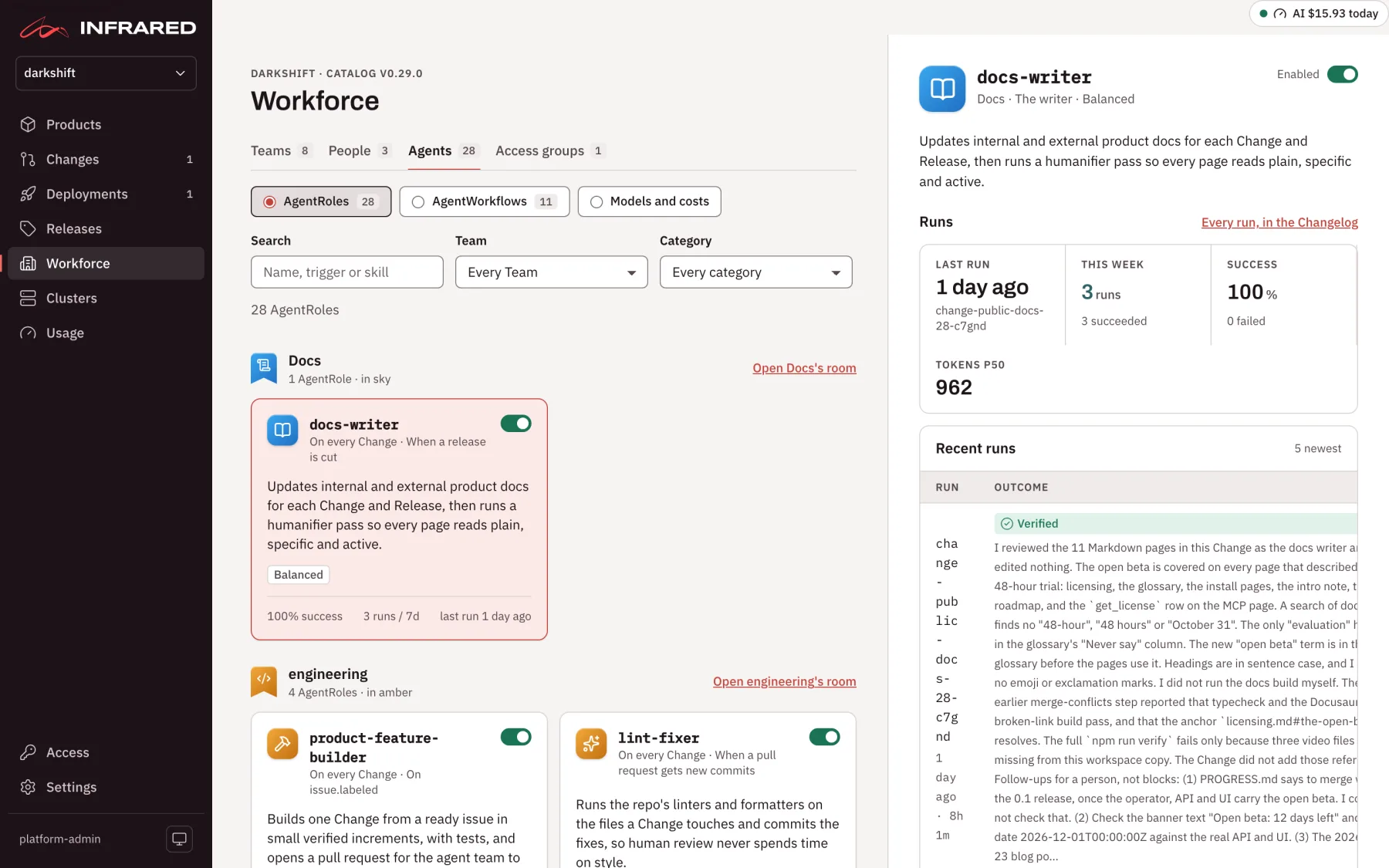
Open Workforce in the rail and choose the Agents tab. The org's AgentRoles are grouped by the Team they work for, each in its Team's colour, with the AgentRoles on no Team last. The header names the catalog version they were seeded from, and a note counts the AgentRoles your org has edited away from it.
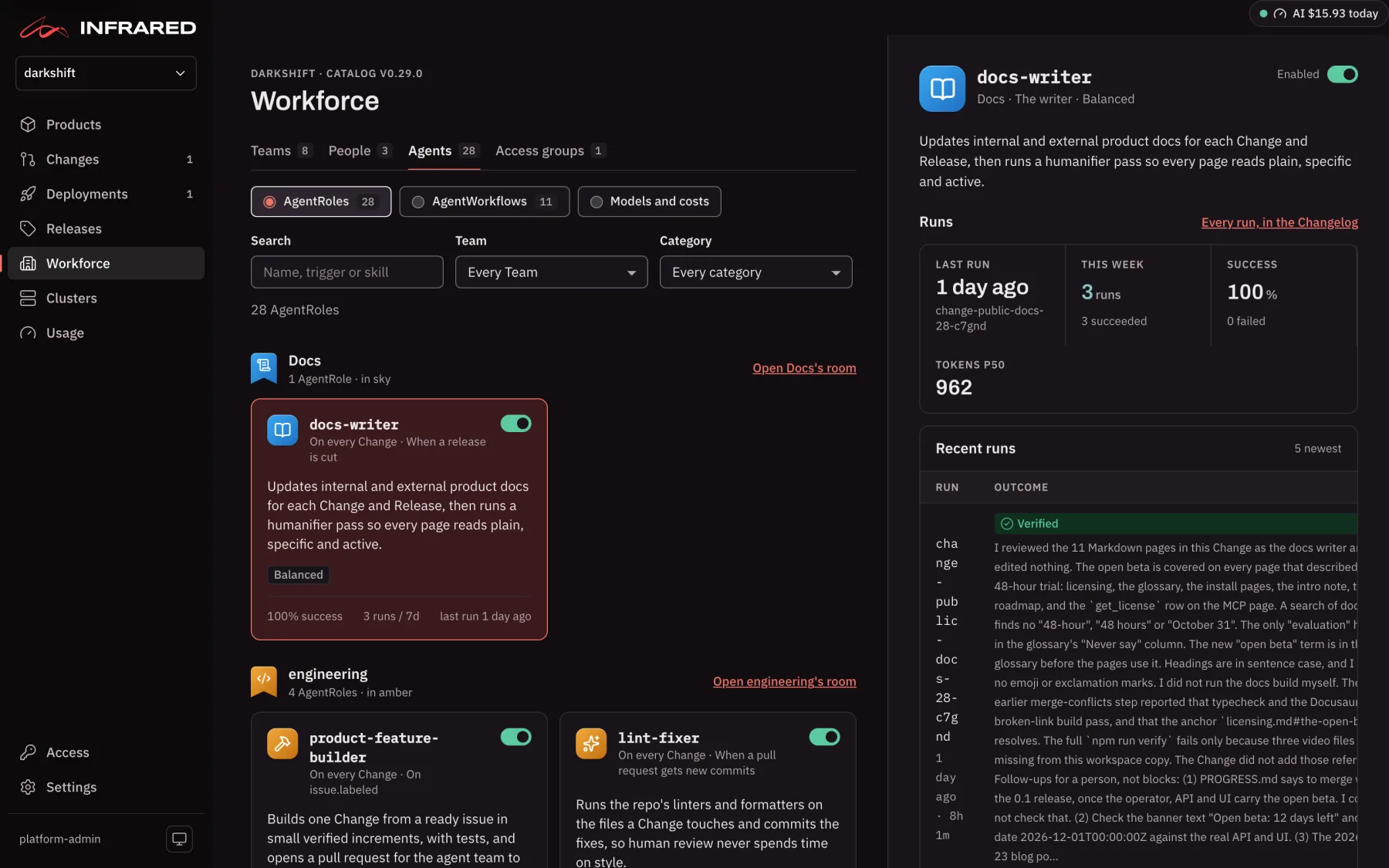
Search by name, trigger or skill, or filter by Team or by category: Architect, Change review, Scheduled or Builder. Each card shows the AgentRole's model tier, its success rate over the last 7 days, when it last ran, and a switch that turns it on or off for the org. Switched-off AgentRoles on no Team are folded away until you show them. Select a card to open its detail beside the list.
Two more views sit beside AgentRoles at the top: AgentWorkflows and Models and costs (see Models and costs).
AgentRoles
An AgentRole is complete guidance, not a one-line prompt. Every AgentRole in the catalog fills the same sections:
| Section | What it answers |
|---|---|
| Summary and mission | What the role does in one sentence, and the outcome it is accountable for. |
| Responsibilities | The ordered steps it takes, each concrete enough to check. |
| Triggers | When it runs: on a Change, on an event such as release.cut, on a schedule, or on request. |
| Inputs and outputs | What it reads (the diff, the issue, logs, metrics) and what it leaves behind (commits, comments, issues, documents). |
| Evidence | The proofs it attaches to the AgentWorkflowRun, and which are required. |
| Success criteria | Statements a reviewer can check, all of which must hold for the run to succeed. |
| Guardrails | What it must never do. |
| Permissions | The tools it may and may not use, git scopes, cluster verbs, network egress, and whether it may merge. Deny wins over allow, and no catalog AgentRole may merge. |
| Escalation | When it hands work to a person, who that is, and how long it may try first. |
| Opinions | Your org's own guidance, such as library preferences, semver rules or the coverage bar. |
| Model | The model tier it runs (Frontier, Balanced or Fast), the budget per run in US dollars, and the turn limit. See Models and costs. |
The detail pane shows these sections in tabs:
| Tab | What it shows |
|---|---|
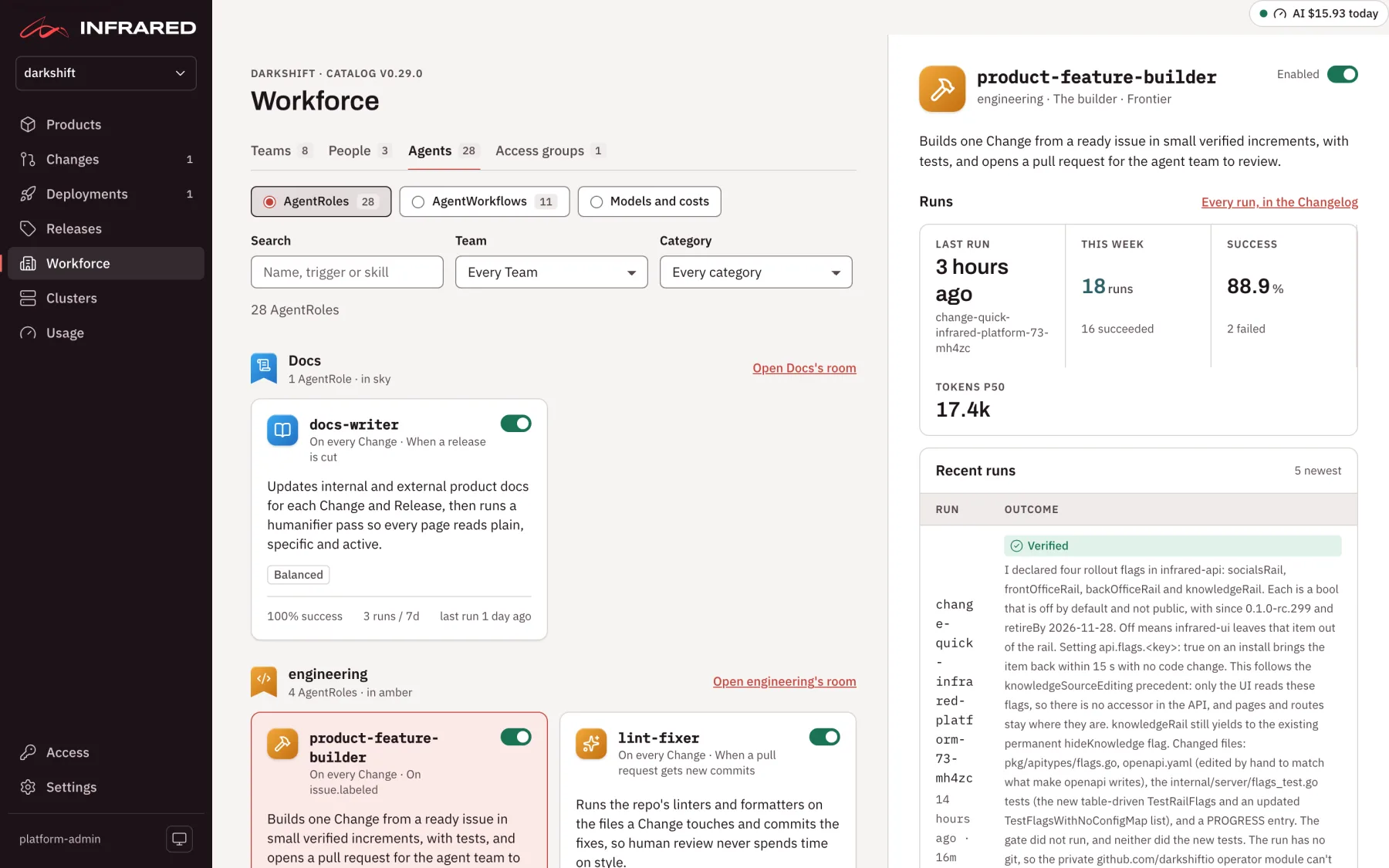
| What it does | Mission, Starts, Responsibilities, Proves with (evidence), Verdicts, Hands to a human when (escalation), and Instructions: your Extra instructions, skills and MCP servers. Below them, its recent runs. |
| Opinions | Your org's opinions, each with a switch. The tab's count is the number switched on. |
| Guardrails | Guardrails and success criteria. |
| Permissions | Allowed and denied tools, git, cluster and network access, the egress allowlist, whether it may merge, the model, the budget per run, and what it reads. |
| YAML | The saved spec, with a switch to compare it with the catalog. |
Verdicts
Each AgentRole lists the verdicts a run may end with, and the AgentWorkflowRun records the verdict of each step, so you read the outcome in plain words rather than in a log. A review AgentRole ends with VERIFIED, MERGE WITH FOLLOW-UPS or BLOCK. An AgentRole that fixes things ends with CHANGED, NO CHANGE NEEDED or BLOCKED. The QA engineer adds TEST CHANGED and CODE CHANGE NEEDED.
Make an AgentRole your own
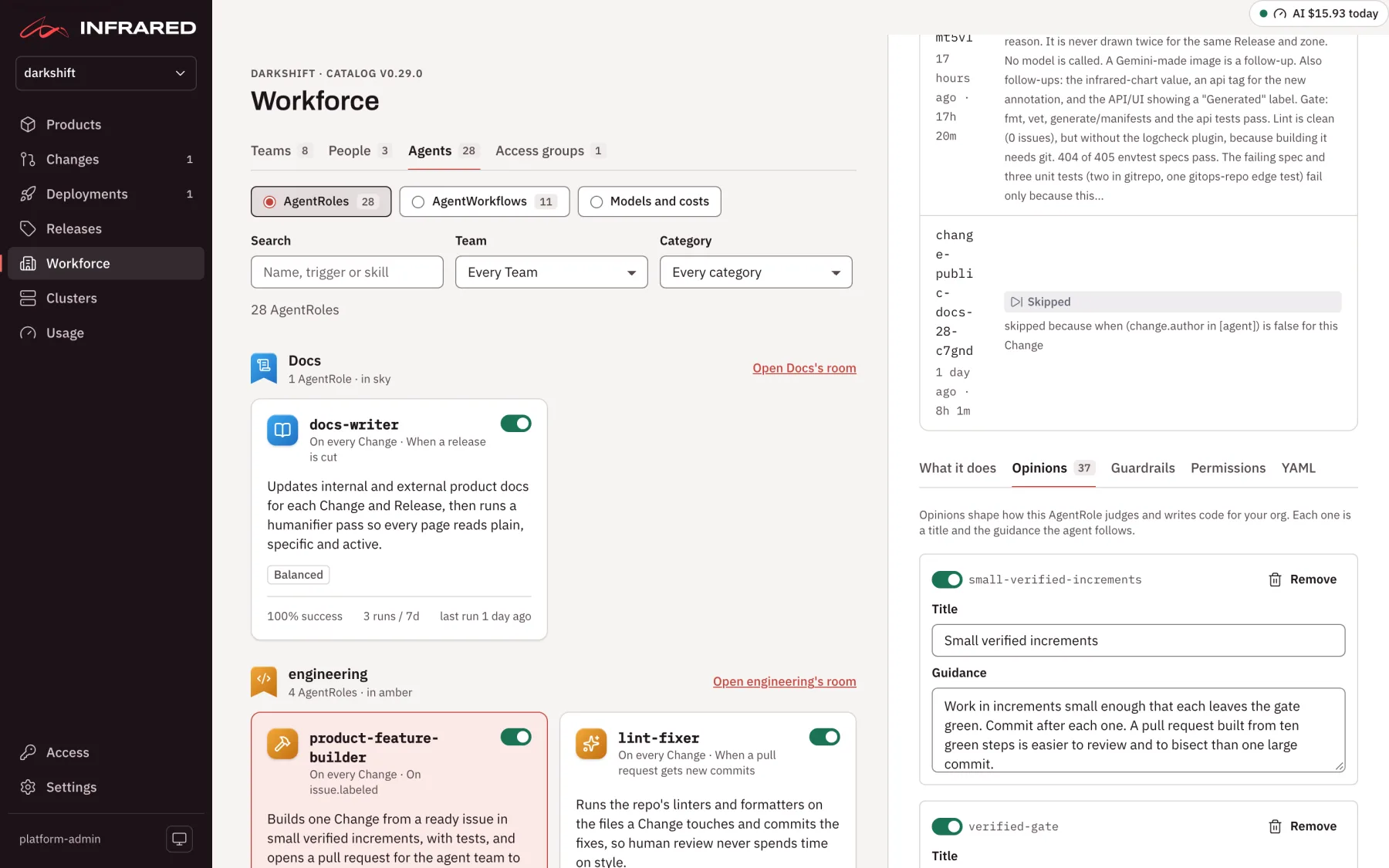
Opinions are where your org tells an agent how you do things. Each opinion has a title and guidance in plain words, for example "Patch and minor bumps are applied automatically; major bumps are proposed in a separate issue."
Open an AgentRole and go to Opinions. Each opinion is a card with its Title and Guidance. You can:
- Edit the title or guidance in place. The card is then tagged edited.
- Switch it off, so the agent no longer receives it, without deleting the text. The card says Off for and your org's name, for example Off for acme.
- Remove it.
- Add opinion to write one of your own.
You can also edit guardrails, success criteria and Extra instructions (Markdown added to the agent's prompt). Org admins can change the model on the Permissions tab; the rest of that tab is read-only and changes with the catalog or through the API.
Nothing is saved until you choose Save AgentRole. The line beside the buttons tells you where you stand: Unsaved changes, Edited for acme · differs from catalog v0.29.0, or Matches catalog v0.29.0. Reset to catalog replaces the whole AgentRole with the catalog's version once you confirm with Replace with catalog v0.29.0; there is no reset for a single opinion. If someone else saved the AgentRole while you were editing, your save is refused and the pane asks you to reload and apply your changes again.
In the spec, an opinion is on unless it carries enabled: false. An AgentRole that no longer matches the catalog has status.differsFromCatalog: true.
| With | Do this |
|---|---|
| The API | PUT /v1/orgs/{org}/agentroles/{name} replaces the whole spec and takes the resourceVersion from your last read (409 if it changed since). PATCH /v1/orgs/{org}/agentroles/{name}/enabled switches it on or off, and POST /v1/orgs/{org}/agentroles/{name}/reset resets it to the catalog. |
ir | ir agentrole list, get, edit (opens the spec in your editor), enable, disable and reset. |
An AgentRole that lists infrared under its MCP servers, as the catalog's architect AgentRoles do, reads code through the code index when your install runs one.
The catalog
When an org is created, Infrared copies the default catalog into the org's namespace, ir-org-<org>: every AgentRole and every AgentWorkflow, labelled with the catalog version they came from. From then on they are your org's own. A catalog upgrade never overwrites your edits: AgentRoles you changed keep your version, and the Agents view shows which ones differ.
AgentWorkflows
The catalog's AgentWorkflows include Change (quick) and Change, which carry a Change from an issue or a pull request to production; Issue hydration; CI triage and the QA weekly sweep; the Daily audit; a Team's Daily status; and Release, which runs when you cut a release.
Choose AgentWorkflows at the top of the Agents view to see each one: its description, its triggers in plain words, its schedule and next run when it has one, whether it is enabled, how many steps it has and who it dead-letters to, and an Enable or Disable button. Its steps table lists each step's type (AgentRole, Human gate, Automatic, CI or Promotion), its AgentRole, when it starts, its condition and gate, what happens when it fails, and whether it is required.
To ask for a change, use Ask for a change on the Product's page. See Run a Change.
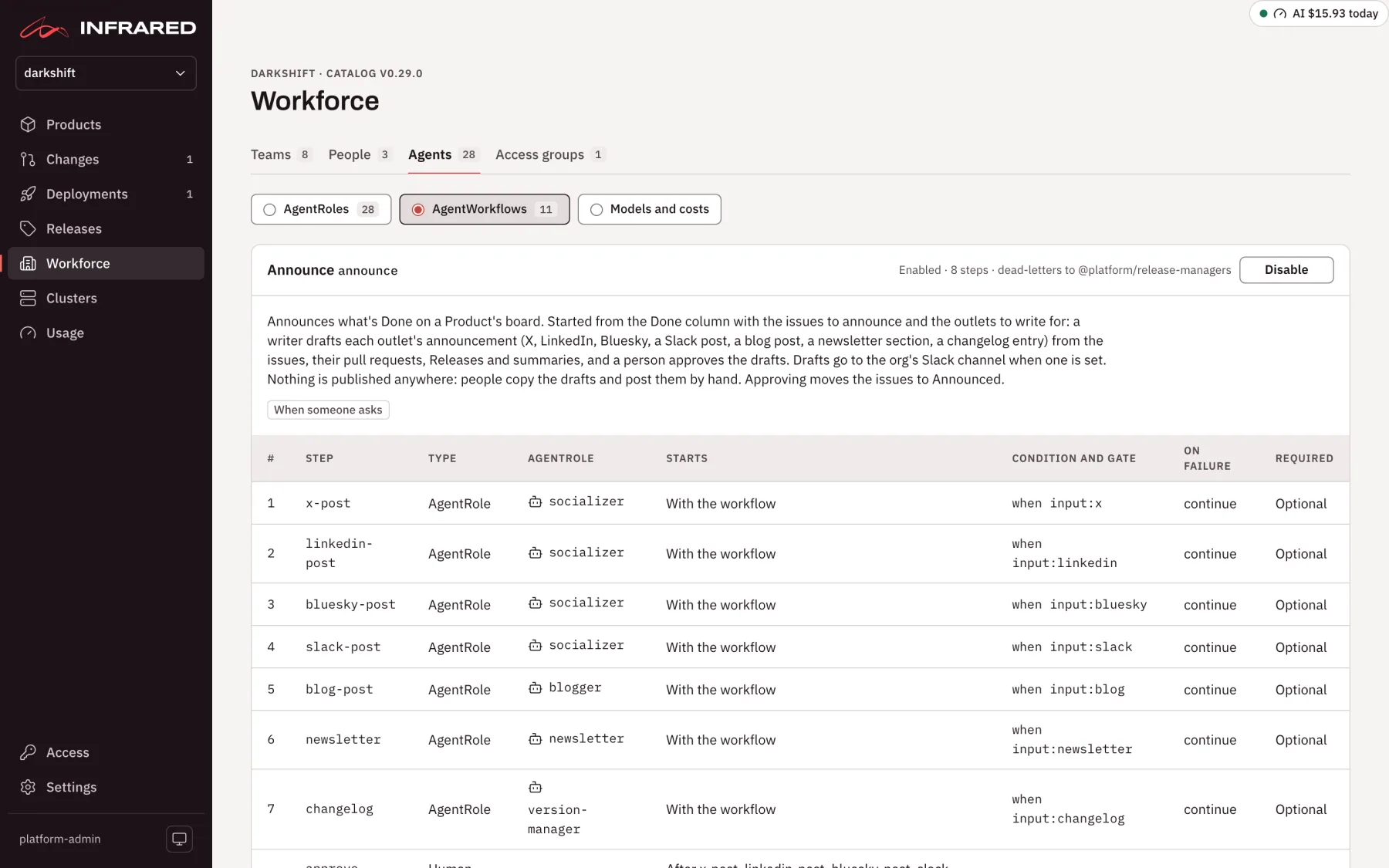
Steps
An AgentWorkflow lists its steps in order, and by default a step starts when the one before it finishes. needs makes a step wait for specific earlier steps instead, and independent: true starts a step with the workflow, which is how the daily audit's three checks run side by side.
A step can carry a when condition, such as change.author in [human] or label:security. It is skipped when the condition doesn't hold or its AgentRole is switched off. A human gate names its approvers, how many approvals it needs (minApprovals), and a timeout after which it escalates.
Each step says what happens when it fails:
| On failure | What happens |
|---|---|
| Dead-letter | The run pauses at the step and the work goes to a person, the workflow's dead-letter reviewer, such as @platform/reviewers. This is the default. |
| Fail | The run stops and is marked Failed. |
| Continue | The failure is recorded and the next step starts. |
A required step can't be switched off. In the Change AgentWorkflow, the builder, the security review, the end-to-end verification, human approval and the merge are required. Human approval can never be removed: it is the step Infrared exists to guarantee.
AgentWorkflowRuns
Every time an AgentWorkflow runs, Infrared creates an AgentWorkflowRun in the org's namespace. It records the phase of the run and of each step (Queued, Running, AwaitingApproval, DeadLettered, Succeeded, Failed, Cancelled or Skipped), each step's verdict and attempts, the tokens and cost it used, and links to the evidence it captured, with each success criterion marked passed or not.
This is what you decide from. When a Change waits for your approval, its page brings together every verdict, the screenshots and video from the pre-release zone, the security report and the diff. See Follow a Change.
Where agent steps run
Each AgentRole step runs as a Kubernetes Job in the org's namespace on the management cluster. The runner fetches the repo as a snapshot without git history, runs the agent against it, and makes every git and GitHub write itself from the agent's structured report, so the agent never holds a token that can push. In place of the history, the agent gets a summary from the GitHub API: the tags, the commits since the newest tag, and recent releases and merged pull requests.
The agent has go, make, helm and node on its PATH, so it can run a Product's make verify and helm lint its chart. Go and make come from the chart's runner.goToolchainImage, and helm from runner.helmImage, both pinned by digest.
A NetworkPolicy, infrared-runner, fences runner pods in each org namespace:
| Runner pods may | Runner pods may not |
|---|---|
| Resolve names through the cluster's DNS | Reach the Kubernetes API, other pods or Services |
| Reach the internet on ports 443 and 80: the model API, GitHub, package and module proxies | Reach private networks (10.0.0.0/8, 172.16.0.0/12, 192.168.0.0/16, 100.64.0.0/10), loopback, or link-local addresses such as cloud metadata (169.254.169.254) |
| Reach the install's Gitea, for an org whose forge it is | Accept any connection |
The fence needs a CNI that enforces NetworkPolicy. k3s and GKE with Dataplane V2 do out of the box; on EKS, turn on the VPC CNI's network policy support. Set it with the chart values under runner.networkPolicy:
runner:
  networkPolicy:
    enabled: true            # false only when the CNI doesn't enforce NetworkPolicy
    extraEgressCIDRs: []     # e.g. ["10.20.0.0/24"] for a GitHub Enterprise Server on a private network