Organizations
An org is a separate home for a group's work: its own Products, access groups, AgentRoles, model provider key and Settings, in its own namespace ir-org-<org>. People see only the orgs they have a role in, so each group works in its own space while sharing the install and its clusters.
The setup wizard creates the first org, the platform org, which runs the management cluster. Platform admins create more. On an install that lets anyone sign up, each new person also gets an org of their own at their first sign-in.
Create an org
Open the org switcher at the top of the rail and choose New organization. Fill in the form, or switch to Interview to answer the same questions one at a time.
- Name: a lowercase DNS label of at most 56 characters. It names the namespace (
ir-org-<name>) and can't be changed. Names Infrared or Kubernetes use, such asargocd,buildsor anything startingkube-orir-, are reserved. On Gitea the name also names the org's bot user,ir-<name>, which Gitea limits to 40 characters, and it can't be a name Gitea already uses for a user or organization. - Display name: what people call it.
- Repos on: where the org's repos live. Gitea (this install's) is the default wherever the install runs Gitea: the org gets its Gitea organization, bot user and gitops repo at once, so it's ready for Products. GitHub means the org starts with no forge, and its admins connect a GitHub organization of its own after creating it. An install without Gitea offers GitHub alone.
- Organization admins: pick them from the people the install knows, searching by name or GitHub login as you type, or type a GitHub login the install hasn't seen yet. They become the org's access group
admins, with the roleorg-admin.
Choose Create organization. Infrared switches to the new org, and the operator creates its namespace and its AgentRoles and AgentWorkflows, as for every org.
The admins are GitHub logins, so on an install where people sign in with Google, add their Workspace group or their address to the admins access group in Workforce → Access groups (Access groups). Add everyone else the same way.
An org on Gitea needs nothing more. An org with no forge yet is told so on Products and Changes: Use Gitea gives it its Gitea organization, bot user and gitops repo on the install's Gitea, and Connect GitHub opens Settings.
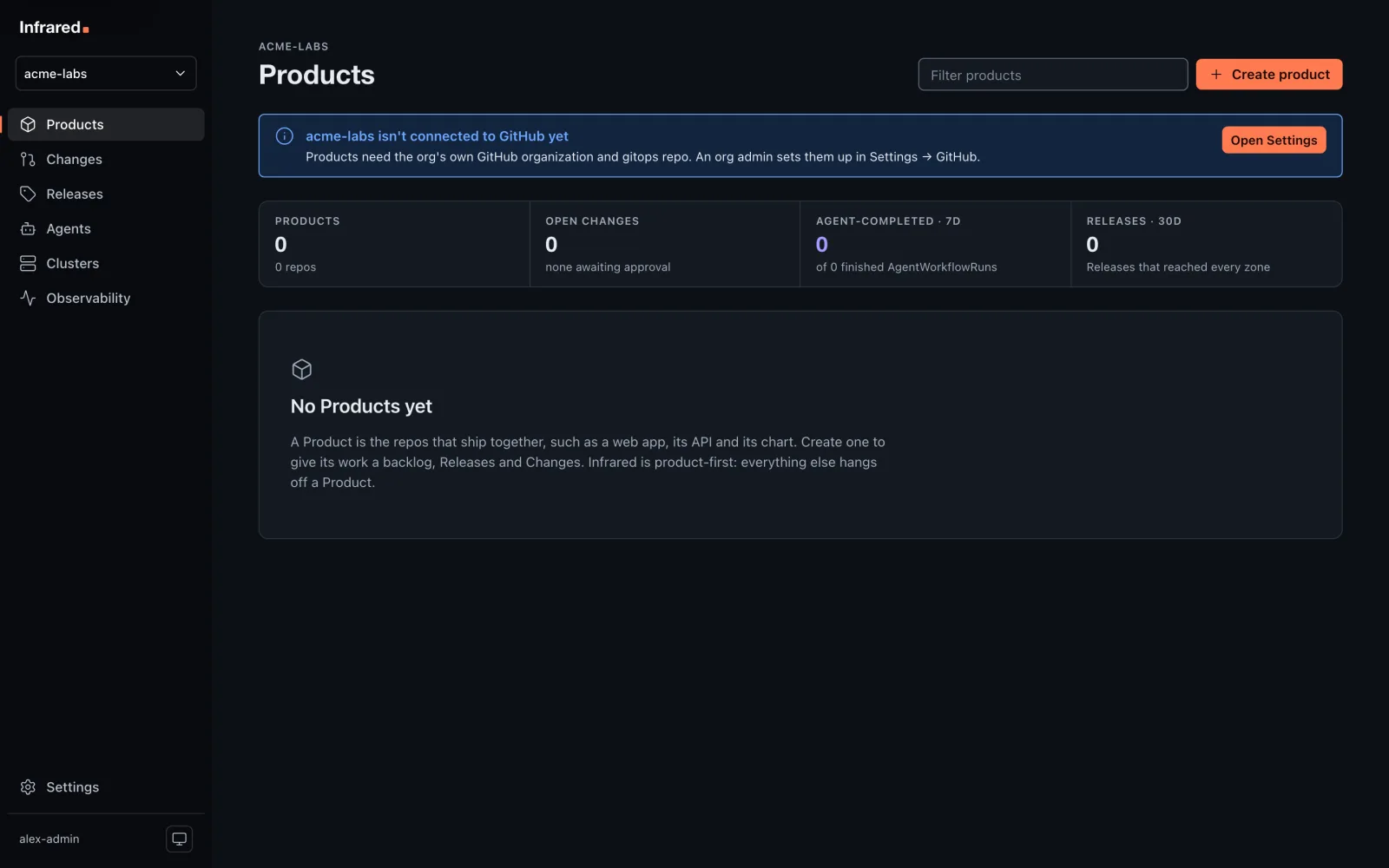
Through the API, forge is gitea or github, and the default is Gitea where the install runs it:
curl -X POST https://<host>/api/v1/orgs -H "Authorization: Bearer $INFRARED_TOKEN" \
  -H 'Content-Type: application/json' \
  -d '{"name": "acme-labs", "displayName": "Acme Labs", "admins": ["octocat"], "forge": "gitea"}'
If the Gitea step fails, the org still exists, and POST /v1/orgs/{org}/gitea (org admins) finishes the job, keeping whatever is already in place.
The install's license may cap how many orgs it holds (Licensing).
Connect GitHub
An org's admins can give it a GitHub organization of its own. Open Settings, and in the GitHub panel enter the login of a GitHub organization you own, then choose Connect GitHub.
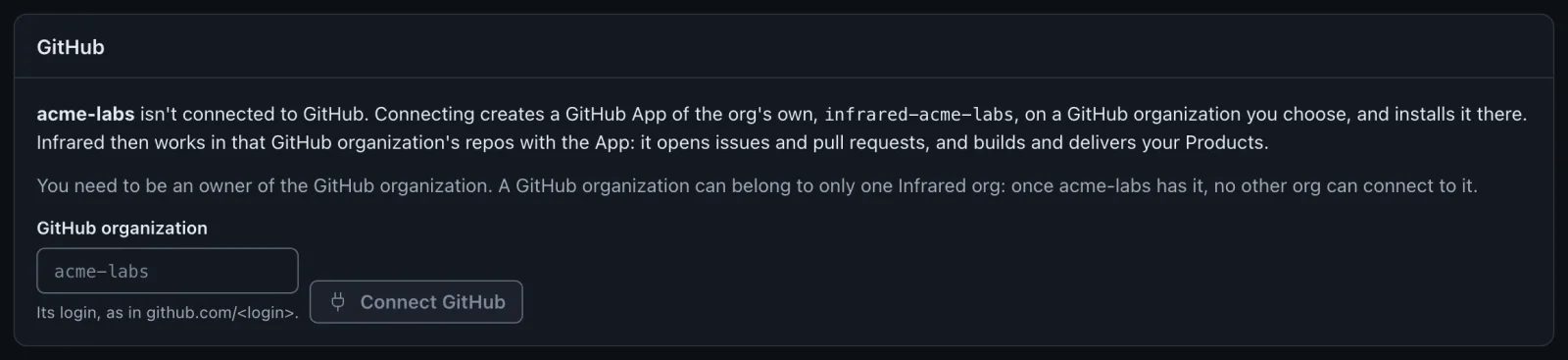
- GitHub opens with a new App,
infrared-<org>, ready to create on that GitHub organization, with the same permissions as the platform org's App. Create it. - GitHub asks where to install it. Install it on the same GitHub organization, on all repositories or on the ones the org's Products use.
- GitHub returns you to Settings. Installation reads Installed, verifying, then Installed and verified once Infrared has used the App.
The App's private key, webhook secret and OAuth client go into the Secret github-app in the org's namespace.
A GitHub organization belongs to one Infrared org. If another org has already connected it, Infrared refuses before anything is made on GitHub: "already connected to another Infrared org". Platform admins are also told which org has it.
The App's webhook starts inactive. To have new issues and pull requests start AgentWorkflows on their own, activate it on GitHub (Triggers and scheduling).
GitHub beside Gitea
An org on the install's Gitea, the platform org included, can connect a GitHub organization too, the same way. Its Products can then live on either forge: Create product asks Repos on Gitea or GitHub, and a Product keeps its repos on the one you pick. It can't move later.
Create the gitops repo
An org on Gitea gets its gitops repo when it's made. For an org on GitHub, once the App is verified, the GitHub panel offers Create gitops repo: a repository (default gitops, private) in the org's GitHub organization. Infrared delivers the org's Products from it.
It's fenced from the platform org's gitops repo and from every other org:
- It never changes Argo CD itself. Infrared applies only the Argo CD Applications that Products write under
registry/clusters/<cluster>/components, and ignores anything else there. - Every one of those Applications goes in the Argo CD AppProject
org-<org>. That project's sources are only the org's own repos, and its destinations only the org's zones and its builds namespace. The only cluster-scoped kind it allows is Namespace. - Argo CD reads the repos with the org's own App.
- Products build in the namespace
builds-<org>, with a read-only token of the org's own App. The platform org builds inbuilds.
Names across orgs
Orgs share the clusters, so a Product's name and its zones' names, which become namespaces and Argo CD Application names, must be unique across every org. Creating a Product or zone with a name another org uses is refused with a 409.
Delete an org
A platform admin can delete any org but the platform org. Open the org's Settings, and in the Delete org panel type the org's name and choose Delete org. The org must have no Products, and no workload clusters of its own: delete those first.
Infrared removes the org's namespace (its access groups, AgentRoles, secrets and GitHub connection), its Argo CD AppProject, Applications and credentials, and its builds namespace.
It leaves the org's repos and its GitHub App on GitHub. Delete the App on GitHub: Settings links to it, and GET /v1/orgs/{org}/github returns its appURL.
API
| Call | Who | What it does |
|---|---|---|
POST /v1/orgs | Platform admins | Create an org with its first org admins |
DELETE /v1/orgs/{org} | Platform admins | Delete an org with no Products |
POST /v1/orgs/{org}/gitea | Org admins | Give the org its Gitea organization, bot user and gitops repo |
GET /v1/orgs/{org}/github | Anyone in the org | The org's App, its installation and its gitops repo |
POST /v1/orgs/{org}/github/manifest | Org admins | Start creating the org's App on a GitHub organization |
POST /v1/orgs/{org}/gitops | Org admins | Create the org's gitops repo on GitHub |